Powered by Safety
®
44
Usage
01.4IB.48041
BriteSpot® Plus
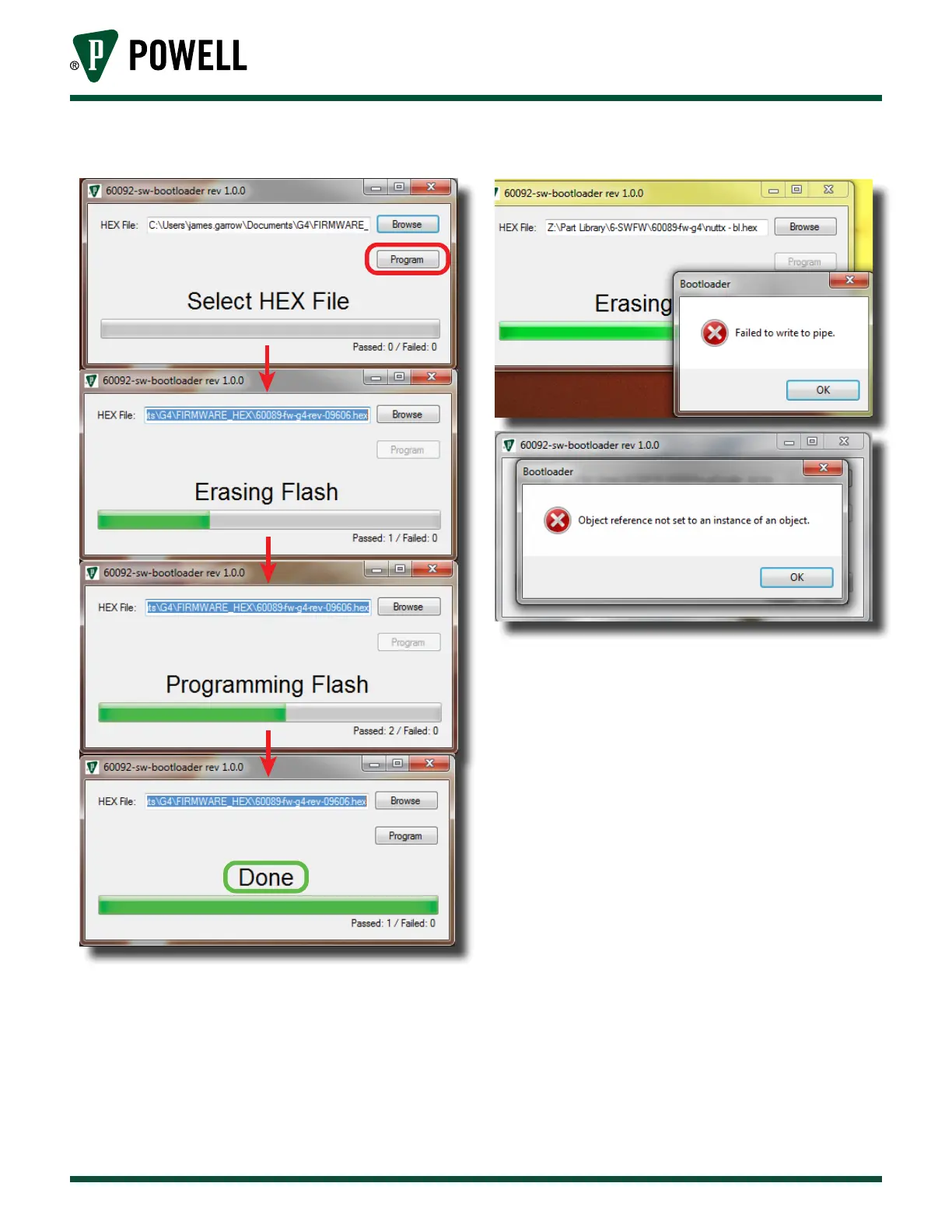
Figure 61 Programming Firmware
Once the programming completes
successfully, the software displays “Done”
and the unit will reboot. At this point, the
USB cable may be disconnected from the
unit.
7. If programming fails, the software will
display one of the messages in Figure 62.
Figure 62 Firmware Programming Failure
Should this occur, power cycle the unit and
begin the firmware upgrade process again
from step 2.
G. cleAninG
Should the window or bezel become
excessively dirty, it should carefully be wiped
clean with a damp cloth. The rear of the device
does not require cleaning.



 To Next Page