Powered by Safety
®
36
Usage
01.4IB.48041
BriteSpot® Plus
vi. Device Status Page
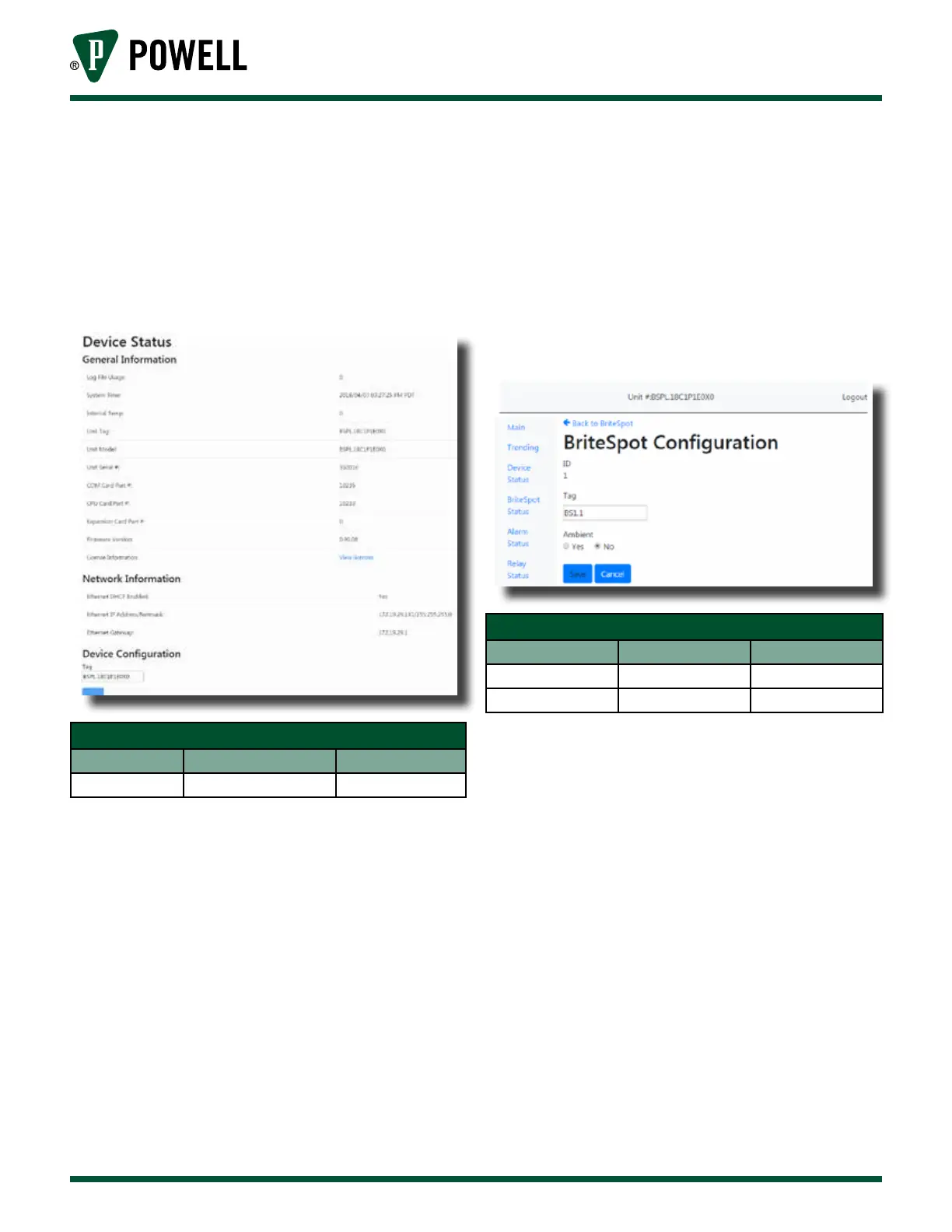
The device status page (Figure 46)
displays general information about
the BriteSpot® Plus. The device tag
can be edited on this page.
Figure 46 Device Status Page
Table L Device Status Web Page
Parameter Default Value Range/Options
Tag Device Part Number 32 Characters
vii. BriteSpot Plus Channel
Configuration
The BriteSpot channel configuration
pages (Figure 47) can be accessed
from the main page by clicking
on “BriteSpot Status” followed by
clicking the appropriate channel
ID. Here the channel tag can be
customized, as well as setting
whether the measured temperature
is ambient or not.
Note: Multiple probes may be selected
as “ambient” as this is simply an
indication to the user that they are
measuring ambient temperature.
It falls to the user to know what
“ambient” refers to in their specific
user case.
Figure 47 BriteSpot® Plus Configuration Web
Page
Table M BriteSpot® Configuration Web Page
Parameter Default Value Range/Options
Tag BSx.x 32 Characters
Ambient No Yes/No



 To Next Page