Powered by Safety
®
28
Usage
01.4IB.48041
BriteSpot® Plus
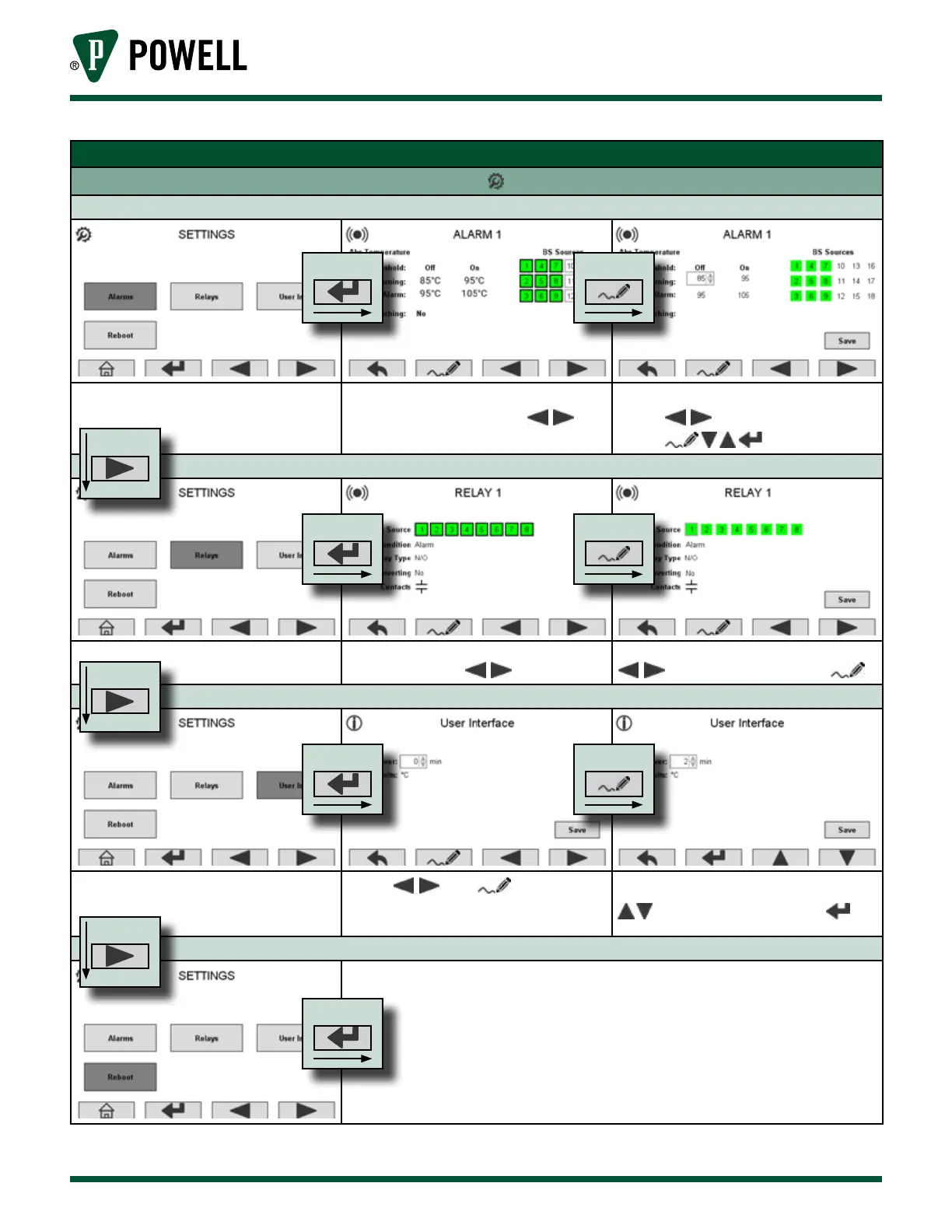
Table F Menu Navigation (cont.)
Settings Screens - Press From Main Screen
Alarm Settings
The user can select which alarm
they wish to edit using
.
Scroll through alarm parameters
using and make changes
using
Relay Settings
The user can select which relay they
wish to edit using
Scroll through relay parameters using
and make changes using .
User Interface Settings
Select: edit: Temp
units and Screensaver delay can be
congured.
Adjust the screensaver delay using
and accept changes using .
Reboot
Unit will shut down and restart.
PRESS
PRESS
PRESS
PRESS PRESS
PRESS PRESS
PRESS PRESS
PRESS



 To Next Page