15
X8 | SERVICE MANUAL
INDEX
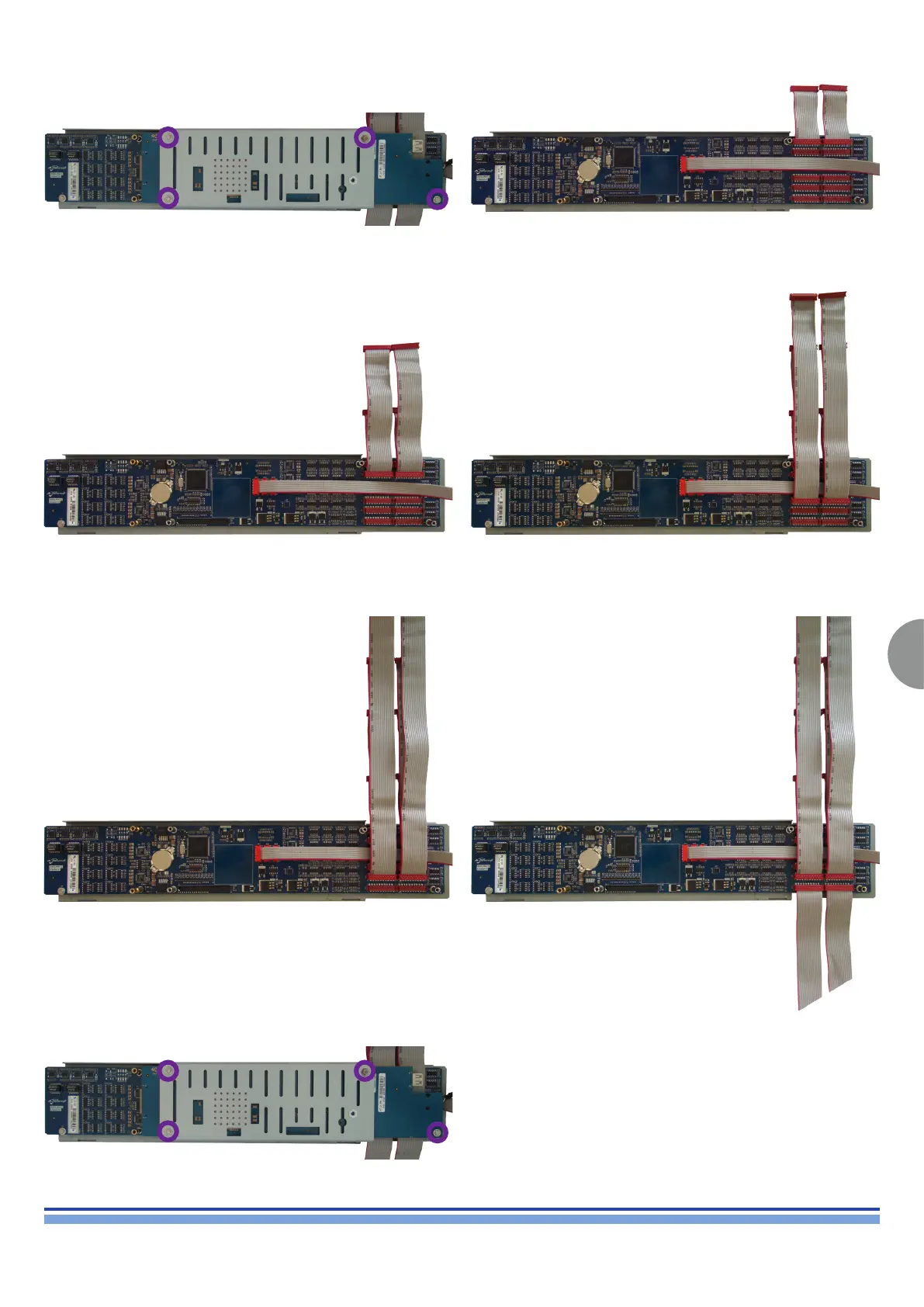
Flat Cable Replacement:
Unscrew the marked screws by means of an M5 socketed screwdriv-
er, remove the protection plate, and gently lift the Digi Board.
Plug the CB000381.01 Flat Cables as portrayed
Plug the CB000382.01 Flat Cables as portrayed
Plug the CB000384.01 Flat Cables as portrayed
Plug the CB000383.01 Flat Cables as portrayed
Plug the CB000385.01 Flat Cables as portrayed
Reset the Digi Board, centre the protective plate and screw the 4 M5
screws back in their original position.













 To Next Page