EasyManua.ls Logo

powersoft X8 - Thermal Limiter ON on AMP Modules; Limiter ON on AMP Modules

powersoft X8
45 pages
Print Icon
To Next Page IconTo Next Page
To Previous Page IconTo Previous Page
Loading...
INDEX
37
X8 | SERVICE MANUAL
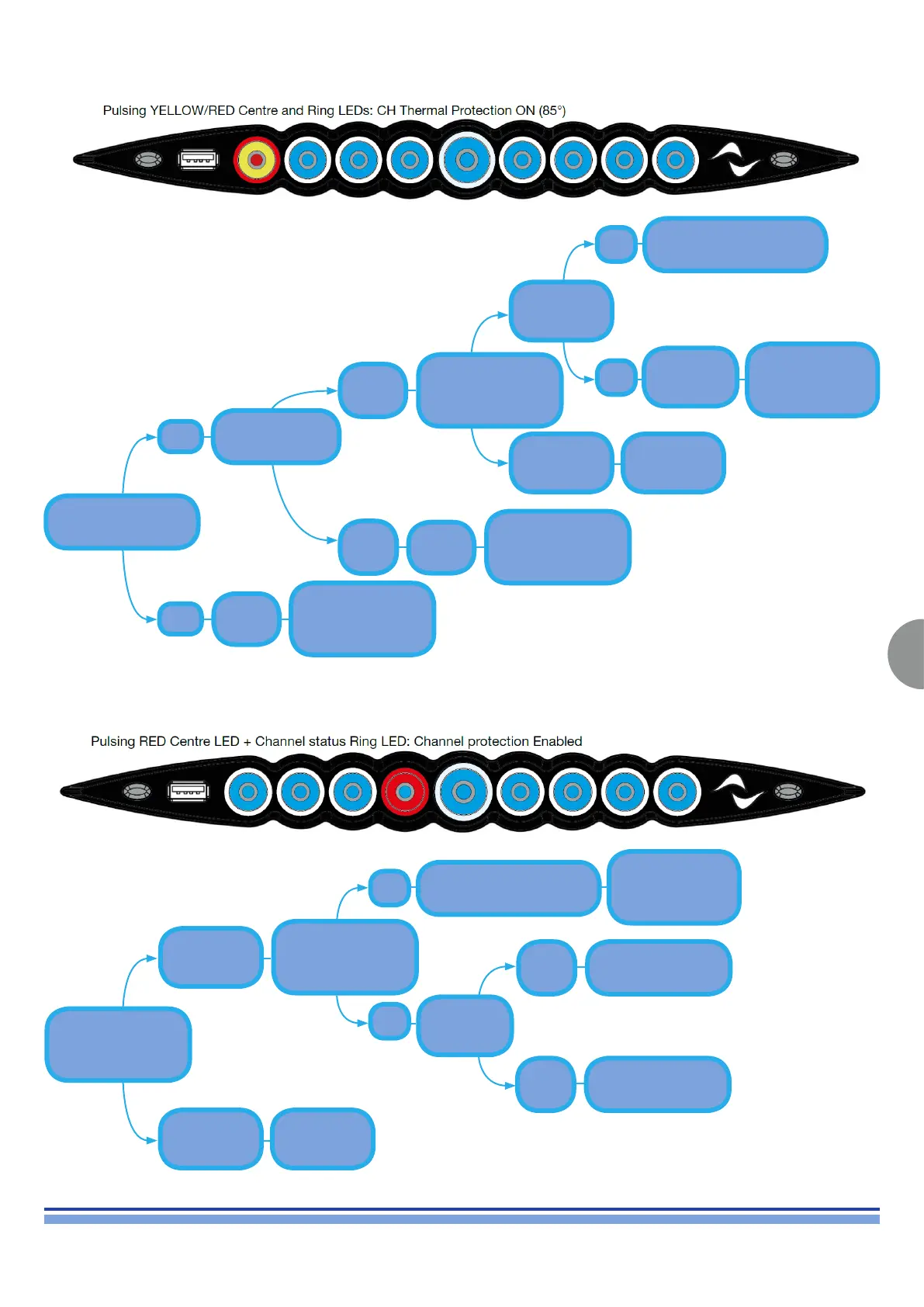
Thermal Limiter ON on AMP Modules
Limiter ON on AMP Modules
Resolved
Resolved
Update the
unit’s Firware via
Armonia or through
the USB Pen Drive
procedure
Update the
unit’s Firware via
Armonia or through
the USB Pen Drive
procedure
Unplug the Unit’s Input and Output connectors
Install the .pam
default parameters and
restart the unit
Perform the SD
Card Recovery
procedure
Place the
suspected faulty AMP
Module in a different
slot and switch the
unit on
Check for proper
connection, and wear,
between the module
and the at cables
Place the
suspected faulty AMP
Module in a different
slot and switch the
unit on
The issue
persists on the
same channel
The issue
persists on the
same channel
The issue
moves to the
new channel
The issue
moves to the
new channel
Replace
the
DIGI+ADLINK
Boards
Check the
Module’s
Fuses
Replace the
AMP Module
Replace the
AMP Module
FAIL
OK
FAIL
OK
OK
OPEN
NO
OK
YES
FAIL
Update the unit’s
Firware via Armonia
or through the USB
Pen Drive procedure
Update the unit’s
Firware via Armonia
or through the USB
Pen Drive procedure
Replace the Flat Cables
Contact the
Powersoft
Service Team
Replace the AMP
Module

Table of Contents

Other manuals for powersoft X8

Related product manuals