32
X8 | SERVICE MANUAL
18. Restoring the Amplifier to its Factory Settings
(Copying the PAM files from a Virtual Machine to a Real Machine)
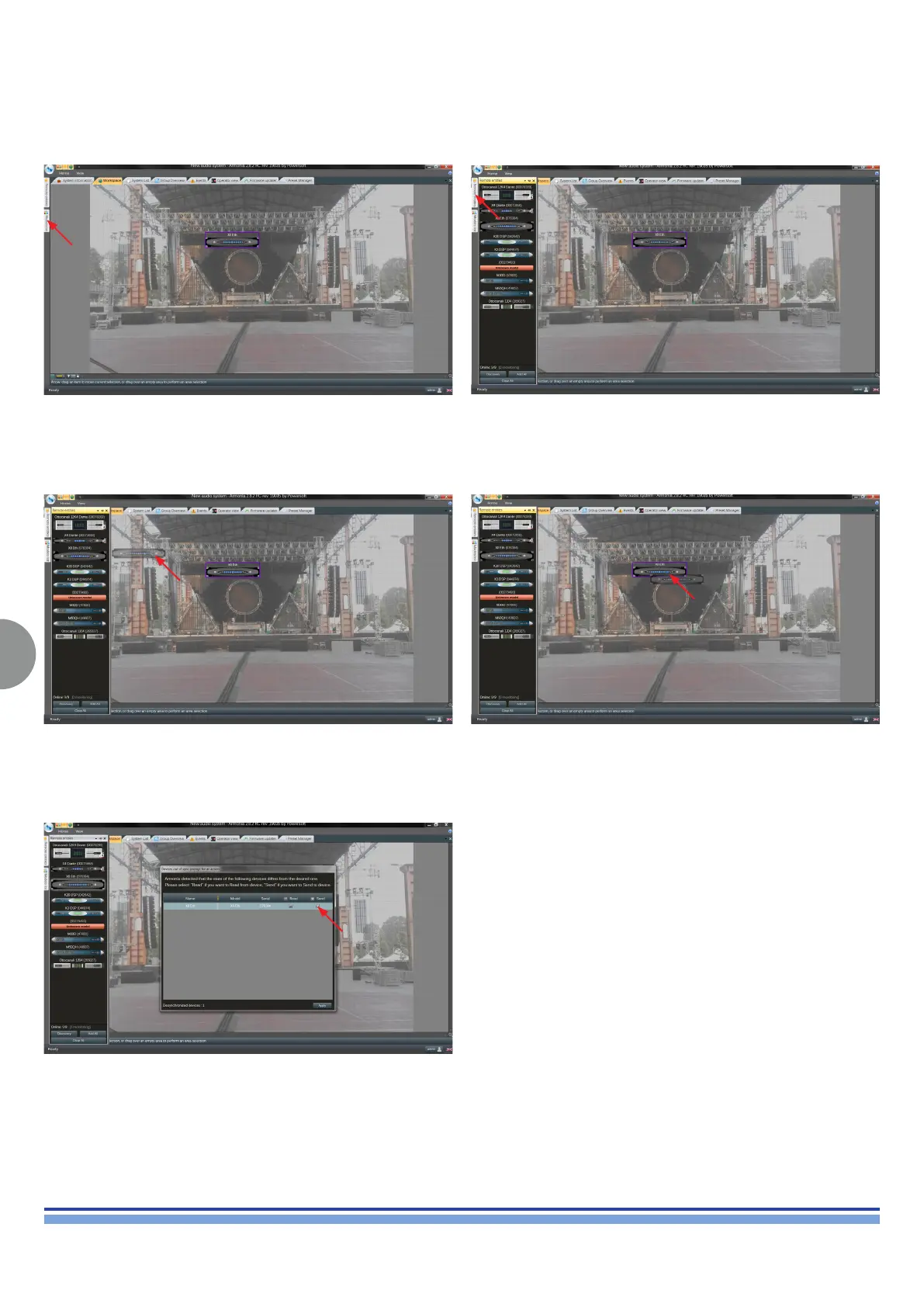
Import a Virtual AMP from the Model List. Open Discovery Remote Entities.
Drag&Drop the real amp onto the virtual one. An arrow should appear when hovering the real AMP over the
virtual one.
Once the Device out of sync window is prompted, tick SEND, and
apply.
INDEX













 To Next Page