INDEX
27
X8 | SERVICE MANUAL
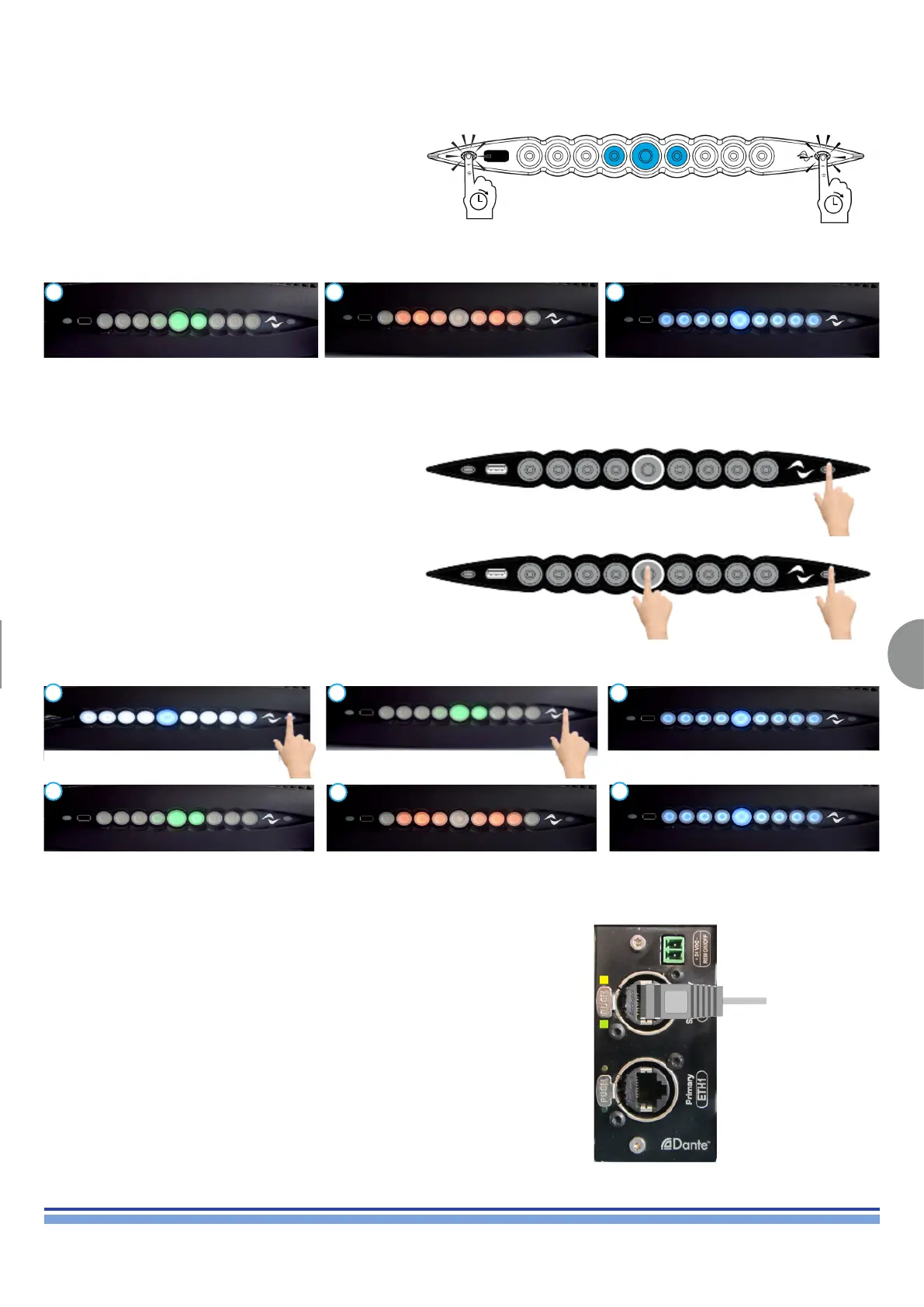
This function is available from FW Versions 1.7.6.30 onward.
It resets the IP to Dynamic Conditions.
Default IP Address: 192.168.0.1
This function is available from FW Versions 1.7.6.30 onward.
It resets the AMP to it’s factory settings.
With the unit in “STANDBY”, keep the rightmost button
pressed while switching on the amp.
The amplier will cycle the following LEDs conditions, keep the rightmost pushbutton pressed during the rst and the second steps.
Connect the unit to Armonìa and perform a nal check.
Turn the Amplier on and keep the right and leftmost
pushbuttons pressed until the “beep”.
The Amplier will cycle the following LEDs conditions.
EST Time: 1.10 min.
13. Soft Reset - Resetting the IP Address
14. Hard Reset - Restore Factory Settings
15. Testing the unit via Armonìa
1 2 3
1 2 3
4 6
5
(Fig. 43)
Connect the unit to a pc via one of the Ethernet slots as
portrayed on (Fig. 43)
GREEN led ON (flashing)
Link/Activity indicator: Blinking – There is activity on this port.
Off – No link is established
GREEN led ON (solid)
Connection is correctly established between the two devices
YELLOW led ON ETH speed connection
Amber on – Operating as a Gigabit connection (1000 Mbps)
Green on – Operating as a 100-Mbps connection.
Off – Operating as a 10-Mbps connection.













 To Next Page