I
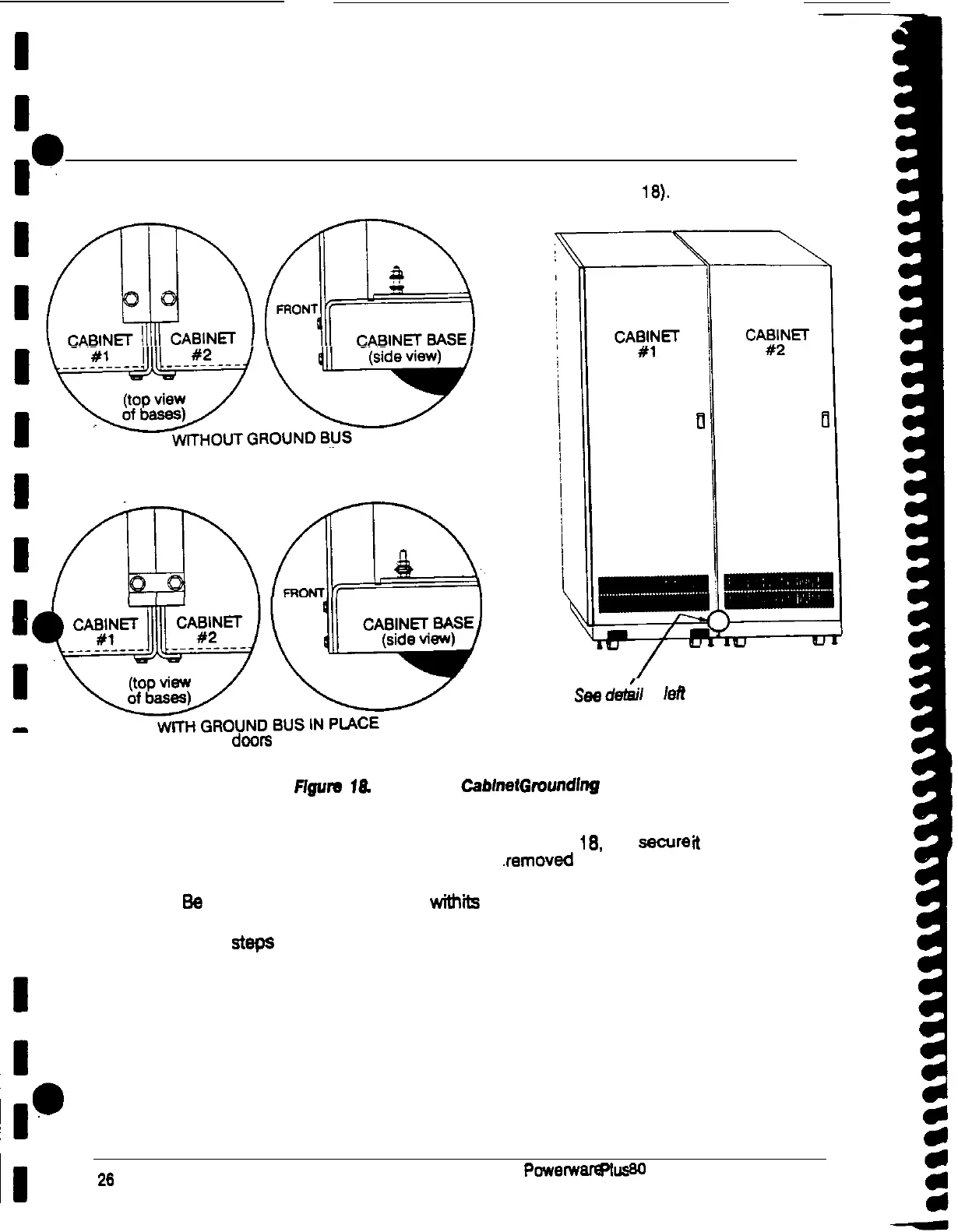
Grounding Joined Cabinets
1.
Remove the nut on top of the base of each cabinet (see Figure
IS).
y%%AlL&p
(with doors removed)
;wDw
I
(with
doors
removed)
See
d&i/
at
leif
I
I
I
Flguru
I&
Cabinet to
Cabinet
Gmundlng
2. Mount the ground bus provided as shown in Figure
18.
and
secure
1
to the . .
frame of each cabinet using the nuts you
.removed
in step 1.
3.
Be
sure each cabinet is secured
wfth
ita
front leveling feet.
4. Repeat
steps
3 through 3 for each cabinet you are, joining.
I
~1
26
Powerware
plus
80
UPS Installation Manual











 To Next Page