I
I
I
0
I
I
I
I
I
I
10
I
I
I
I
I
I
I
I0
I
Normal Mode
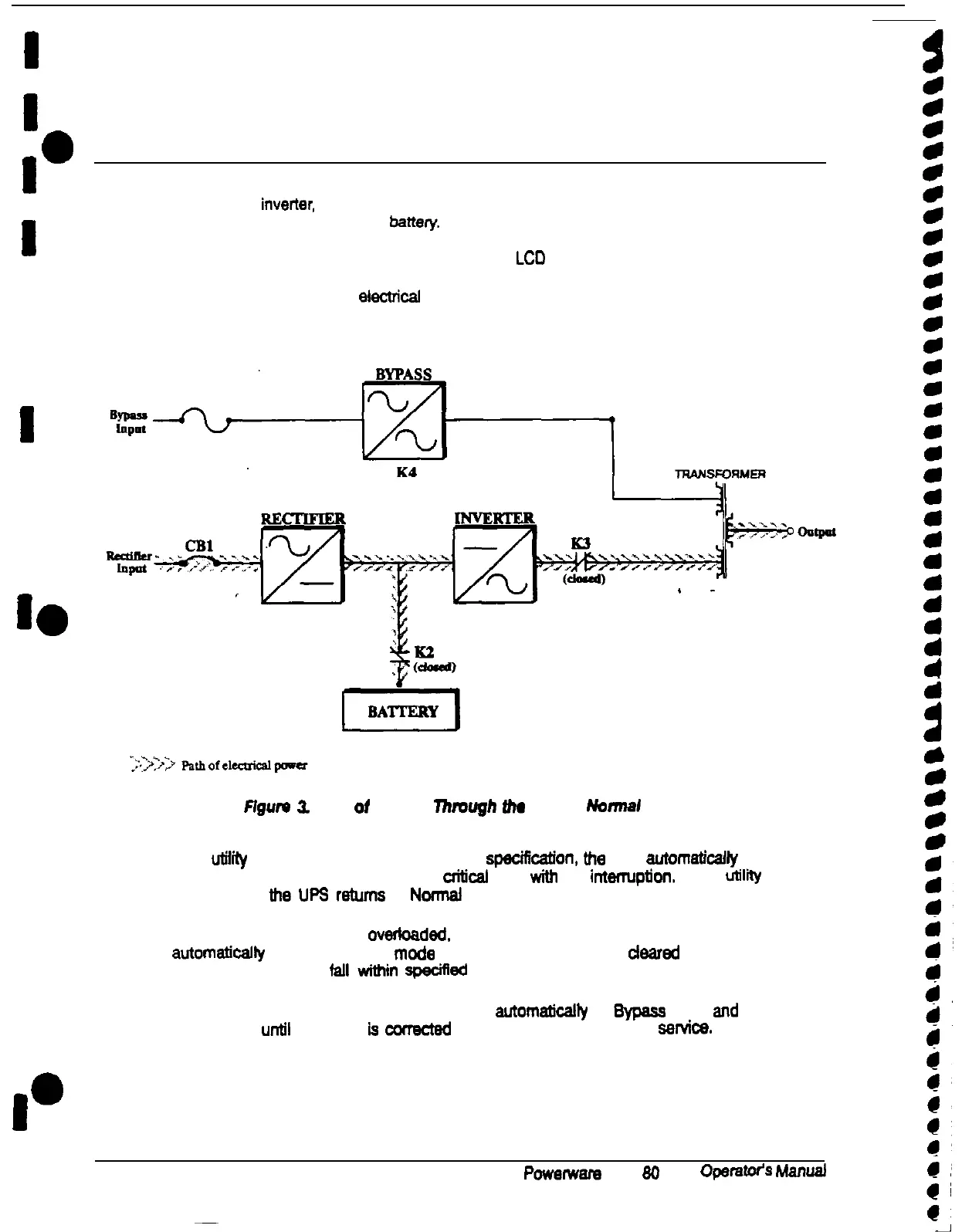
In Normal mode, utility AC power is supplied to the rectiier. The rectiier supplies DC
power to the inverter, which then supplies the critical load with AC power. The rectiier also
provides charging power to the battery. The battery charge condiiin is monitored by the
UPS and reported by a status indicator on me Monitor Panel. The message “UPS
Supplying Load’ appears in the status area of me LCD screen.
Figure 3 shows the path of electricai power through the UPS system when the UPS is
operating in Normal mode.
PIgum
Z
Path ot Current Through
Um
UPS In Nonnal
Mode
If me
utilll
AC power is interrupted or is out of speciricatfon. the UPS automaticaffy
switches to Battery mode to support me crittcal load with no intarruption. When
utilii
power returns. the UPS returns to Normaf mode.
If the UPS system becomes overfoaded. me UPS switches to Bypass mode. The UPS
automattcalfy returns to Normal mode when the error condition is deared and system
operation is restored to fall wfthin spacifted limits.
If me UPS suffers an internal failure, it switches automaticaffy to
&pass
mode and remains
in mat mode until the failure
is
correcM
and the UPS is put back into service.
10
Powarwara
Plus
80
UPS
OperaWS
hfan~











 To Next Page