I
I
Configuring the Serial Ports
I
I
I
I
I
I
10
I
I
I
I
I
I
I
I0
Before you,connect communications equipment to a serial port, you must configure the
port for communications, using the LCD screen and pushbuttons on the UPS Monitoring
Panel.
Select Port
I
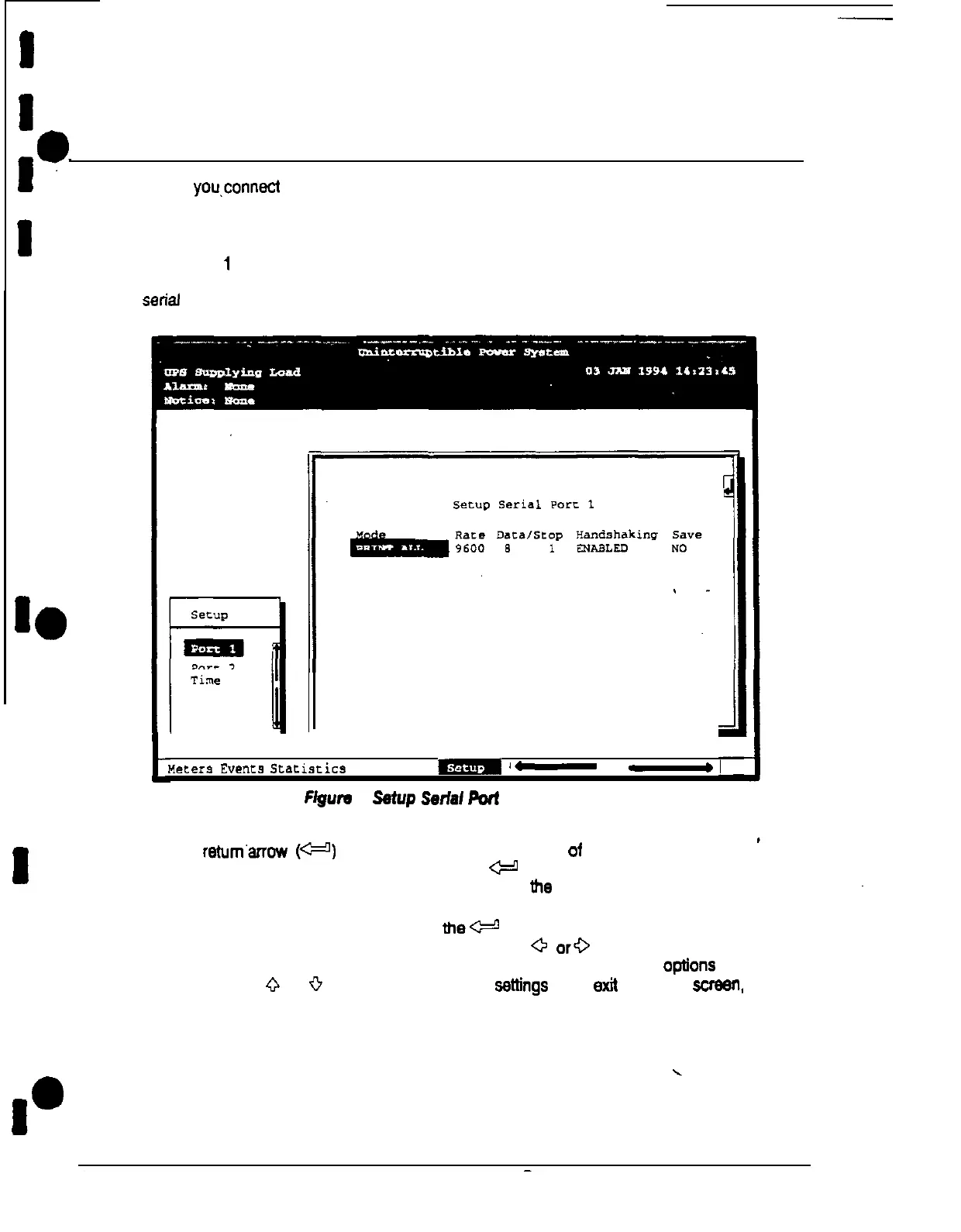
or Port 2 from the Setup menu to display one of the Setup Port screens. The
screens for Port 1 and Port 2 are identical, and allow you to specify settings for the two
serial communication ports. Figure 4 shows the Setup Serial Port 1 screen.
netera
Events
Sc..ariscics
Graphics
W
‘-
-
Figure
A
Setup
Serfal
port
1 Screen
A small
retum’ahow
(p)
appears in the upper right comer of the Port Setup screen.
This arrow is a reminder that you can press the
+
pushbutton on the Monitoring Panel
to toggle me pushbuttons between the menu box and the information area
If the scroll bar is in the menu box, press
thee
pushbutton to toggle to me information
area. The first setting (MODE) is highlighted. Press the
0
or+
pushbutton to move the
highlight to the setting you want to change. To scroll through the available options for that
setting, press the
Q
or
0
pushbutton. To save the settfngs upon exit from this
screen
be
sure the SAVE field is set to YES.
Table C on page 7 shows which options are available for each port The sections that
follow describe the configuration settings you can change.
\
Plus 60 UPS Communications











 To Next Page