I
If you have a battery cabinet with a circuit breaker and a
nonally
closed auxiliary switch,
pin 5 can alert you if the breaker opens. If you have an external battery disconnect
breaker, you can have pin 5 alert you if the breaker opens.
I
I
I
I
I
I
10
I
i
I
I
I
I
I
I
I
I
‘I
I
I
I
I
I0
I
Regardless of how you assign the building afanns. they display as Building Alarm
1,
Building Alarm 2. and Building Alarm 3 on the LCD screen of the Monitor Panel. You
should use fwisted pair wires for each alarm input and common.
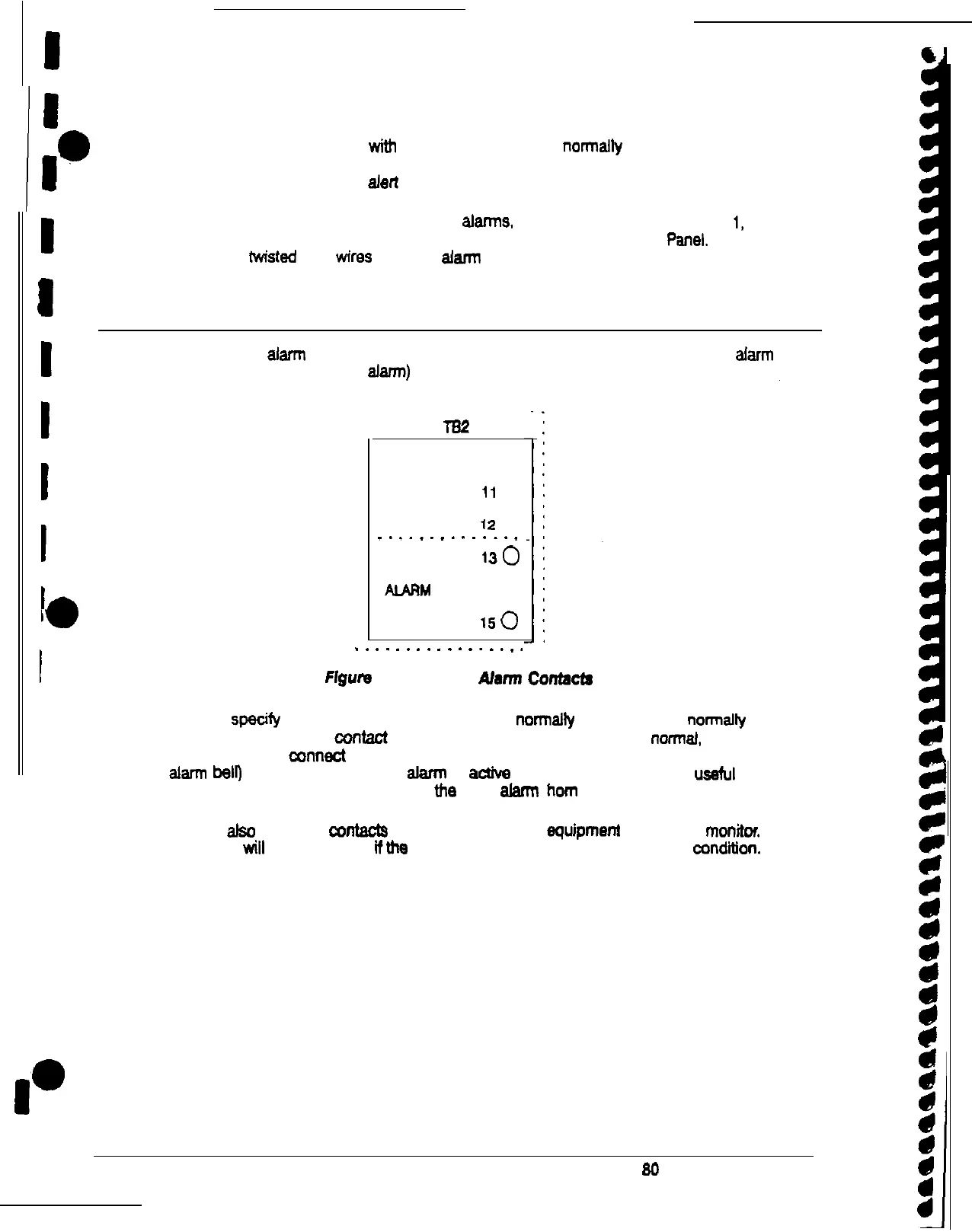
Summary alarm contacts
Two summary afarrn contacts are provided as a standard feature on the UPS. The alarm
contacts (one notice and one alarm) are located inside the UPS on the customer interface
panel (see Figure 19).
lB2
NOTICE NC
100
NOTICE NO
11
0
COMMON
12
0
_._._._......_
ALARM NC
130
ALARM
NO
140
COMMON
150
.
.
.
.
.
.
.
.
.
.._..._.
Flgure 19. Summary Alarm
Contacb~
You can specify that each contact should be either normally closed (NC) or
nonalfy
open
(NO). If the state of the
confact
changes from
me
state you specify as normaf, an alarm is
issued.
You can connect these contacts to equipment at your facilii (such as a light or an
alarm belo to let you know when an afarm is actfve on the UPS. This feature is ussful if
me
UPS is located in
a
remote area where
me
UPS afarrn horn may not be heard immediately.
You can afso use mesa
wntacts
to connect
me
UPS to equipmenf you want to monitor.
me
UPS
will
then alert you
tithe
connected equipment enunciates an alarm condition.
32 Powerware Plus 99 UPS Operator’s Manual











 To Next Page