I
I
I0
I
I
I
I
I
1
Ia
I
I
I
I
I
I
I
I0
Reading the Status Indicators
The six symbols
on the left
side of the
monitor
panel
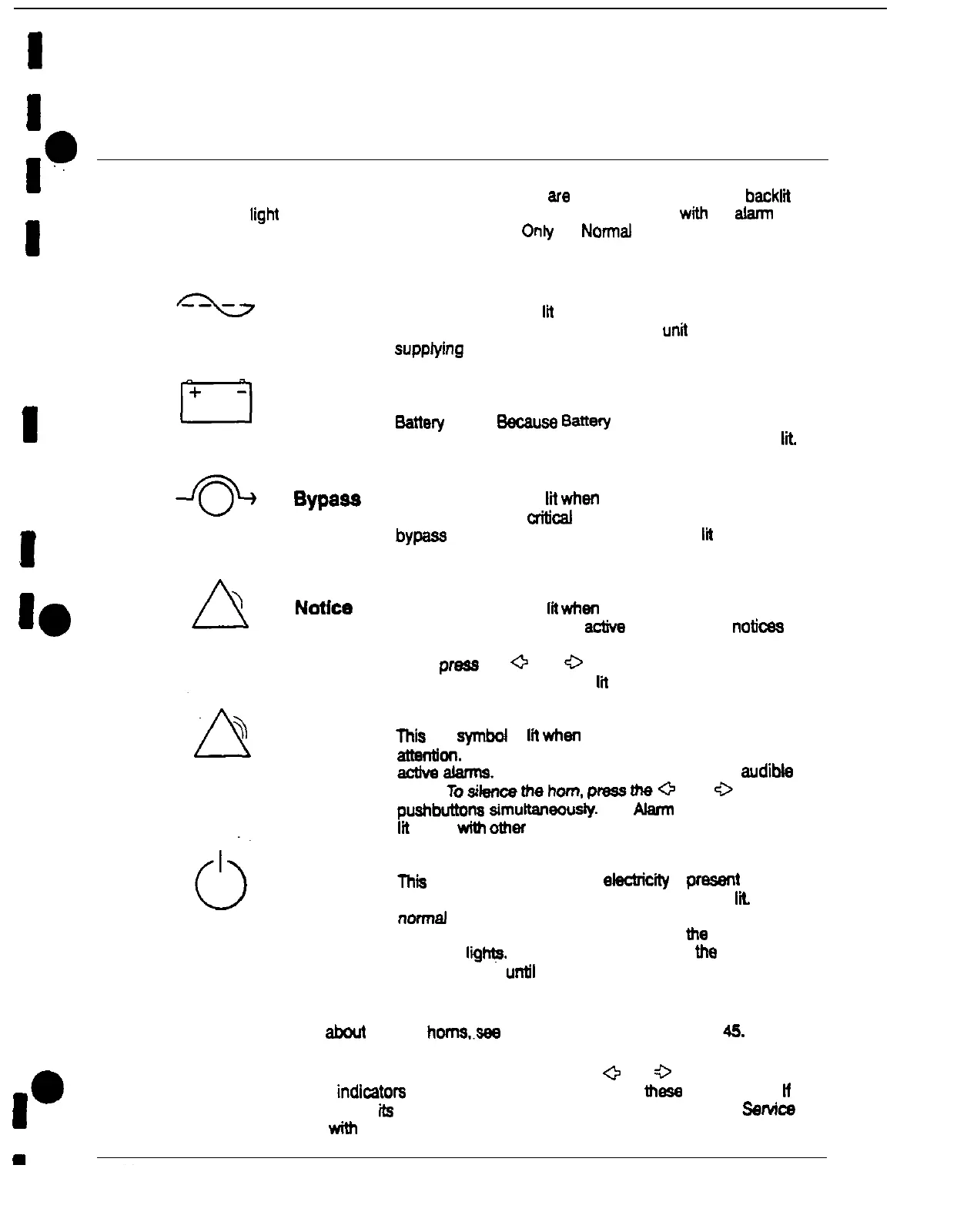
are status indicators. They are
backltt
by colored
IigM
emitting diode (LED) lamps, and they work in conjunction
with
the
alarm
horn let you know the operating status of the UPS. Only the Normal indicator is visible
during normal UPS operation:
Normal
Battery
Alarm
Standby
This green symbol is
tit
when the UPS is operating in
Normal mode. The power processing
untt
(PPU) is
suppfying
power to the critical load.
This yellow symbol is lit when
me
UPS is operating in
Sattery
mode.
Because
Battery
mode is a normal
condition of the UPS, the Normal indicator also remains
ltt.
This yellow symbol is
lit
when
me
UPS is operating in
Bypass mode. The
crihcal
load is
supported
by the
bypass source. The Normal indicator is not
lit
when the
system is in Bypass mode.
This yellow symbol is
tk
when
me
system needs attention.
The LCD screen shows all
a&m
notices. Some
notices
may be accompanied by an audible horn. To silence the
horn.
press
the
a
and
0
pushbuttons simultaneously.
The Notice indicator may be
lit
along with other indicators
Thtt red symbol is
lh
when
a situation requires immediate
attentkm.
The LCD screen shows the highest priority
active
alarme.
All alarms are accompanied by an
audibte
horn.
Tosilencethehom.
pressthea
and
0
p~~ahbuttona
simultaneously.
The Alarm indicator may be
lit
along
with
other
indicators.
Thii
yellow symbol is Iii when
electrlclty
is
presenl in me
PPU of the UPS end the Normal indicator is not ltt During
normal
startup, this indicator lights until the the UPS
transfers to Normal mode, at which point
the
Normal
indicator liihfa. During normal shutdown,
the
Standby
indicator lights
until
all energy in the UPS is dissipated and
shutdown is complete.
For
more
information abcut audible
horns..see
System Event Horns’ on page 45.
To test the LED lamps behind the status indicators, press the
+
and
3
pushbuttons
simultaneously. All
me
indicators
should light while you hold down
these
pushbuttons.
lf
any indicator does not light,
its
LED
may need
to be replaced.
Contact Customer
SW&e
if you have a problem
with
the indicator lamps.
Power-ware Plus 80 UPS Operator’s Manual











 To Next Page