I
I
I9
I
I
I
I
I
I
IO
I
I
I
I
I
I
I
I0
Printing Selected Information
If a port is operating in Terminal mode and is connected to a computer, you can use key
combinations
at
any time to print only
Sekcted
information:
ctrl+P
Prints the entire log with a header
Ctrl+M
Prints the current system meters with a header
Ctrl+A
Prints all system information
To
use
a key combination, hold down the Control key and press the letter key.
Entire Log
(Ctrl
+
P)
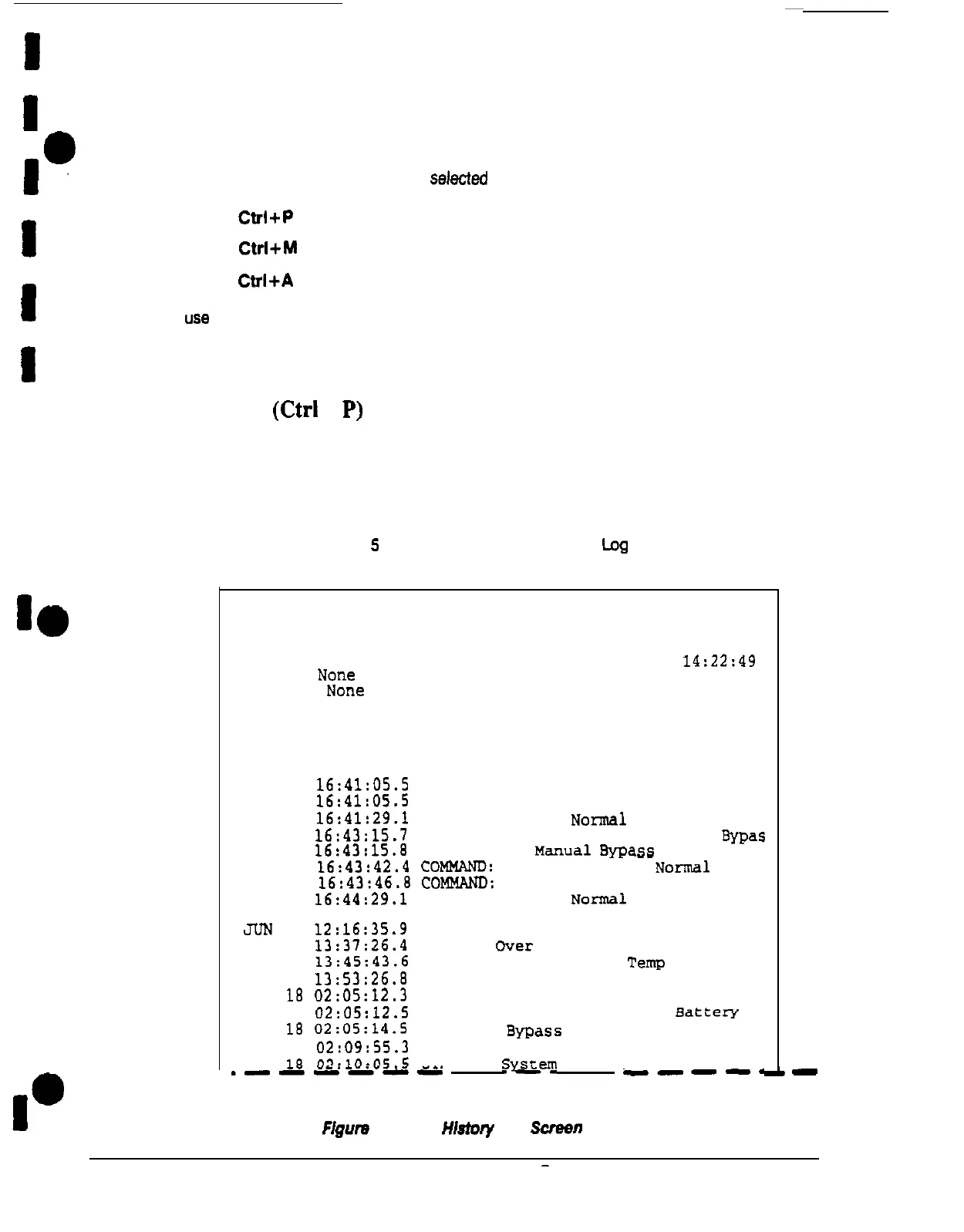
This key sequence prints the entire Event History Log of the UPS at the time the data is
requested. The printout begins with the oldest alarm entry in the queue and ends with the
most recent. Any alarms that occur while the Event History Log is printing are included in
chronological order.
The Event History Log lists up to 400 system events in chronological order, with the most
recent event listed last. Figure
5
shows a sample Event History Log printout.
Uninterruptible Power System
UPS supplying Load
03 JAN 1994
14:22:49
Alarm:
NOTiCS
Notice: None
Event History Log
Event Description
MAY 12
16:41:05.5
COMMAND:
Start Switch
12
16:41:05.5
STATUS:
On Bypass, Auto Mode
12
16:41:29.1
STATUS:
System
No?n~.l
12
16:43:15.7
COMMAND:
Mode Switch to Manual
Bypas
12
16:43:15.8
STATUS:
On
Manual
ByPa-
LI
12
16:43:42.4
COMWND:
Mode Switch to
Normal
12
16:43:46.8
COMMAND:
Start switch
12
16:44:29.1
STATUS:
System
Normal
JUN
04
12:16:35.9
NOTICE:
Room High Temperature
04
13:37:26.4
ALARM:
Over Temp. Shutdown Imminent
04
13:45:43.6
ALARM:
Cleared, Over
Temp
04
13:53:26.8
NOTICE:
Room Temperature OK
18
02:05:12.3
NOTICE:
Charger Voltage Under Limit
18
02:05:12.5
STATUS: System Normal. On
Battery
18
02:05:14.5
NOTICE:
Bypass
Not Available
18
02:09:55.3
NOTICE:
Charger Voltage in Limits
18
02:10:05
5
STATUS:
Q&em
Normal
.----A-
w--e.
F/gum
5.
Event
HI-
Log
Screen
-
Plus 80 UPS Communication











 To Next Page