Meters Printout (Ctrl +
M)
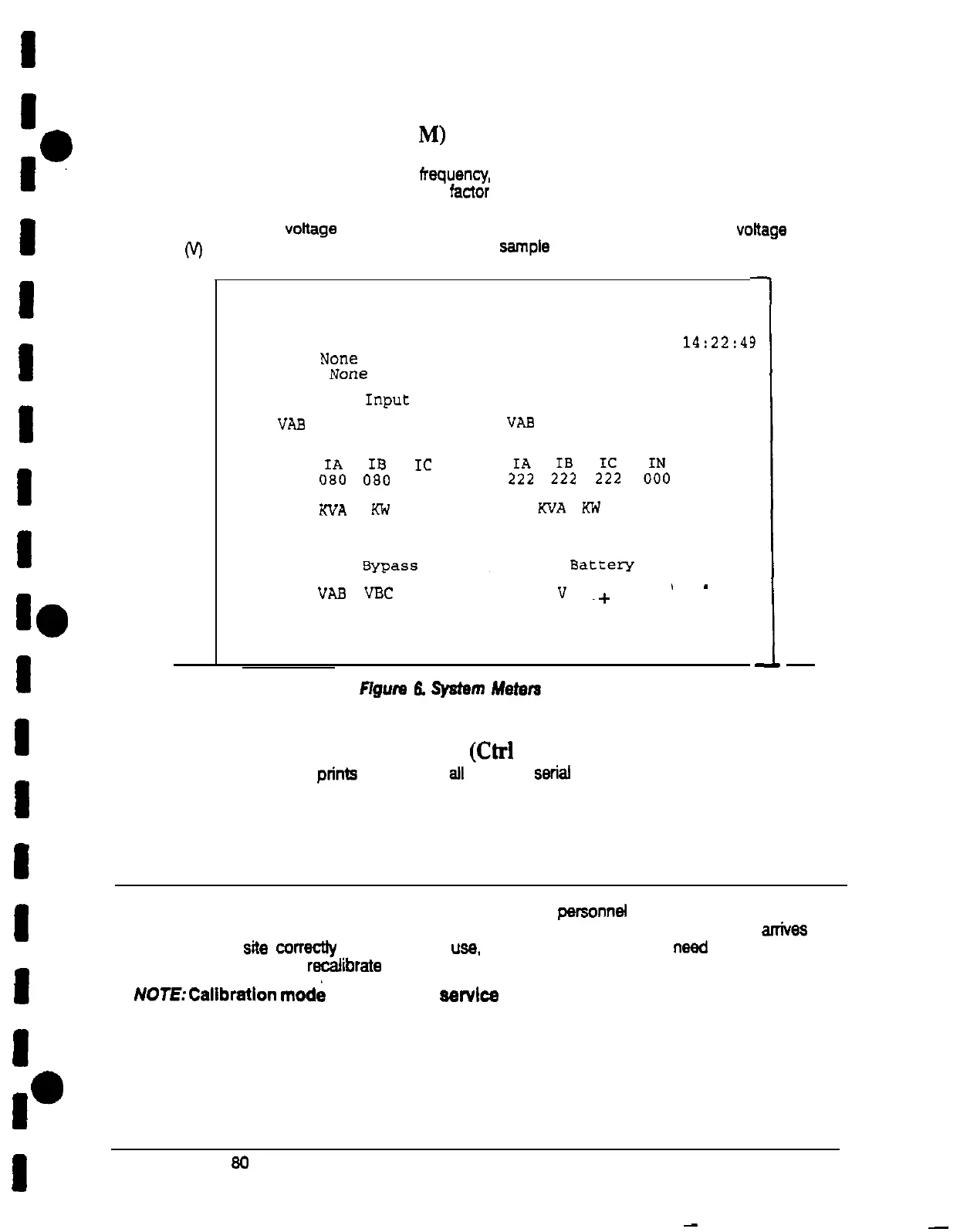
This key sequence prints the current readings of the UPS system meters. The Input
area
shows the phase-to-phase voltage, frequeflcy, and phase current of the incoming utility,
followed by the KVA. KW. and power fadOr measurements. The output area shows the
same information for the power being output by the UPS. The Bypass area shows the
phase-to-phase voftage of the bypass source. The Battery area displays the DC voftage
(V)
and the DC current (I). Figure 6 shows
a
sample Meters printout.
I
I
I
I
I
I
I
10
I
I
VAB
VBC
VCA
”
I
s
-
480 480
480 120
~+
056
I
Figure
13.
System
Metem
Screen
System Information Printout
(Ctrl
+ A)
Uninterruptible Power System
UPS
Supplying Load
03 JAN
1994
14:22:4’
3
Alarm:
NOIE
Notice:
NOIEZ
Input output
VAB
VBC VCA FREQ
"AB
VBC VCA FREQ
480 480 480 60.0 208 208 208 60.0
IC
0%
0%
080
KVA
W
PF
WA
Kh'
PF
080 076 0.80
076 0880.80
I
This key sequence prints
a
listing of all available serial data. This printout contains the
information shown on the Event History Log and Meters
screens of the
UPS.
I
Calibration Mode
I
Calibration mode is used by factory and field service parsonnef to calibrate system meters
Factory assembly personnel calibrate the UPS meters prior to shipping so the UPS arrfves
at your site correctfy calibrated. After use. field service personnel may need to use
I
Calibration mode to racafibrate one or
more meter settings.
fVOTE:Calibratlon mode is for use by servlce personnel ONLY. To prevent
inadvertent modification, this mode can be accessed only by trained
I
personnel using special software.
I0
I
Powerware Plus 80 UPS Communication
11
-
-











 To Next Page