I
I
I0
I
I
I
I
I
I
‘lo
,I
.I
!I
I
I
I
I,
I0
I
Joining an Optional Cabinet to the UPS (Method A)
Use this procedure to join any optional cabinet
to the UPS:
1.
Secure
the
UPS with
its
leveling feet
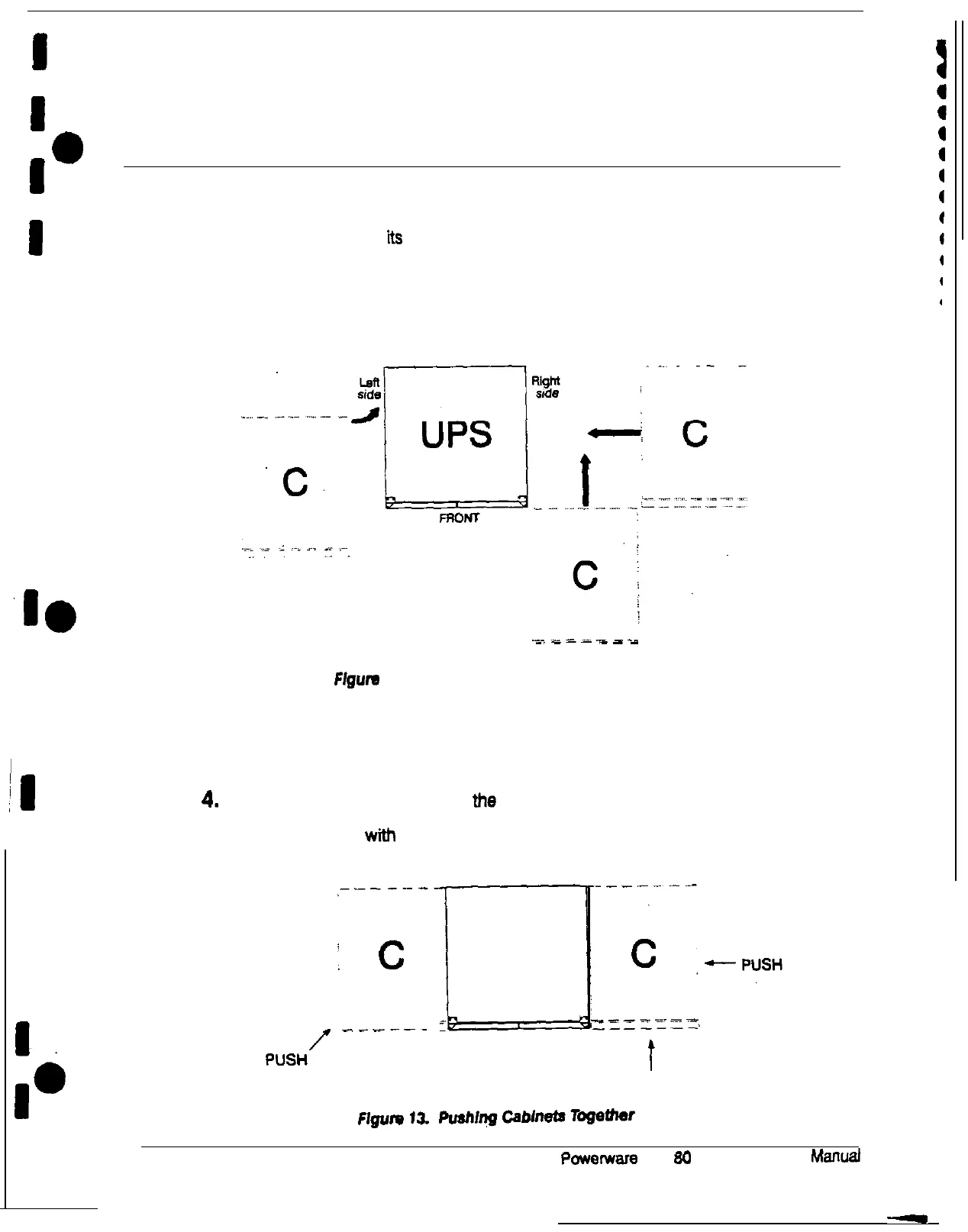
2. Roll the optional cabinet to a spot near the UPS, in any one of the three
positions (C) shown in Figure 12. A POM or input transformer cabinet should be
joined to the left side
of
the UPS. A battery cabinet should be joined to the right
side of the UPS.
‘C.
.____
.___
Ffgum
12. Joining an Optional Cabinet to the UPS
3. Remove the cosmetic covers from the two cabinet sides you are joining
together.
4.
Push the optional cabinet toward the UPS cabinet until it and the UPS cabinet
are aligned at the rear. Figure 13 shows two optional cabinets pushed into
place and aligned wtth the rear of the UPS cabinet.
.--------I-----
:
c
!
UPS
-___r__l
p”sH/
------
PUSH
22
P~~~erware
Plus
SO
UPS Installation
Manual











 To Next Page