The method you use to join two cabinets depends on which
cabinets they are. For the purpose of discussion, this chapter uses the
term
UPS
to refer to the UPS cabinet, and the term optional
cabinet
to refer to any
other cabinet (such as a PDM cabinet or a battery cabinet). There are two different
procedures for joining the cabinets in your UPS system:
l
Method
A
-
Joining an optional cabinet to the UPS
l
Method
B
-
Joining two optional cabinets to each other
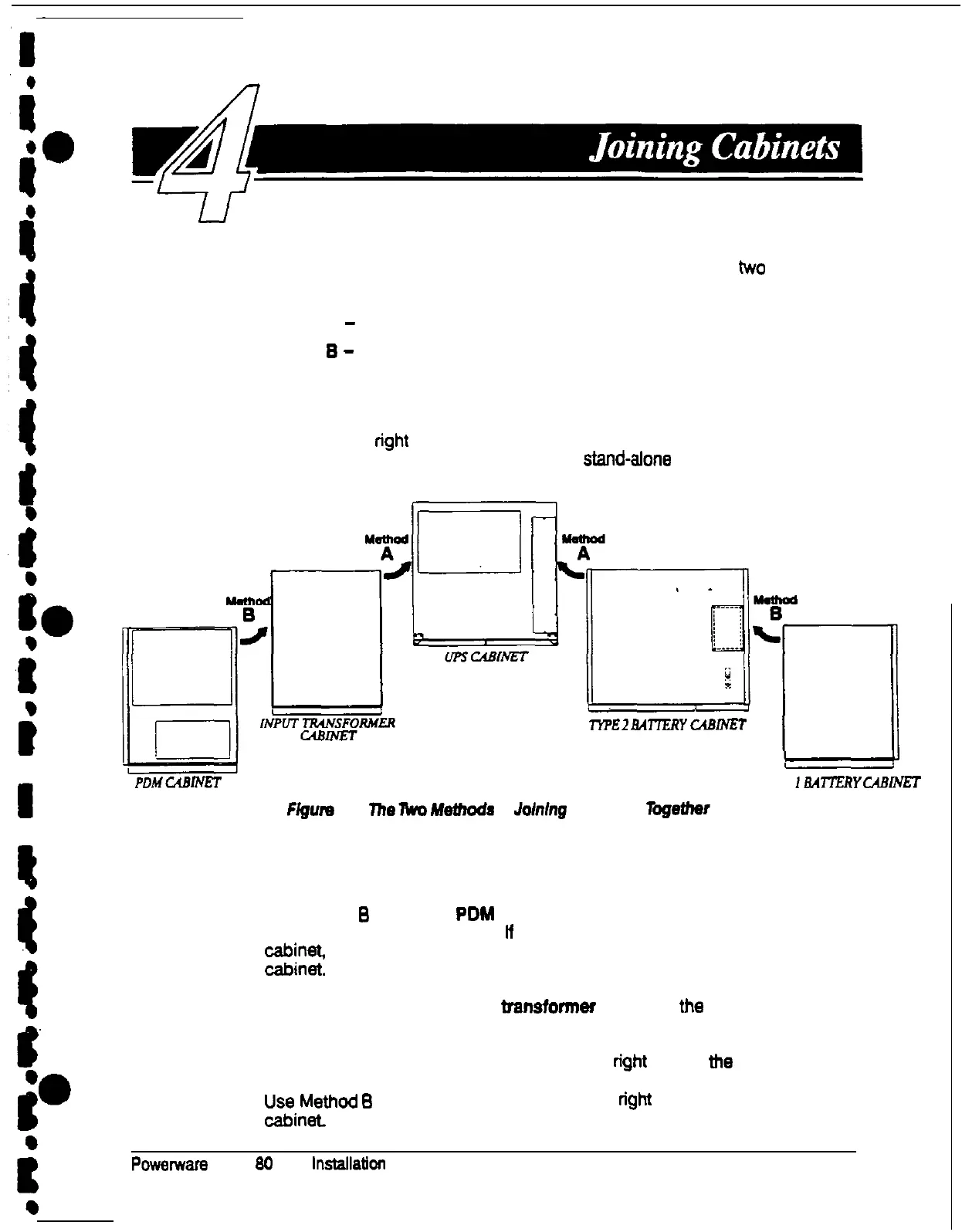
Figure 11 shows which method you should use for each cabinet. The UPS system
shown in Figure 11 includes a UPS and one of each optional cabinet. As the figure
shows, you should remove the cosmetic covers from the sides of all cabinets
except the outermost right and left cabinets of a lineupand-match system.
(Do
not remove the cosmetic covers from the sides of stand-afone cabinets.)
I-i'FE
2
EN-lERY
C4BLVEf
PDMUBINET
TYPE
16Al-t.EiZYCABINET
Figure
11.
The
lka
Mefhods
of Jofnfng
Cabinets
logether
Use the appropriate method to join each cabinet in the position shown in Figure
11:
l
Use Method
B
to join
the PDM cabinet
to the left side of the input
transformer cabinet (ii present). If you do not have an input transformer
$,;,
use Method A to join the PDM cabinet to the left side of the UPS
l
Use Method
A
to join the input
baneformer
cabinet to the left side of the
UPS cabinet.
l
Use Method A to join a battery
cabinet
to the right side of the UPS cabinet
l
zi;;thod
B
to join a
battery cabinet
to the right side of another battery
Powerwara
Plus
80
UPS lnstailatlon Manual
21











 To Next Page