I
I
0
I
I
I
I
I
I
IO
I
I
I
I
I
I
I
I0
This chapter describes how to use the Control Panel to start and stop the UPS.
IMPORTANT NOTE:
Before starting the UPS, you must be sure all installation tasks are
complete and a preliminary startup has been performed by authorized
servlce personnel. The preliminary startup is very important, because
it checks all electrical interconnections to be sure the Installation was
successful and the UPS system works properly.
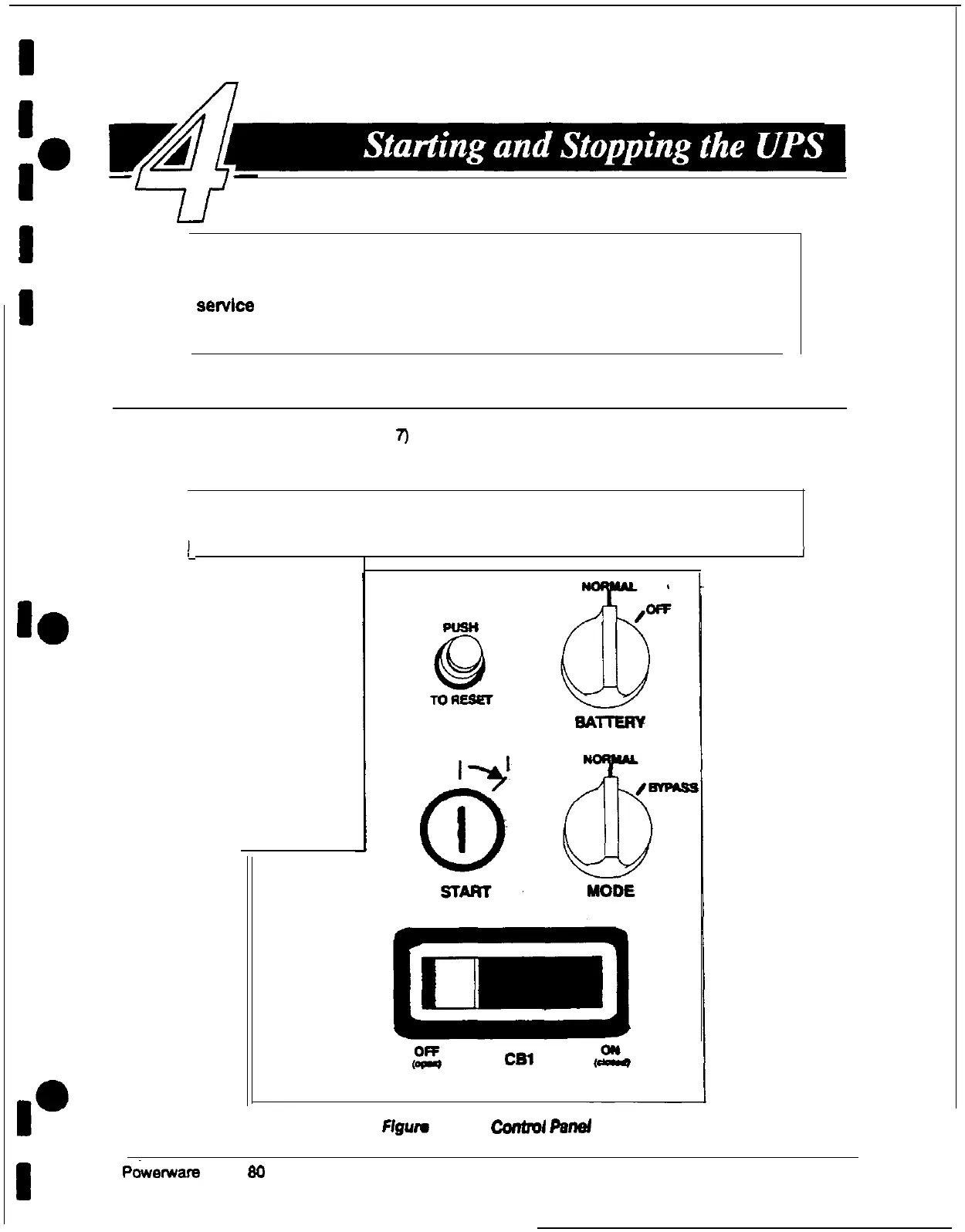
Using the Control Panel
The Control Panel (see Figure
7)
is inside the right door of the UPS cabinet. Although the
Control Panel appears easy to use, you should read these instructions and thoroughly
understand how the controls work before you attempt to use them.
I
WARNING:
Incorrect use of the power controls on the Control Panel can cause a
loss of power to your equipment.
1
-J
Flgure
7. UPS
Control
panel
Pkemare
Plus 80 UPS Operator’s Manual
15











 To Next Page