Unloading the UPS Cabinet
The UPS cabinet is bolted to a sheet metal pallet consisting of four supports
secured to two foam cushions. The foam cushions act as shock absorbers for the
cabinet during shipment.
1.
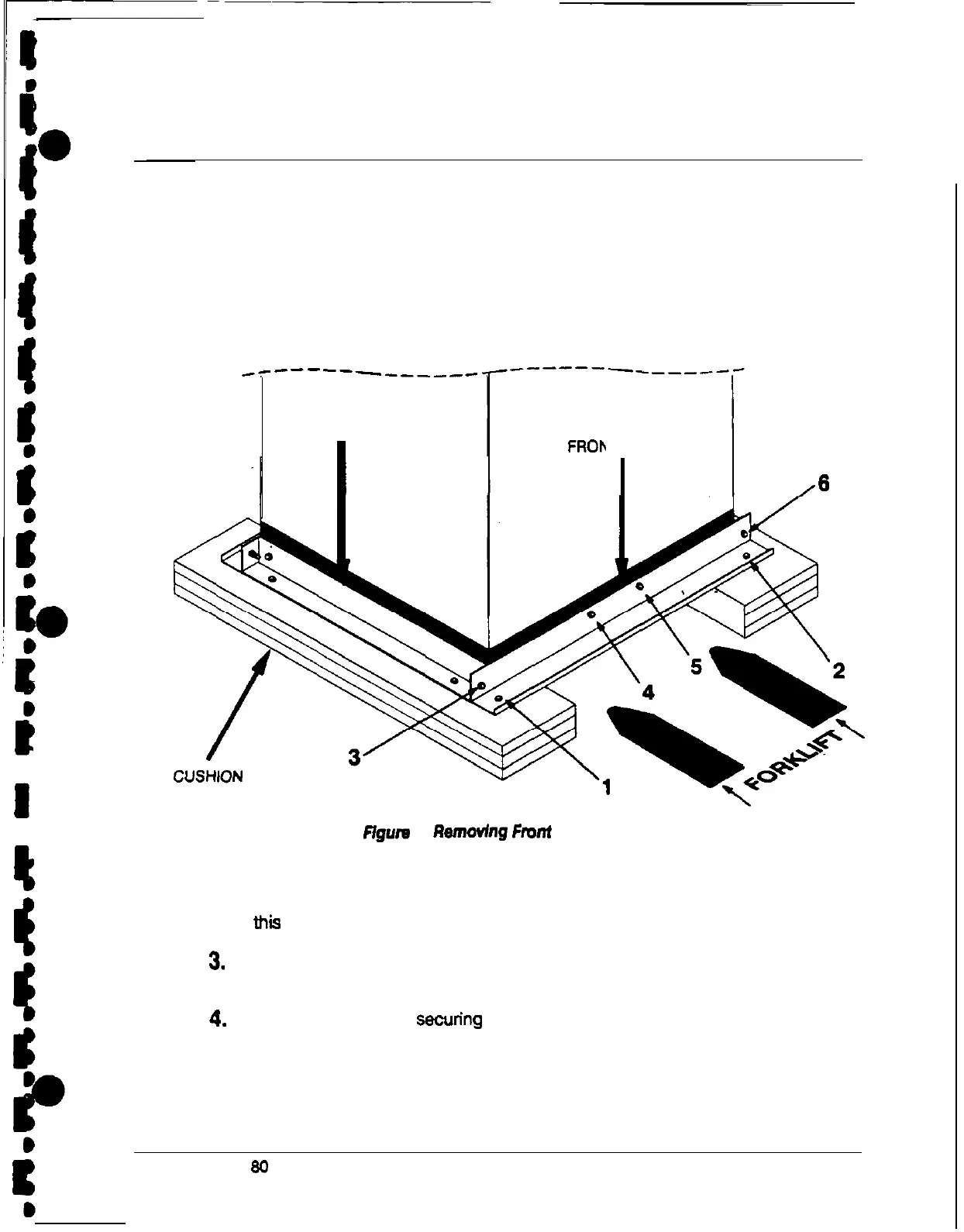
There are six bolts on each front and rear support. Two bolts join each support
to the cabinet, two bolts join it to the side supports, and two bolts join it to the
foam cushions. (See Figure 4.) In the order shown in the figure, remove each
of the six bolts joining the front support to the cabinet.
-e------______
SIDE SUPPORT
FROh IT SUPPORT
I
/6
FOAM
Ffgura 4. f?enmvfng
Font
and Rear
Supports
2.
Remove the rear support in the same way you removed the front support Set
the front and rear supports aside for later use. Do not remove the side supports
at this time.
3.
Use a forklift or pallet jack to raise the cabinet until the foam cushions are
several inches off the floor.
4.
Remove the three bofts securfng each side support to the cabinet and remove
the side supports and foam cushions.
Discard or recycle the side supports and
cushions in a responsible manner.
Powerware Plus
80
UPS Installation Manual
13











 To Next Page