360 Adjustments
55
3.8 Setting the balance to the service mode (the balance is closed)
3.8.1 Setting the balance to the service mode (graphic version only)
1. Connect the balance to the mains with the power adapter.
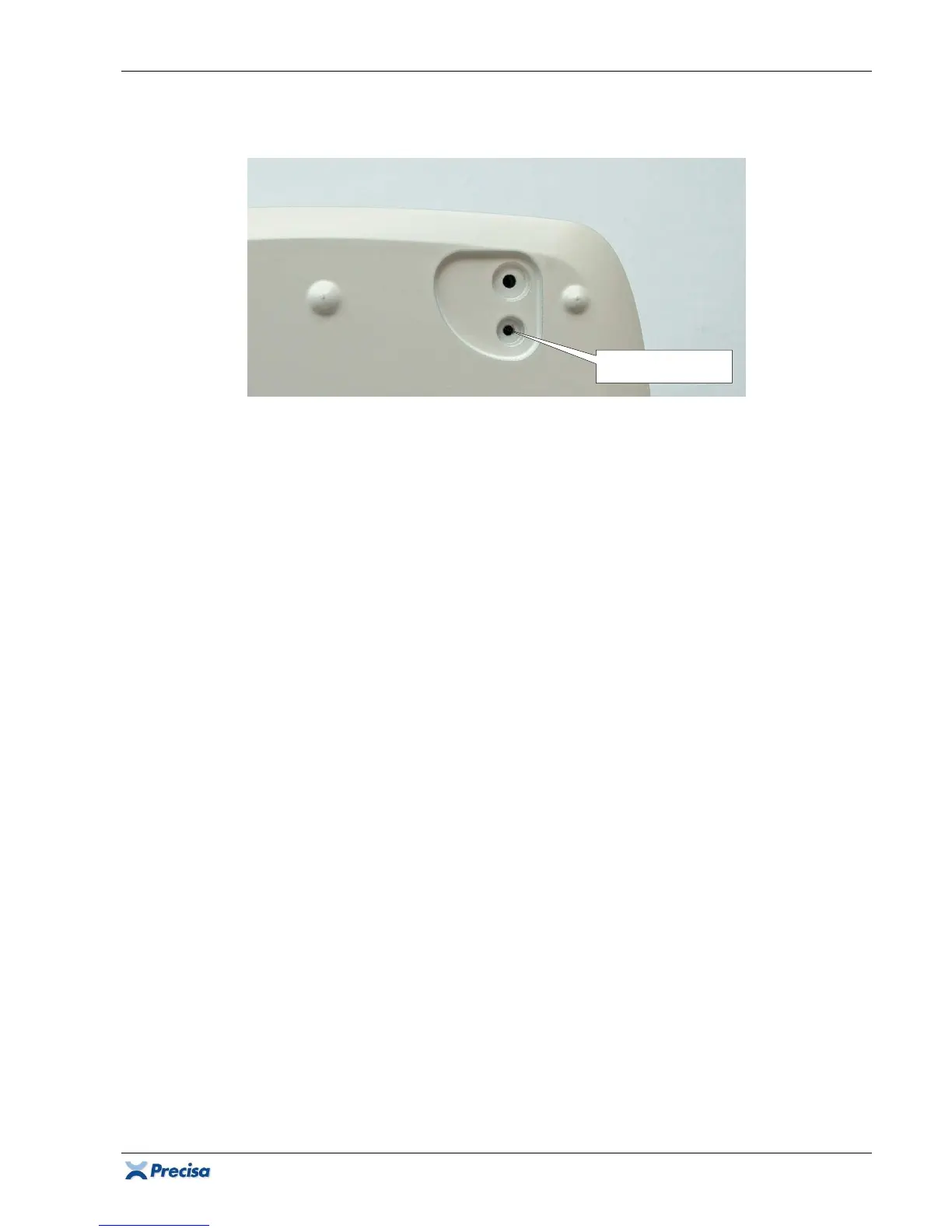
2. Press the service switch underneath the housing's bottom with the small hexagon key ⇒ the
headline displays "Service". So far the balance is now in service mode for calibration.
3.
For Test program, Linearisation and S-correction only:
Press MENU ⇒ "CODE ?" appears.
4. Enter the service code 5236 with {123}, {456}, {789} and {0} and confirm with
{
}. The balance is now in service mode.
3.8.2 Setting the balance to the service mode (10-Key version only)
1. Connect the balance to the mains with the power adapter.
2. Press the service switch underneath the housing's bottom with the small hexagon key ⇒ the
display flashes once.
3. Press
F
⇒ "CODE 0" appears.
4. Press
E
⇒ "CODE 0000" appears.
5. Enter the service code 5236 with
C
,
D
and B and confirm with
E
. The balance is now in
service mode.
3.8.3 Setting the balance to the service mode (5-Key version only)
1. Connect the balance to the mains with the power adapter.
2. Press the service switch underneath the housing's bottom with the small hexagon key ⇒ the
display flashes once.
3. Press MODE twice ⇒ "CODE 0000" appears.
4. Pressing MODE changes the value of the figure, holding changes to the next figure. Enter the
service code 5236 and confirm with PRINT. The balance is now in service mode.
Service switch













 To Next Page