85
MBOX® USER MANUAL
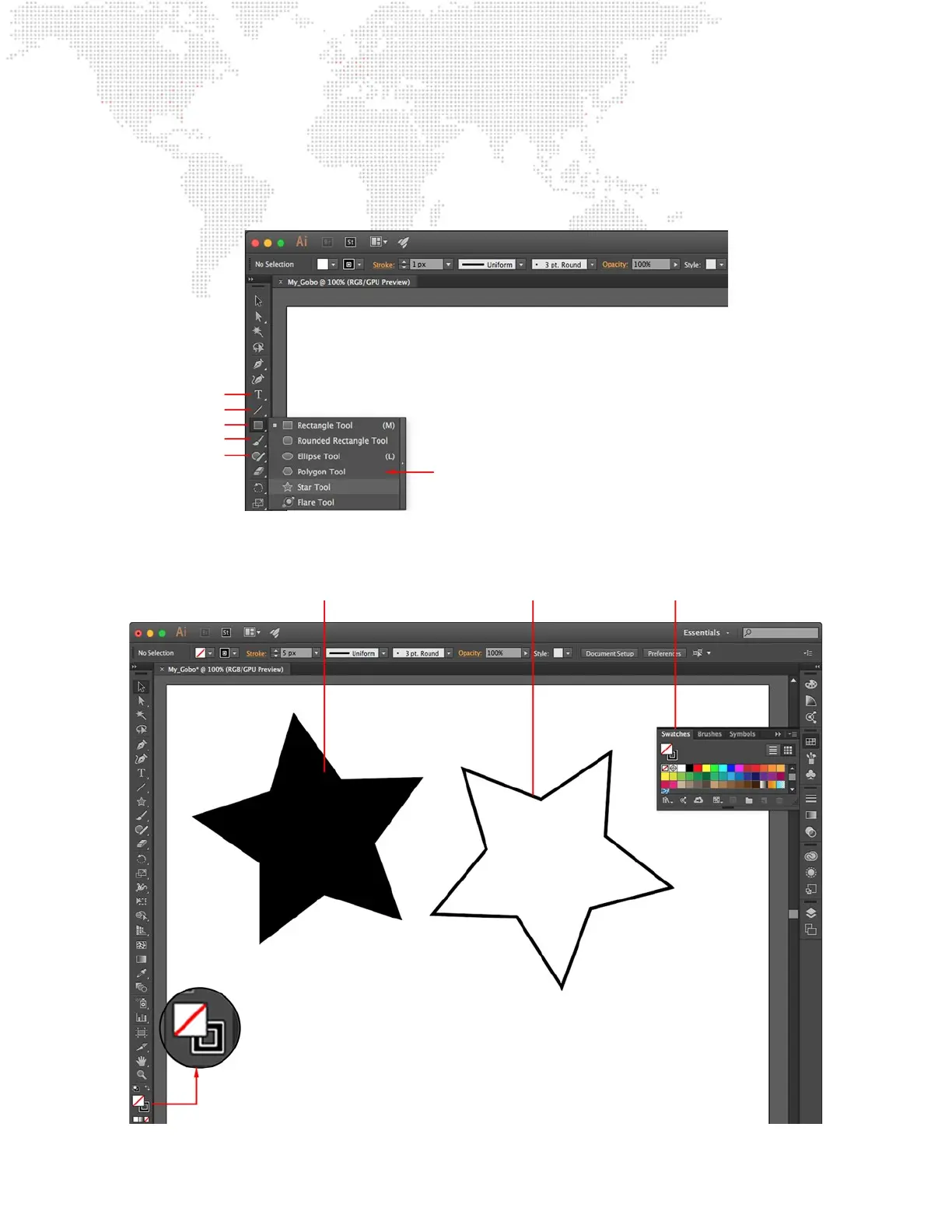
Step 2. Use the various drawing tools to compose the gobo. The most useful tools are the objects (ellipse,
rectangle, polygon, or star), the paintbrush, the linear tools (line, arc, spiral), text tool, and the pencil. All of
these tools, except the line tool, will create a lled object. Filled objects will be compiled as solid areas in
Mbox and will be the areas that accept a texture, if one is applied.
Step 3. To make an outline of an object, turn off the object’s ll, adjust the thickness of its stroke, and then expand
the object. To turn off the ll, select the object in question and then make sure the Fill/Stroke portion of the
toolbar looks like the example below.
Text
Lines
Objects
Paintbrush
Pencil
Tool Options
Fill/Stroke Color Options
Outlined (Stroked) Object
Filled Object
Fill/Stroke Setting



 To Next Page