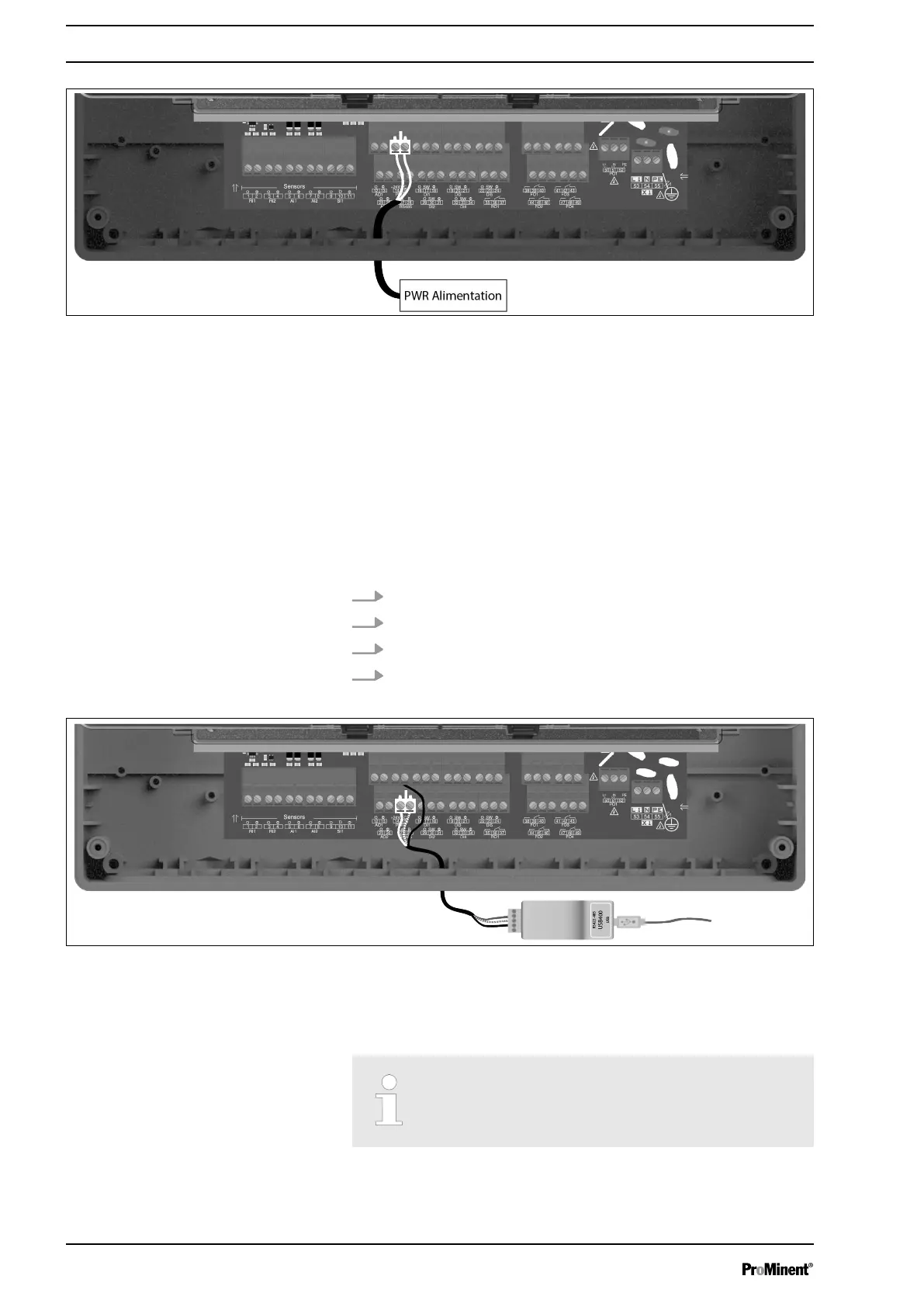
Fig. 22: Power Supply Output
4.11 RS485 communication bus connections
AEGIS S has a RS485 communication port to connect it to a com‐
puter equipped with a 485 port and a communication software to
record the measurement values, alarms and different states of the
device.
4.11.1 Connection to a USB port of a computer
1. Use a 3-wire cable.
2. Wire AA’ (n°3) of USB/485 converter to RS485 (A) (27).
3. Wire BB’ (n°4) of USB/485 converter to RS485 (B) (28).
4. Wire C (n°5) of USB/485 converter to PWR (C) (15).
Fig. 23: Communication bus connections
n Blue (Terminal n°3): AA’ RS485
n White (Terminal n°4): BB’ RS485
n Black (Terminal n°5): GND RS485
Consider the bus wiring.
A USB/RS485 converter is recommended to connect the AEGIS S
to a computer. Please refer to converter documentation to realize
the connection.
Assembly and Installation
26














 To Next Page