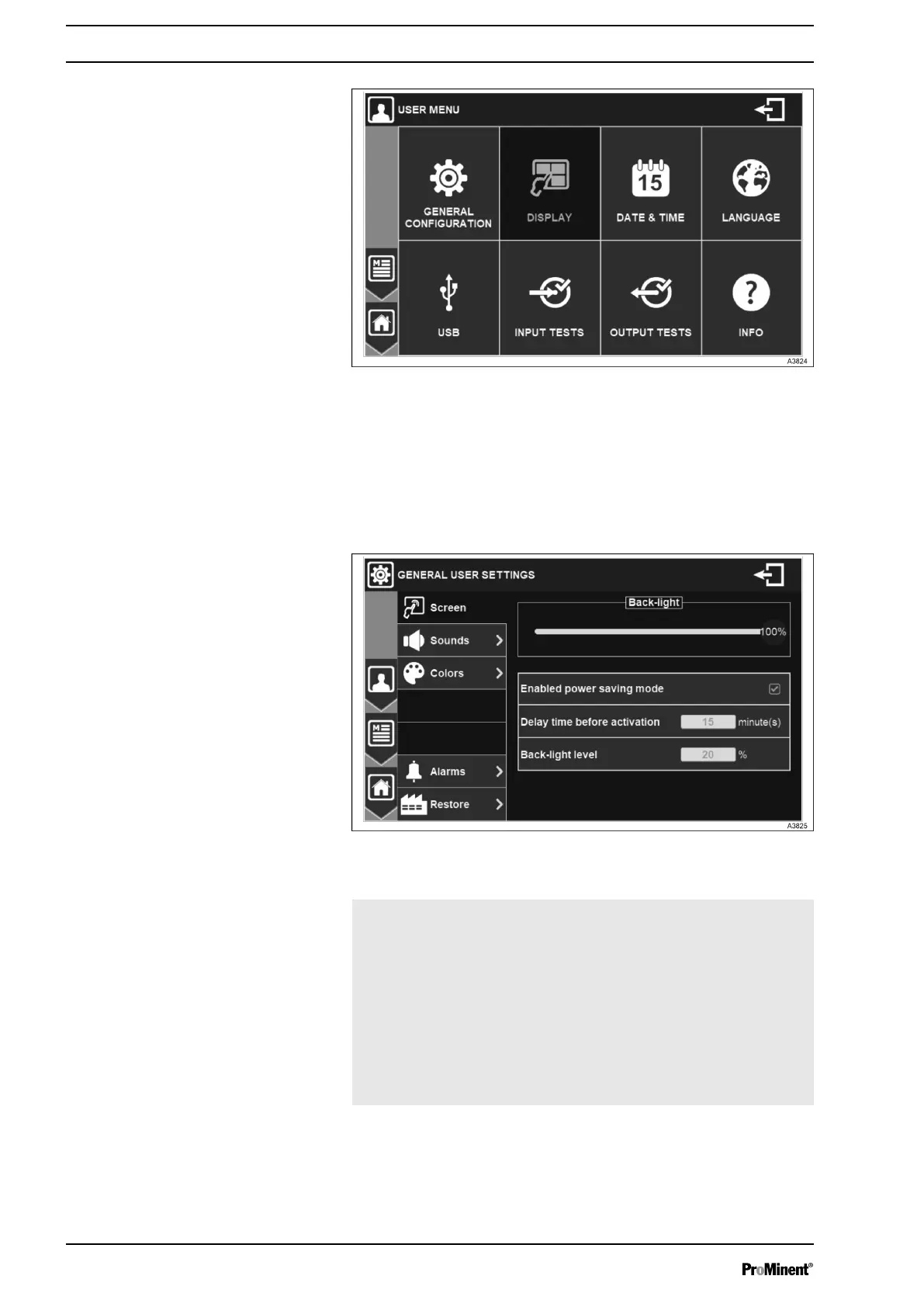
Fig. 80: User Menu
7.3.1 GENERAL CONFIGURATION
In this menu audio and visual configuration of the graphical inter‐
face can be adapted.
Fig. 81: Menu general settings
Back-light Use the cursor to adjust the back-light level
as desired.
Enabled power
saving mode
Enables screen protection management.
Without pressing the screen during the
time entered, the back-light level will
decrease to the set value.
Delay time before
activation
Enter the delay value before screen protec‐
tion activation in minutes.
Back-light level Enter back-light value during screen pro‐
tection in %.
SCREEN
General Menu
68














 To Next Page