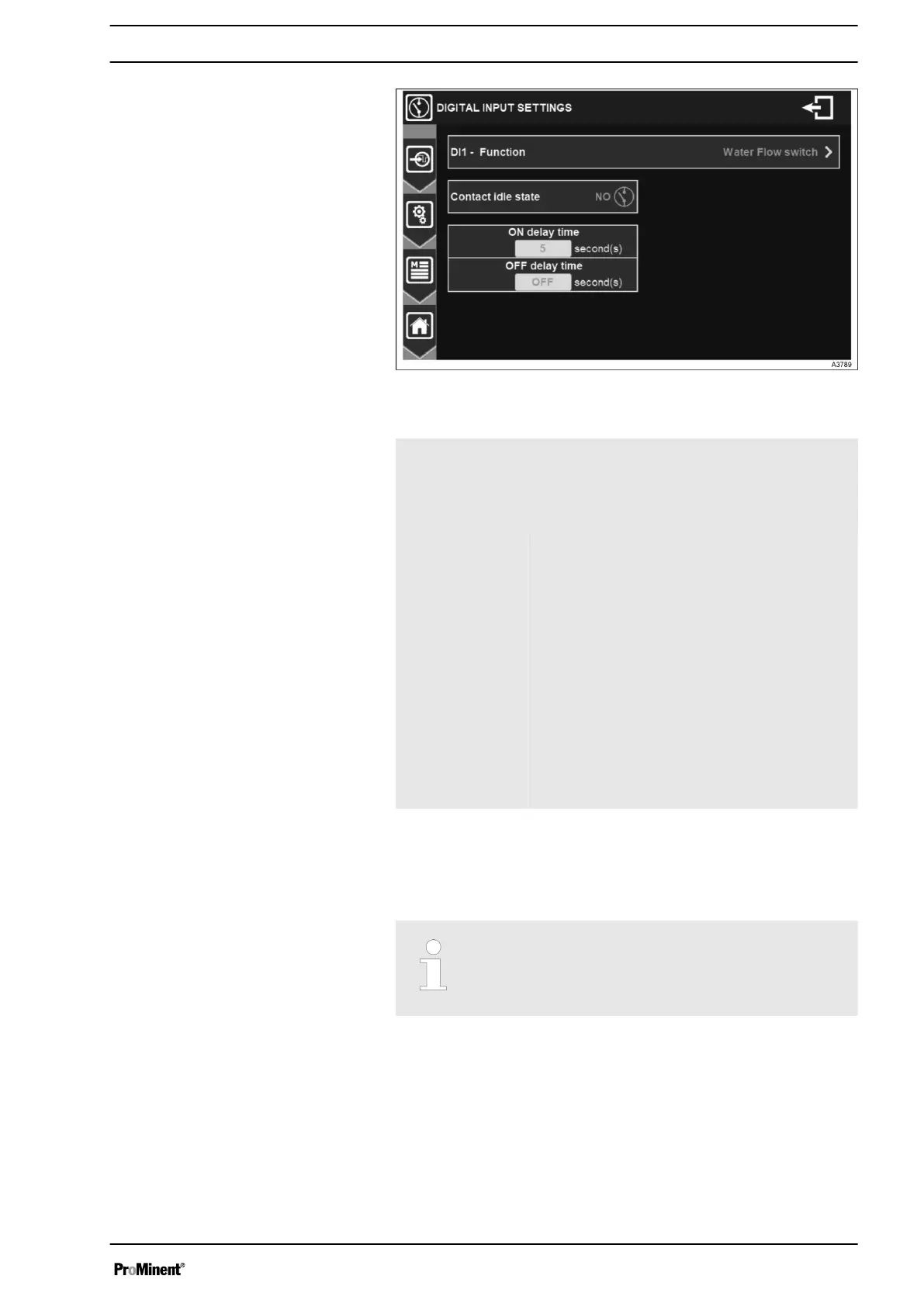
Fig. 41: Menu digital input settings
DI1 – Function Digital input operation mode selection. On this
selection button you will find the information of
the input in the process of modification (e. g.
DI1) and the currently selected function (e. g.
Water Flow switch).
Contact idle state Choice of idle state to be taken into account.
This check box contains the information cur‐
rently selected (e. g. NO).
Press to toggle NO (normally open) mode to
NC (normally closed) mode.
Activation delay
time
Enter the time that the input must remain
during its activation before the information is
taken into account.
Press to open the numeric keyboard and enter
the desired value.
Adjustment possible from 0 to 240 Second(s).
Deactivation
delay time
Same as before, but for reverse state.
7.1.4 MEASUREMENT SETTINGS
In this menu the measurement channels can be configured.
If the option “Create a parameter automatically for
each sensor”, the measurement channel are
preset. Please check the setup and adapt it if nec‐
essary.The order of the parameters is predefined.
General Menu
41














 To Next Page