6 Display Mode and Type
AEGIS S is fitted with a colour touch screen. The touch screen is a
resistive technology, you must press firmly on the screen to vali‐
date the action.
Make sure that your AEGIS S controller is correctly programmed!
An excess of product, or even a mixture, can cause harmful
actions on human health and the environment.
If an adjustment was made, the SAVE button
appears (floppy disk icon). Click on this button to
save the adjustments.
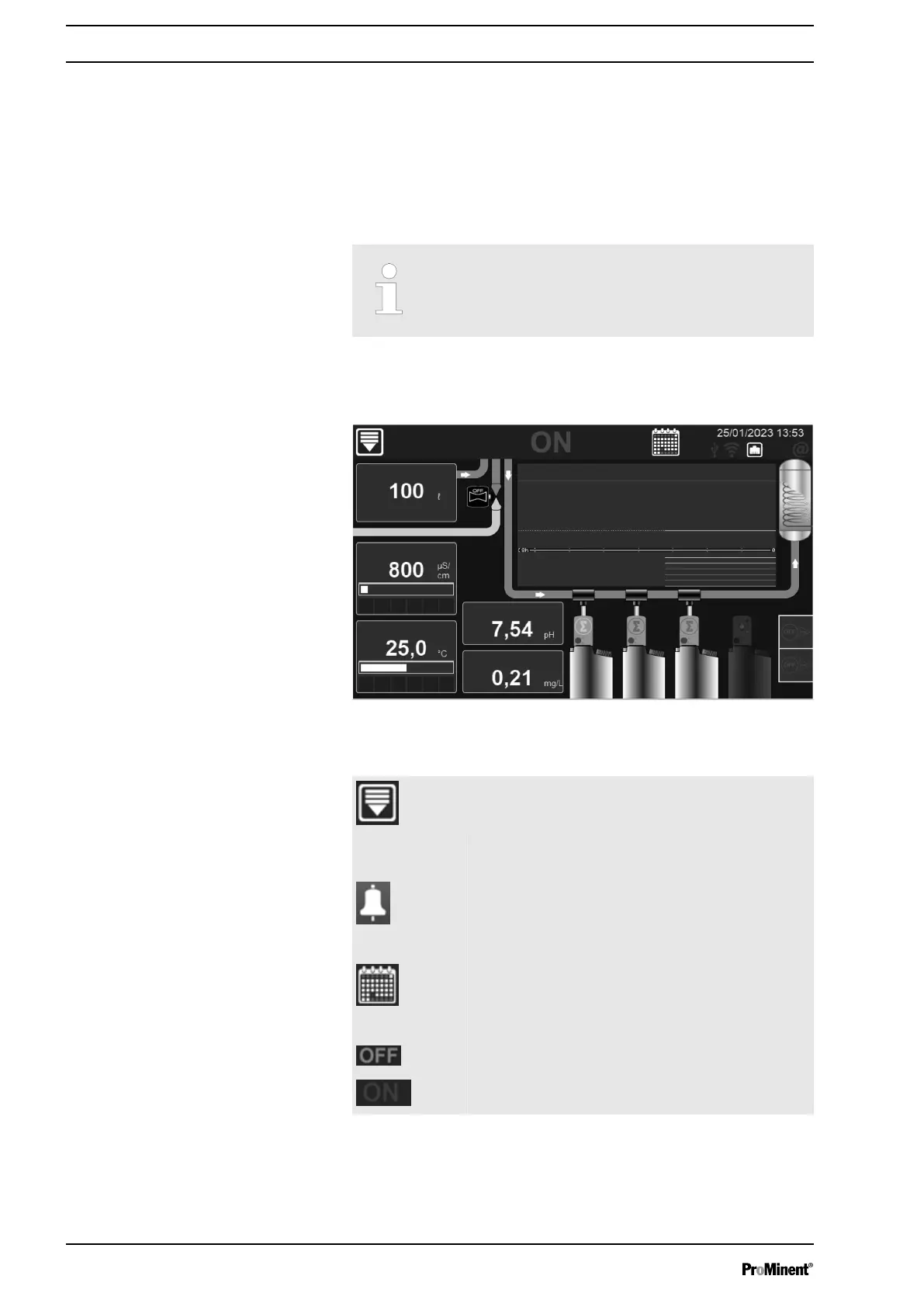
6.1 Main Screen
A3774
Water volume
Water volume
Biocide A
Biocide B
Inhibitor
Bleed
Conductivity
Total chlorine
Temperature
pH
Fig. 26: Main Screen
Menu button programming – Press to open the
menu
General notifi‐
cations
Active alarm(s) Depending on user configuration.
Calendar Icon Calendar – Tap to access the maintenance
schedule.
On/Off button Controller switched off – Press it to switch the
controller ON Controller switched on – Press it to
switch the controller OFF
Display Mode and Type
30














 To Next Page