Create a
measure‐
ment
channel
automati‐
cally for
each
sensor
This option enables the automatic creation of a meas‐
urement channel in Measurement menu corre‐
sponding to the type of sensor is created automati‐
cally. The automatic generated measuring channel
has to be checked and adapted to the application.
Activate
the
advanced
configu‐
ration for
flow
switch &
flow
meter
If activated, it is possible to manage the condition type
between the water circulation detector and the flow
meters to turn on or off the conditioning. The logical
condition AND / OR is then configurable in the CONDI‐
TIONS menu.
If not activated, the OR condition is active by default.
Activate
the
advanced
configu‐
ration of
the 4…
20mA
outputs
This option allows to define the current generated in
three special cases:
Inhibition
mode
None
0 mA
Low
range
3.4 mA
Default mode
0 mA
Low range
2.6 mA
Range overflow
mode
Maximum
20 mA
20.8 mA
7.1.2 ANALOG INPUT SETTINGS
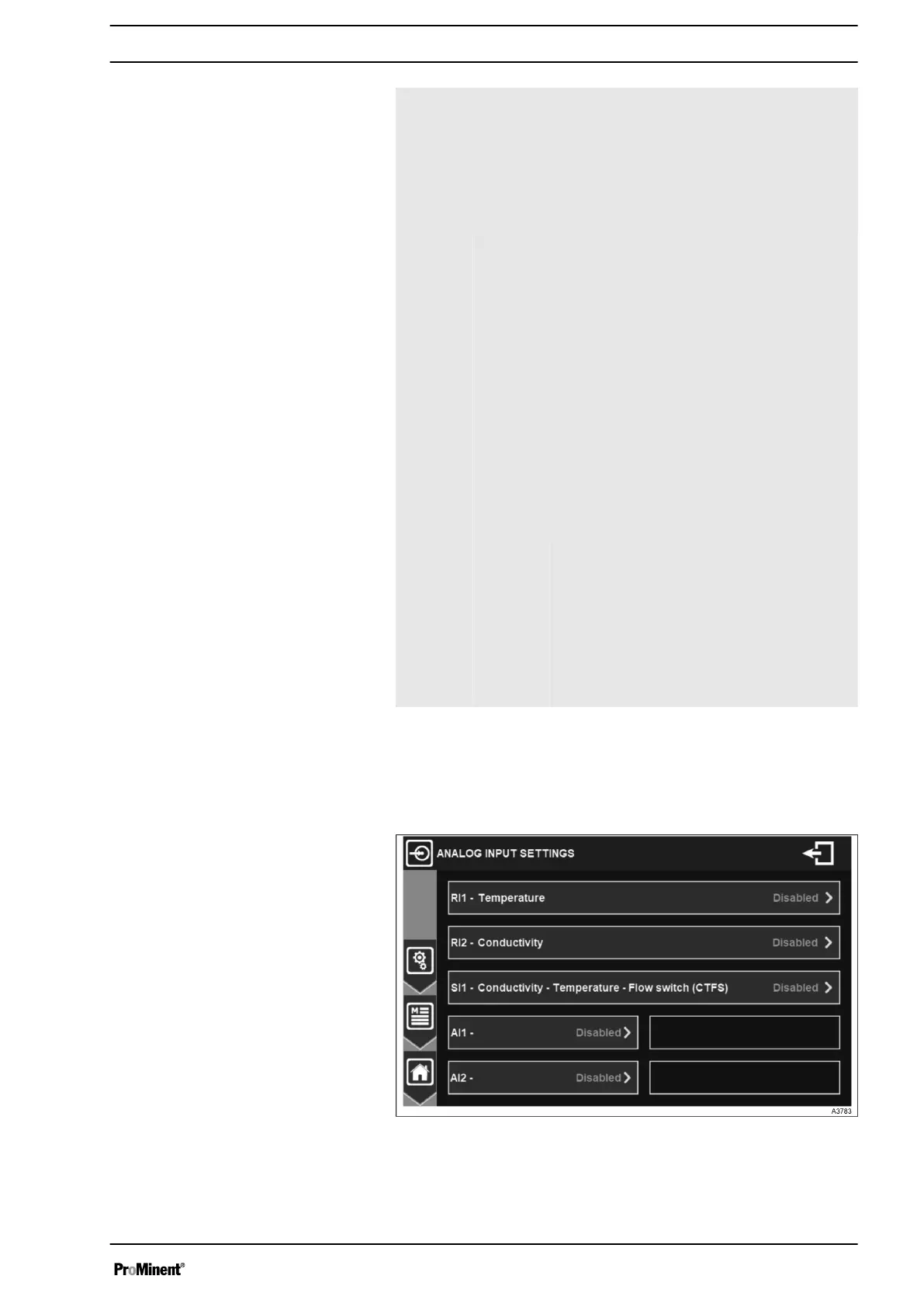
In the menu ANALOG INPUT SETTINGS the analog inputs are
configured depending on the connected sensors.
Fig. 35: Overview
The menu shows an overview of enabled and disabled analog
inputs.
General Menu
37














 To Next Page