For your comfort, you will find the notation of the
RIx, SIx and AIx inputs silkscreen in front of the
corresponding connection terminal block of your
device.
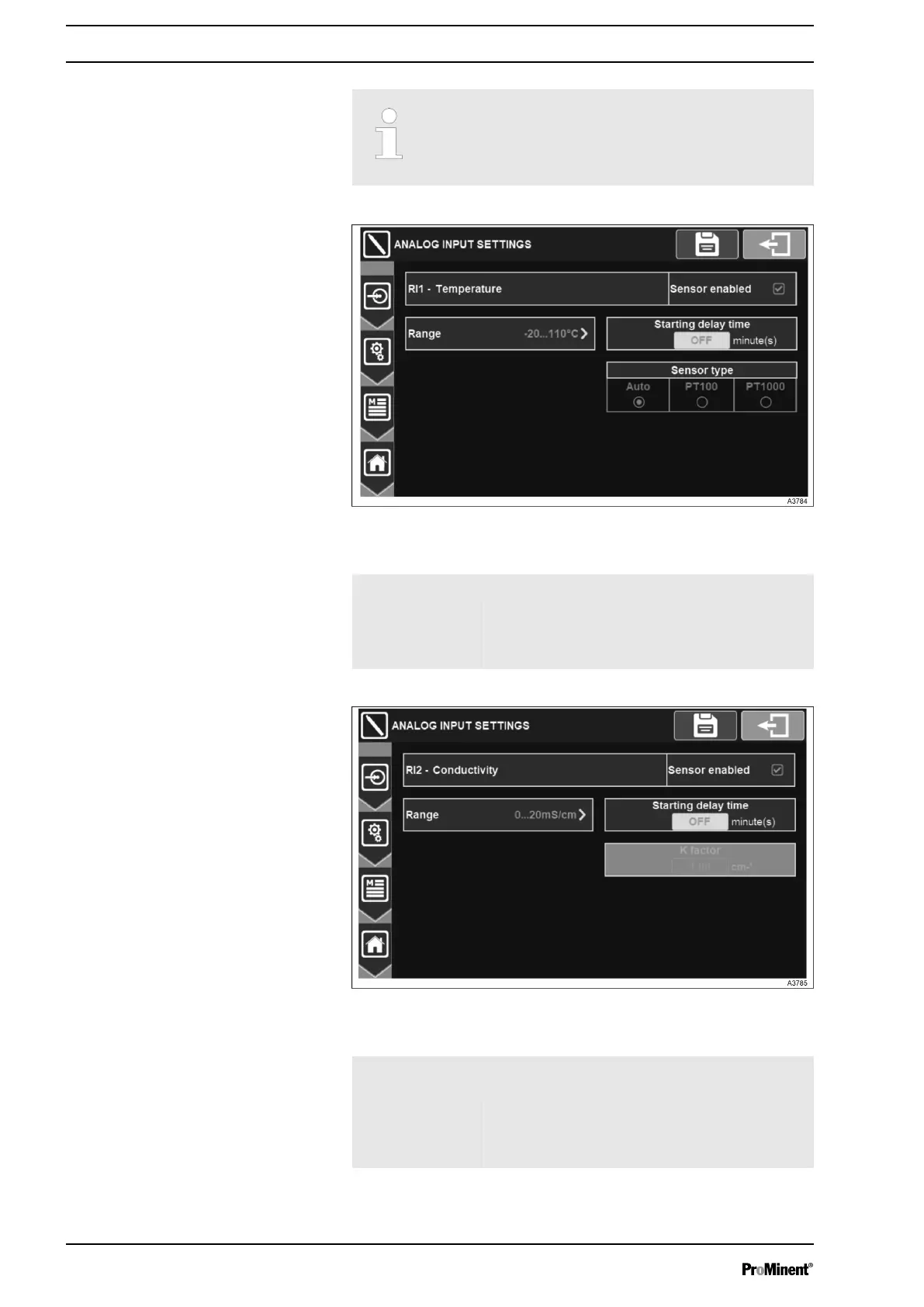
Fig. 36: Menu temperature input settings
RI1 Temperature Enables/disables the temperature sensor.
Range Select the measurement range.
Starting delay
time
Enter boot delay (polarization). Adjustment
possible from 0 to 480 minute(s).
Fig. 37: Menu Conductivity input settings
RI2 Conductivity
Range
Enables/disables the temperature sensor.
Select the measurement range.
Starting delay
time
Enter boot delay (polarization). Adjustment
possible from 0 to 480 minute(s).
K factor Enter the K factor of the cell.
Temperature input settings
Conductivity input settings
General Menu
38














 To Next Page