Maximum Enter the value of the Maximim.
Possible adjustment from 0 to 100 %.
Keep active after The option is automatically activated and
cannot be modified.
7.1.6 CONDITIONS & FUNCIONS
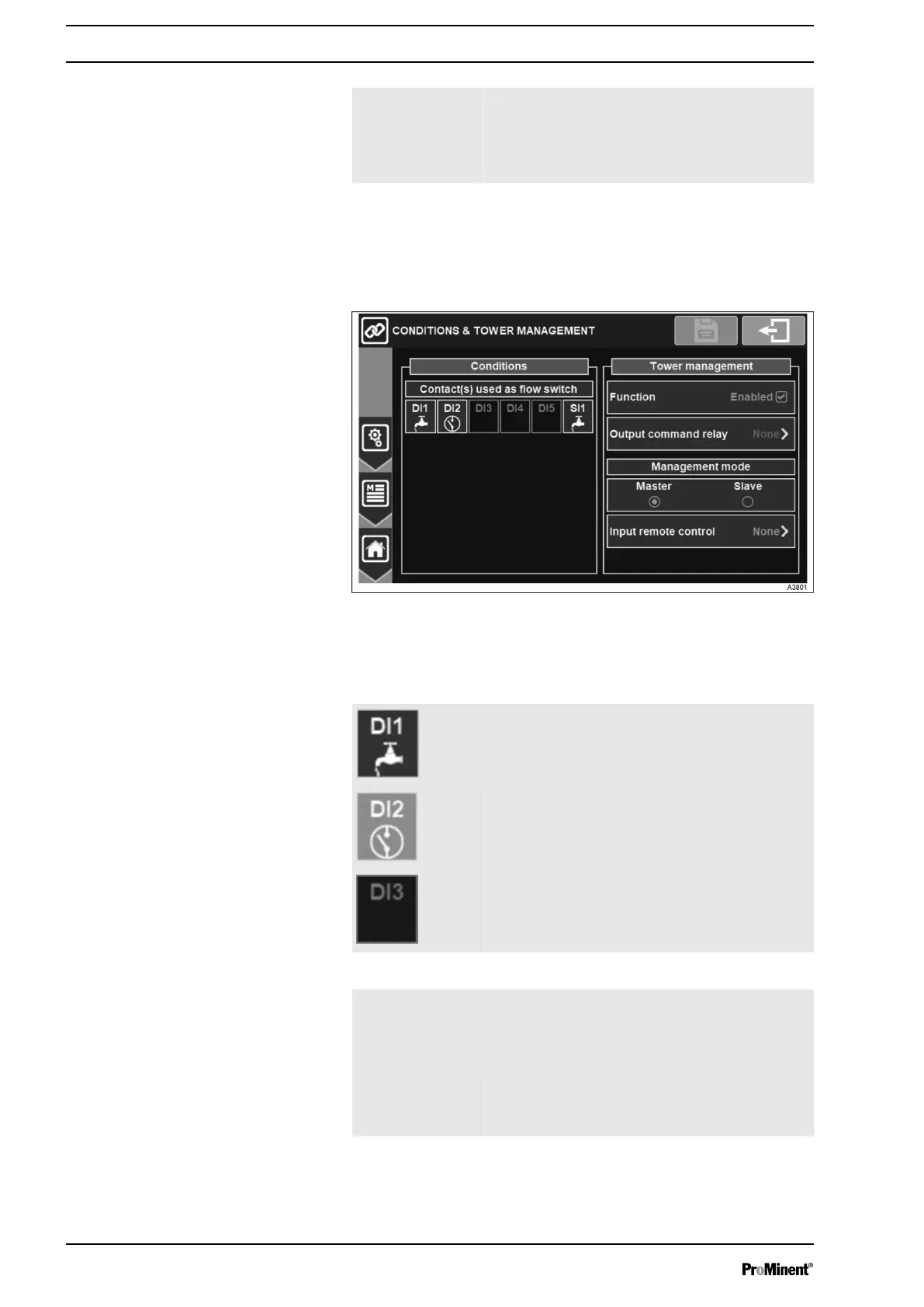
In this menu the flow switch conditions and tower management can
be configured.
Fig. 53: Menu conditions and tower management
The menu shows the overview of digital inputs which can be
selected as flow switch.
Contact selected. Press to unselect the con‐
tact.
Contact not selected. Press to select the con‐
tact.
Contact not selectable.
Function Check the box to activate the "Tower manage‐
ment".
The "Tower Management" function is disabled
originally.
Output command
relay
Output command relay selection, on this
selection button you can choose the relay that
will command the output.
Conditions
Tower management
General Menu
48














 To Next Page