High alarm Limit You must check this option to enable high
alarm limit settings.
Enter the high alarm limit value.
Hysteresis Enter the hysteresis value of the alarm
threshold.
This setting is only available if the unlock
option is enabled in the setting options.
This value sets a value delta in which the
alarm remains active. This allow for stable
alarms when the measurement value oscil‐
lates around the value of an alarm limit.
Delay Enter the value of the time limit to take into
account an alarm.
Stop dosing on
alarm
Selection of alarm(s) to stop dosing. Mul‐
tiple selection type, press the alarms you
want to associate.
This setting is only available if the unlock
option is enabled in the setting options.
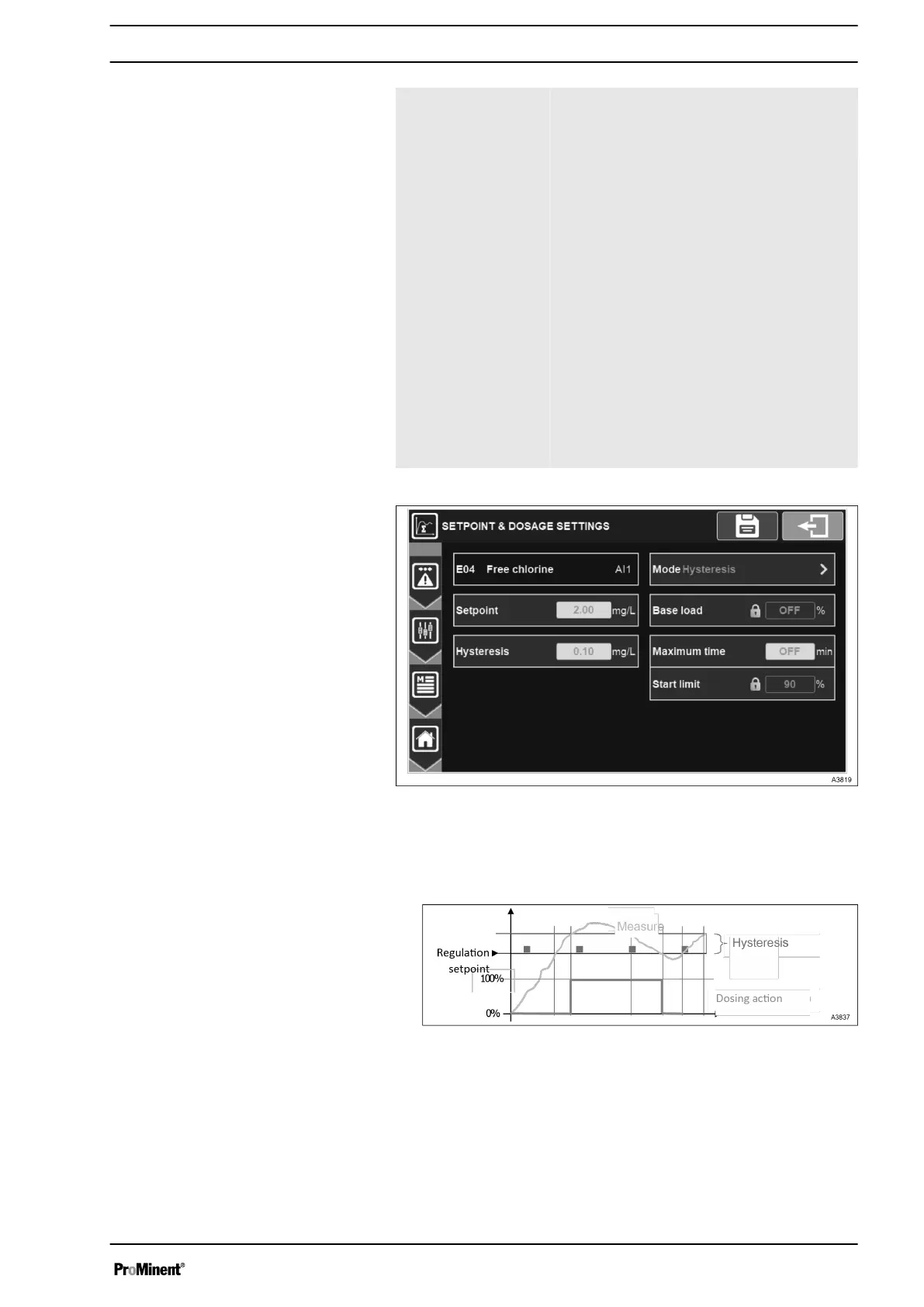
Fig. 71: Menu setpoint and dosing settings
When the dosing direction of the channel is configured to decrease
the parameter, as soon as the error (measurement – setpoint) is
greater than the hysteresis value, the regulation requirement is
100%.
Fig. 72: Diagram decreasing parameter
When the dosing direction of the channel is configured to increase
the parameter, as soon as the error (setpoint – measurement) is
greater than the hysteresis value, the regulation requirement is
100%.
Setpoint and dosing settings
General Menu
63














 To Next Page