PathMaster® Manual Rev. H 6/03
- 36 -
TracMouse™
PathMaster® is equipped with the capability to jog the workcell gantry using a pointing device with your
computer, such as a mouse or trackball. This feature is especially useful on PVA250™, PVA750™, and
PVA2000C™ machines that are not equipped with a teach pendant or built in trackball.
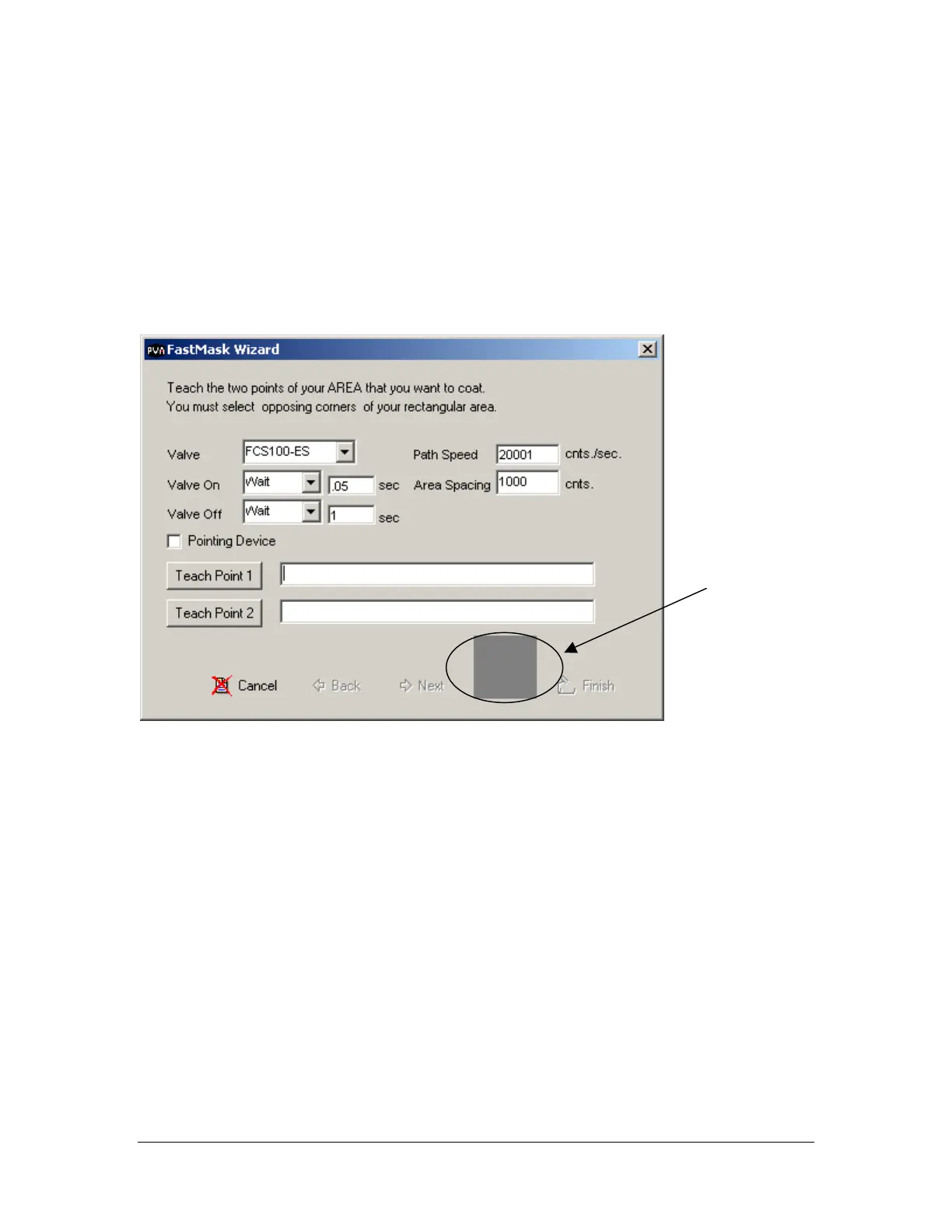
The TracMouse™ has an activation pad or TracPad inside of each PathMaster® programming tool. The
TracPad™ is the dark gray square or rectangle located on each tool form. Left click the TracPad™ to
activate the TracMouse™. To move the gantry, press and hold the left mouse button while dragging the
mouse cursor on the TracPad™. To switch between axes, right click the TracPad™ until the desired axis
combination is displayed in the upper left hand corner of the activation pad. Double click on the
TracPad™ to teach a point while the TracMouse™ is active.
Pneumatic Commands
Pneumatic positions (head up/down, rotary selection) are not automatically programmed by PathMaster
®
and there is no communication between the Dispensing System and PathMaster
®
concerning the valves
pneumatic position. Therefore, it is the responsibility of the operator to select the appropriate valve within
PathMaster
®
and insert the necessary pneumatic commands into the edit window after a path has been
programmed. Physically, the pneumatics are operated from the Valve Selection screen on the Dispensing
System.
Programming Tools
Adding Comments
It is a good practice to add comments to each path program in a manor in which anyone that views the path
program can understand what the program is doing. All comments are stripped from the program on
compilation; therefore, they do not use any controller memory.
Comment Edit Window
TracPad™



 To Next Page