PathMaster® Manual Rev. H 6/03
- 60 -
Importing Files
The PathMaster® import function can import programs, projects, subroutines, and CAD files.
CAD Files
A 2-dimensional drawing generated in CAD can be imported into PathMaster® as a path program.
There are several steps required for a successful import. These include:
• Creation of the path drawing in CAD.
• Adding PathMaster® codes to the CAD drawing.
• Orienting the CAD drawing relative to the Dispensing System gantry.
• Exporting the CAD drawing to a *.dxf (AutoDesk Drawing Exchange Format)
• Importing the CAD drawing into PathMaster® using the CAD wizard.
Preparation of the CAD File
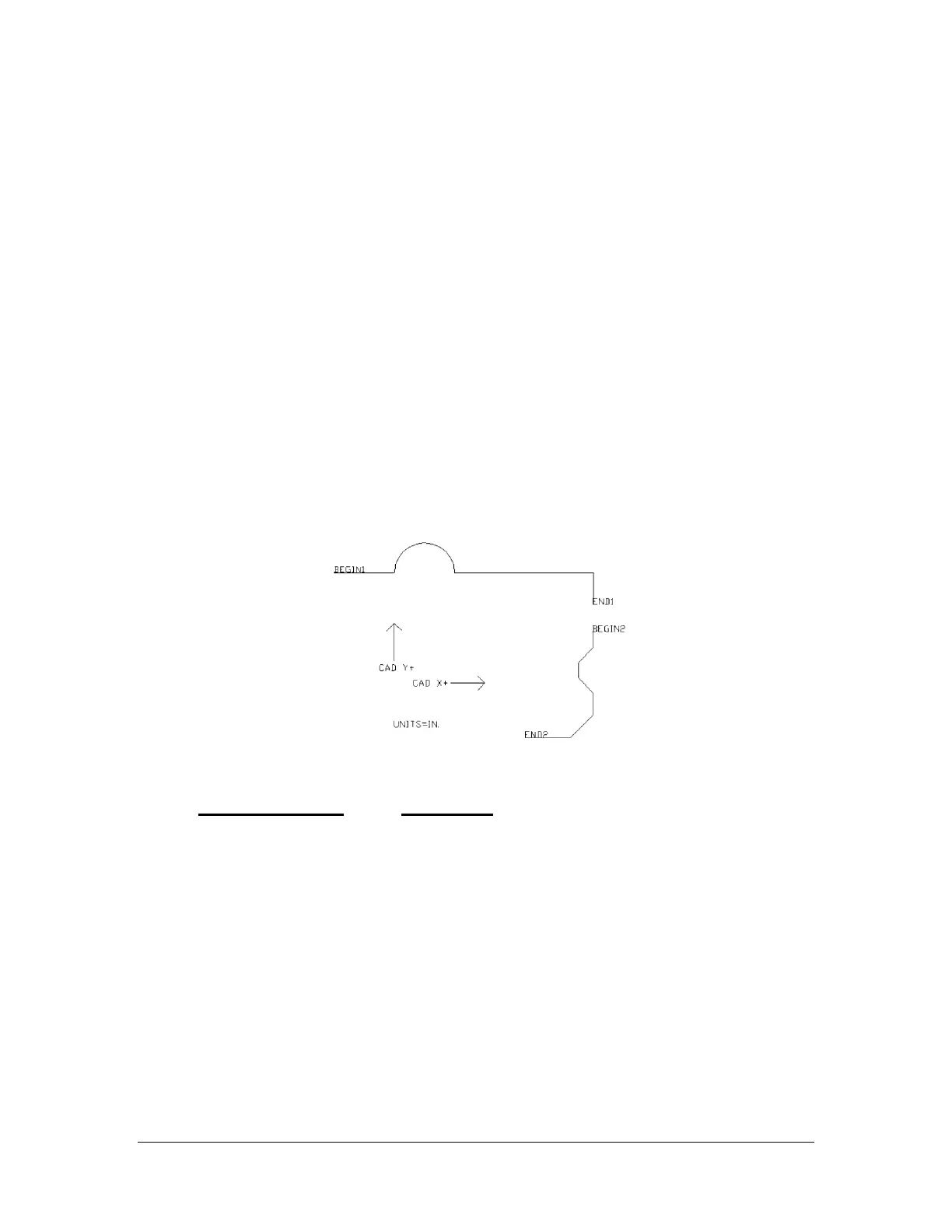
Below is the original drawing (Figure 1) and the required elements. (Table 5) NOTE: The CAD X+ and
CAD Y+ arrows are for reference only. These are not required.
Figure 1: Original CAD Layout
Required Element Description
BEGIN1, BEGIN2, etc.
Defines the start of the segment. The valve will turn
ON at this point.
END1, END2, etc.
Defines the end of the segment. The valve will turn OFF
at this point.
UNITS=IN. or
UNITS=MM. or
UNITS=CNTS.
Defines the units used for creating the drawing. Note:
During the import process the path will be
automatically converted to the units defined in
PathMaster.
Table 5 - Required CAD File Elements
After all necessary elements have been included in the drawing it must be MIRRORED on the Y axis.
(Figure 2) NOTE: In AutoCAD be sure to “Delete Old Objects” when prompted”.



 To Next Page