PathMaster® Manual Rev. H 6/03
- 52 -
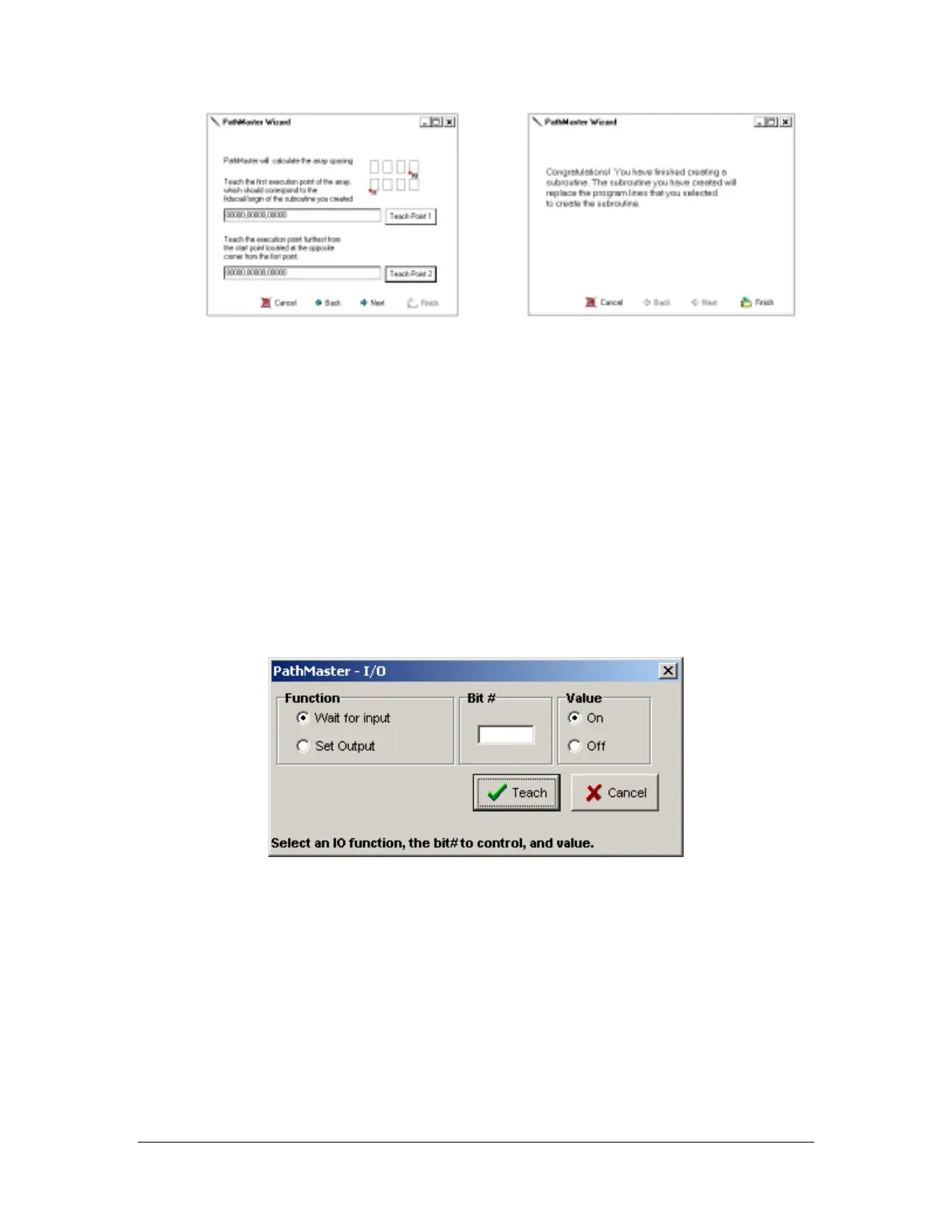
• Assign the first and last points of execution.
The coordinates to be entered are relative to the
point of origin assigned in the previous steps.
PathMaster
®
then calculates the distance for X
and Y spacing.
• This screen confirms the final step. By
selecting finish, PathMaster
®
saves your
created array or random placement and
inserts it into your program. The chosen
execution positions will appear in the main
window.
Editing
• Save the current project.
• Select File -> Open -> Subroutine and choose the subroutine from the list.
• The stored subroutine code appears. Edit it like normal.
• Save the subroutine and reopen the current project.
I/O
Teach Screen
This function allows the operator to control outputs or wait for an input to be in a particular state. The I/O
for this Dispensing System is located in the Machine Specific Information section of the Operating Guide.
Operators who understand discrete I/O and its usage should only use this command.
• Function – Select “Wait for input” to hold the program until an input is in the desired state. “Set
Output” turns a discrete output on or off.
• Bit # – Location of the discrete I/O bit referenced.
• Value – The ON/OFF status desired.
• Teach – Accept the current command and add to the program.
• Cancel – Quit without altering the program.



 To Next Page