PathMaster® Manual Rev. H 6/03
- 47 -
NOTE: When teaching each segment in a polyline, the last point of the last segment will be used as the
first point of the new segment. For example, a polyline arc (assuming it is not the first segment of the
polyline) will only require teaching two points since the first point will be taken from the last point of the
previous segment.
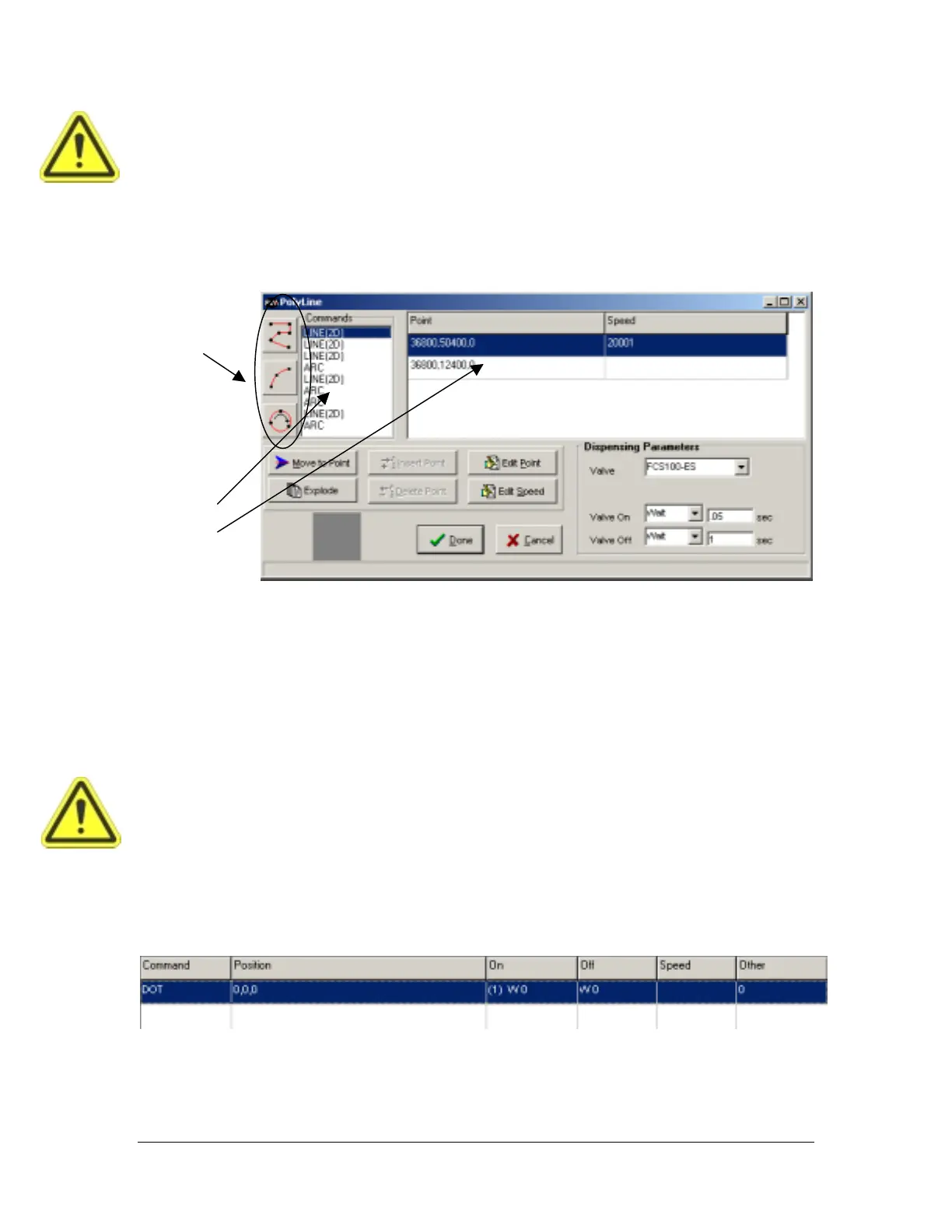
Select a segment in the command list and click the Edit Point button or the Edit Speed button to edit the
points and speed for each segment. The polyline can also be exploded into individual path segments and
modified on the main PathMaster® program table.
Once the polyline is complete click the Done button.
From Selected Line
To create a polyline from existing path segments, simply select the path segments to include in the polyline,
access the Teach menu and select PolyLine -> From Selected Lines. If the endpoints of the path segments
do not match up exactly, PathMaster® will ask you if you would like to match up the endpoints. If you
choose not to match up the points the polyline will not be created. If you choose to match up the points, the
polyline will match up the points using the best fit.
When creating a polyline from existing path segments, the valve parameters will be taken from the first
path segment in the series. The speeds will be retained for each path segment.
WARNING: Be sure that all path segments selected for a polyline use the same valve as PathMaster®
will assume that the valve used in the first segment is used throughout.
Dot
Programmed
Teach Screen
PolyLine
Toolbar
Command
List
Polyline Program
Table



 To Next Page