Operation and Maintenance Manual Rev M(ii) 4/03
- 31 -
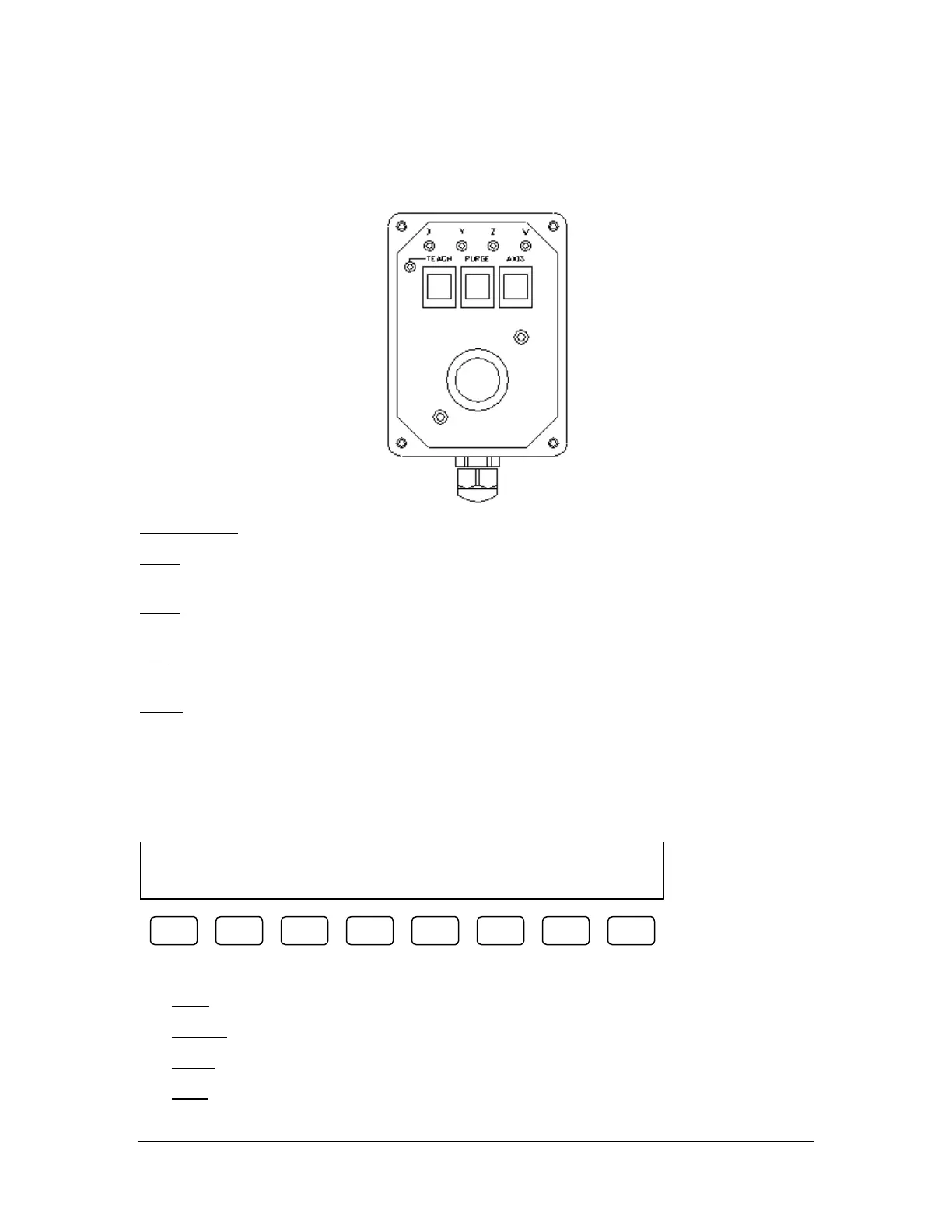
Teach Pendant
PVA550™, PVA2000™, and PVA3000™ are equipped with a teach pendant which has a trackball, teach
button, purge button, axis selection button, and LED indicators for selected axes and teach function.
TRACKBALL
– The trackball allows the operator to jog each axis independently or X and Y together.
Teach – The teach button mimics the teach button found on the workcell OIT in that it will register the
gantry position back to PathMaster® when teaching a motion profile.
Purge
– The purge button mimics the purge button found on the workcell OIT in that it will purge material
from the active valve.
Axis
– The axis button allows the operator to toggle through the available axis configurations. Typical
configurations are X only, Y only, Z only, W only, and X & Y together.
LED’s
– The X, Y, Z and W LED’s represent the selected axis configuration. The teach LED indicates a
successful response from PathMaster® when a position is taught. The teach LED is accompanied by a
‘beep’ from the light tower buzzer.
OIT Jog Control
(PVA250™, PVA750™, PVA2000C™ models only)
Jog Mode Current: X&Y
EXIT TEACH PURG AXIS - Y -X +X +Y
F1 F2 F3 F4 F5 F6 F7 F8
OIT Jog Control allows the operator to jog the gantry via the OIT function keys to perform teach functions.
[F1] EXIT
– Leave OIT Jog Control and return to the previous mode.
[F2] TEACH – Program the current point.
[F3] PURG – Actuate the current valve.
[F4] AXIS – Toggle axis control between X, Y and Z.



 To Next Page