PathMaster® Manual Rev. H 6/03
- 40 -
NOTES: Playback is only allowed if the Dispensing System is currently in Manual/Jog/Teach mode.
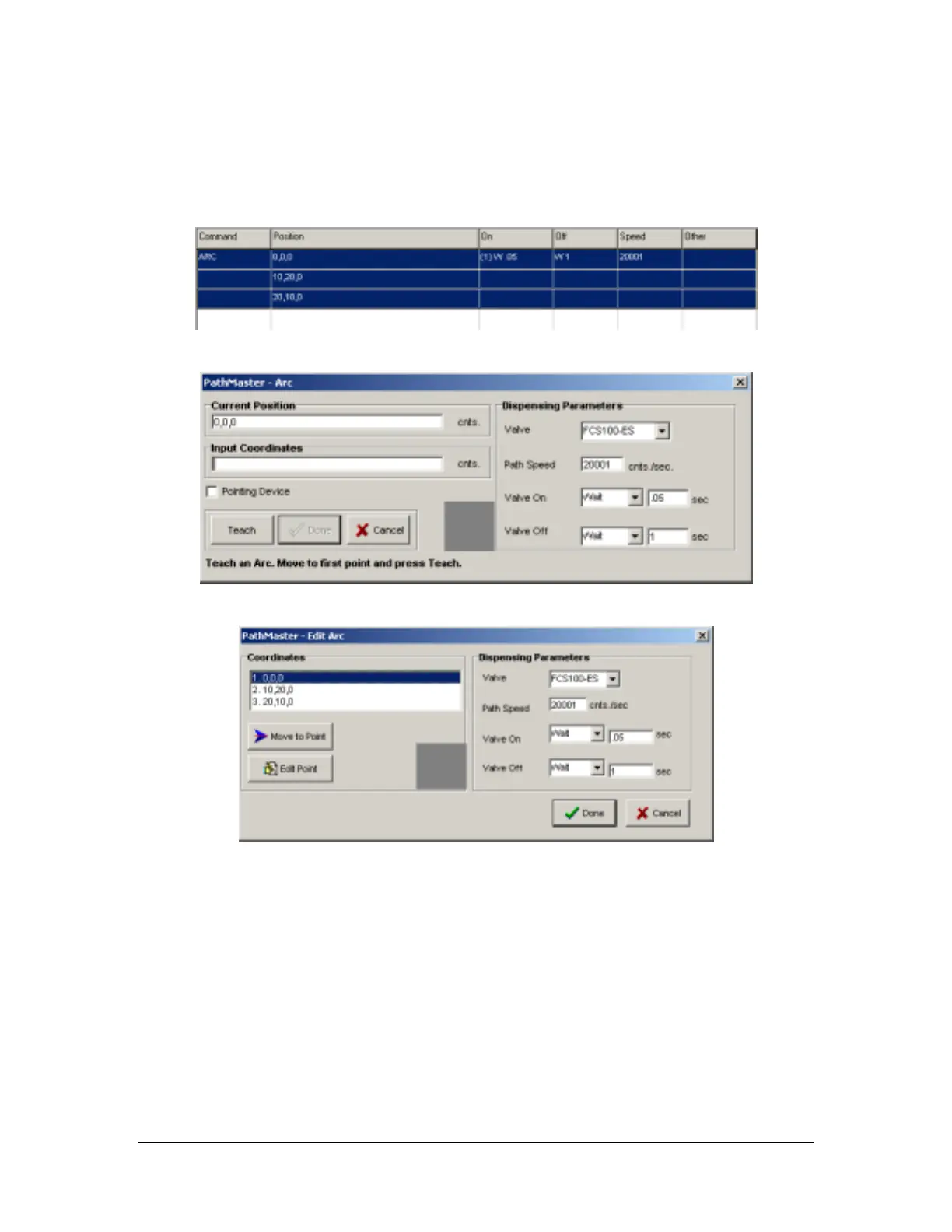
Arc
Programmed
Teach Screen
Edit Screen
This tool teaches an arc. The operator must select three (3) points on the arc length, including the
beginning and end points, moving (clockwise or counter-clockwise) in the direction the axes must move.
The Z axis does not alter its position during the path.
NOTE: When selecting points, space them evenly around the arc.
• Current Position – If there is communication established with the controller, the current position
appears in the text box. Use the trackball on the Dispensing System to change the position.
• Input Coordinates – Manual entry of target position.
• Dispensing Parameters – Select appropriate parameters for the current dispense, including the active
valve.
Valve On Wait – The pause after turning the valve on but before starting the dispense path.
Valve Off Wait – The pause after finishing the path and turning the valve off but before moving
to the next point.
Valve On Distance – Distance the path traveled before turning the valve on.



 To Next Page