PathMaster® Manual Rev. H 6/03
- 37 -
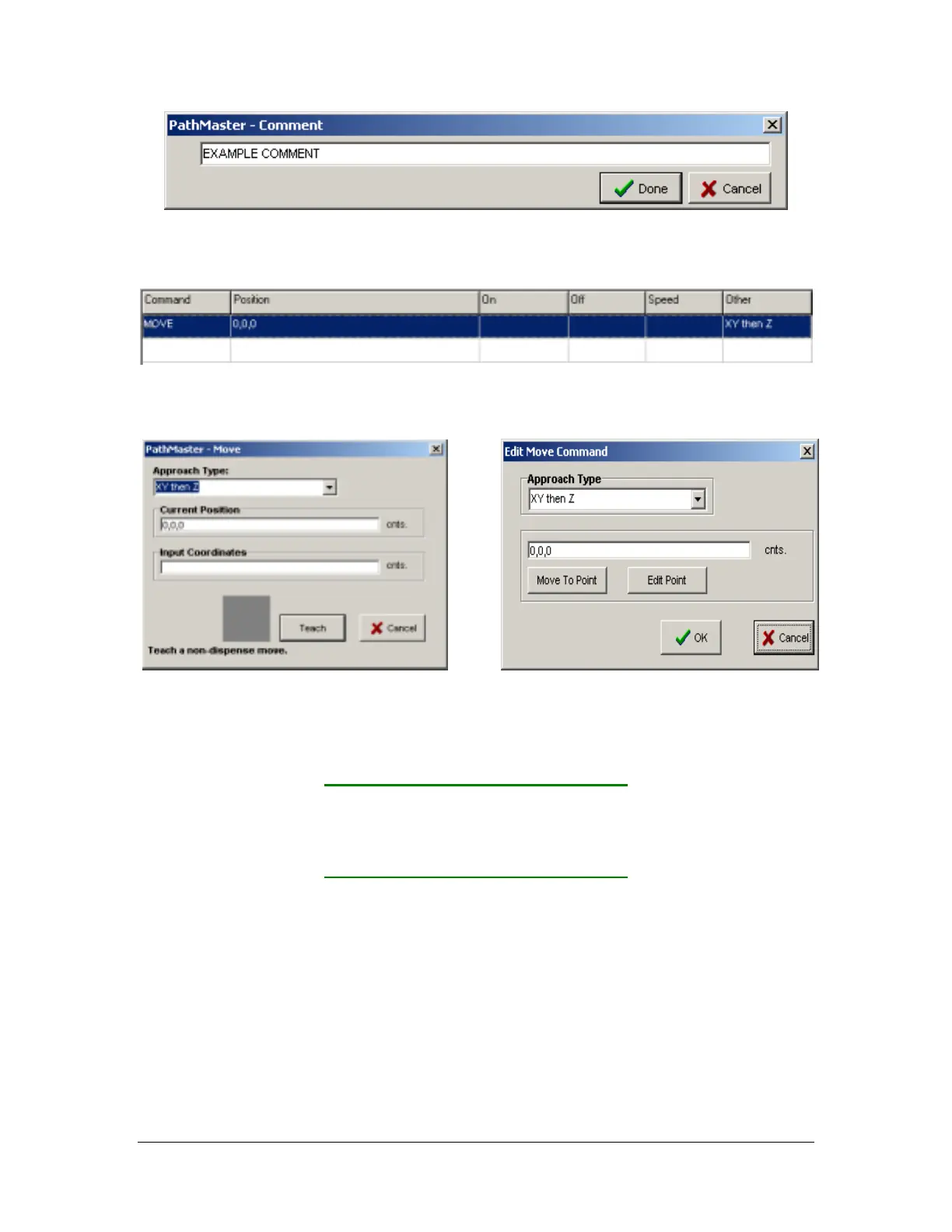
Move
Programmed
Teach Screen Edit Screen
This tool allows the operator to program an absolute move. This is a non dispense move.
• Approach Type – Select the order of movement for the function. “XY Only” means the controller
moves along the X and Y axes simultaneously. “XY then Z” means the controller first moves X &Y
and once that motion is complete it moves Z. The total list of options:
XY only XYZ
X only XYW
Y only XYW then Z
Z only W only
XY then Z XY then W then Z
• Current Position – If there is communication established with the controller, the current position
appears in the text box. Use the trackball on the Dispensing System to change the position.
• Input Coordinates – Manual entry of target position.
• Teach – Record current position and add to the program. Equivalent to the F2 key on the Dispensing
System.
• Teach Position – Record current position and alter program to use it. Equivalent to the F2 key on the
Dispensing System.
• Teach Coordinates – Record entered position and alter program to use it.
• Cancel – Quit without altering the program.



 To Next Page