PathMaster® Manual Rev. H 6/03
- 49 -
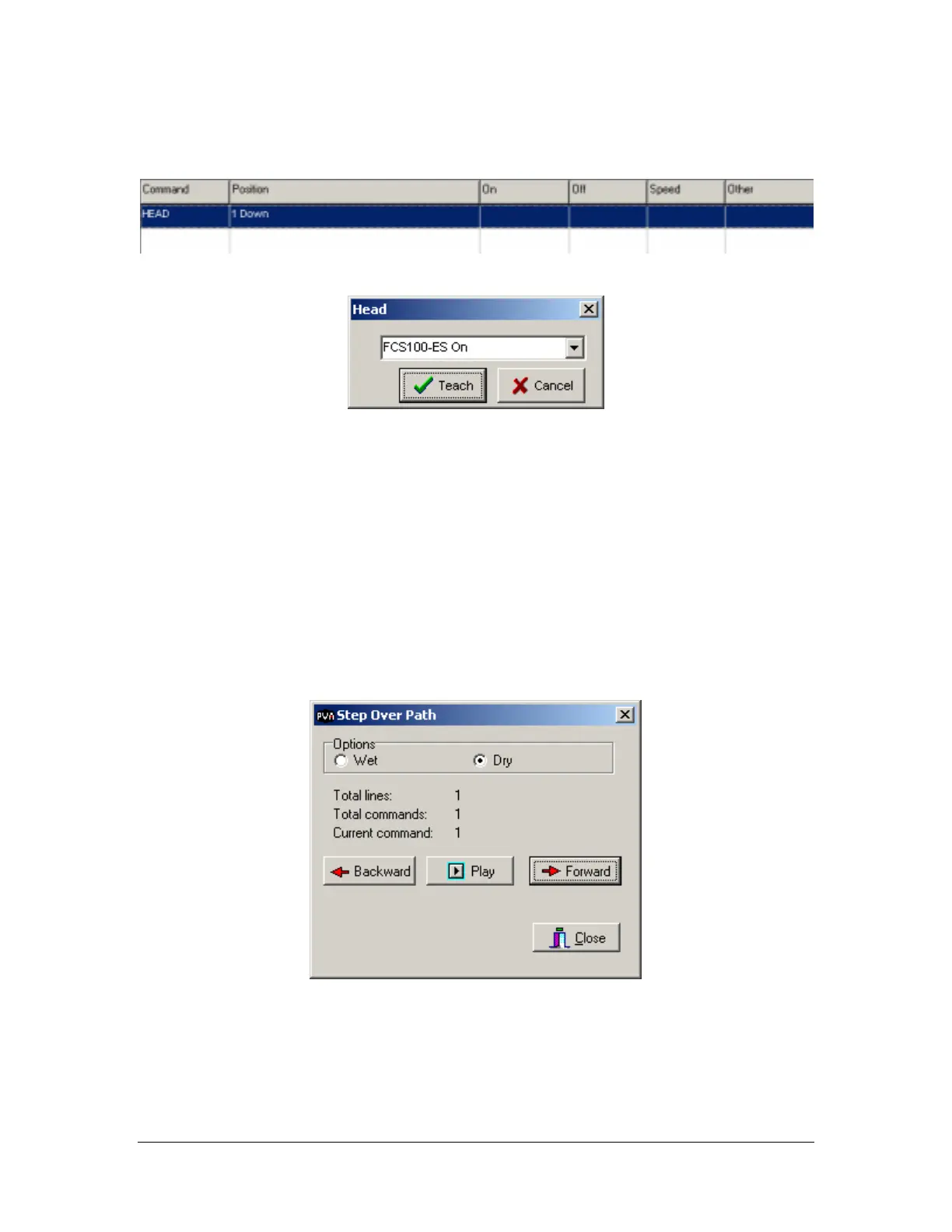
Head
Programmed
Entry Screen
This function allows the operator to enter head (valve) commands into the edit window. The command is
placed at the active field location. A head function only appears in the head tool once it has been
configured in the machine parameter setup. Pneumatic positions (head up/down, rotary selection) are not
automatically programmed by PathMaster
®
and there is no communication between the Dispensing System
and PathMaster
®
with regard to the active valve or its pneumatic position. Therefore, it is the responsibility
of the operator to select the appropriate valve within PathMaster
®
and to insert the necessary pneumatic
commands into the program after a path has been completed. See Inserting Valve Commands into
Programs on page 17 for further information about head function programming.
• Teach – Accept the current command and insert into the edit window.
• Cancel – Quit without generating code.
Step Over
The step over tool will allow you to step to the previous or next path segment and play it back wet or dry.



 To Next Page