Quick Start Guide
2 Kiaro! 200 User Guide
Installation Precautions
When installing the printer, observe the following precautions.
• Imaging faults can result from dew condensation that occurs when the printer is
moved from a cold place to a warm place. Leave the unpacked printer as is for at
least two hours before installing it.
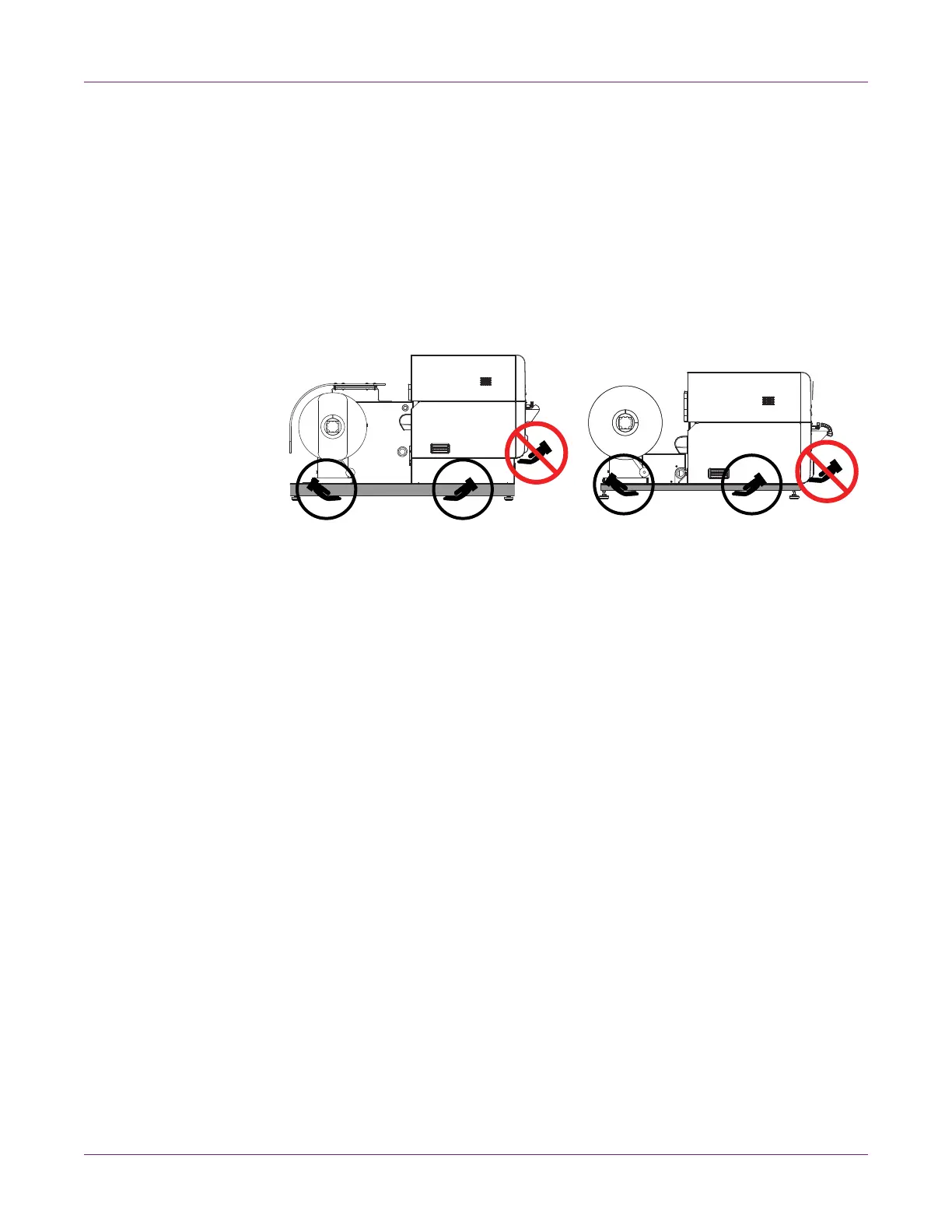
• The printer can weigh up to 170 pounds (77 kilograms). Three persons are required
to lift the printer. Lift only by the black frame on the bottom of the printer. Do not
grasp any other part of the printer to lift it. Do not lift the unit by the print engine.
Attempting to lift the printer in an improper position can result in fall of the printer
or injury.
System Requirements
• 32-bit or 64-bit Microsoft® Windows® XP, Windows Vista®, Windows 7, or
Windows 8
• Microsoft .NET Framework 3.5 SP1
• 350 MB free hard drive space
• CD/DVD drive
• One available USB 2.0 port for USB installation or network connectivity for network
installation



 To Next Page