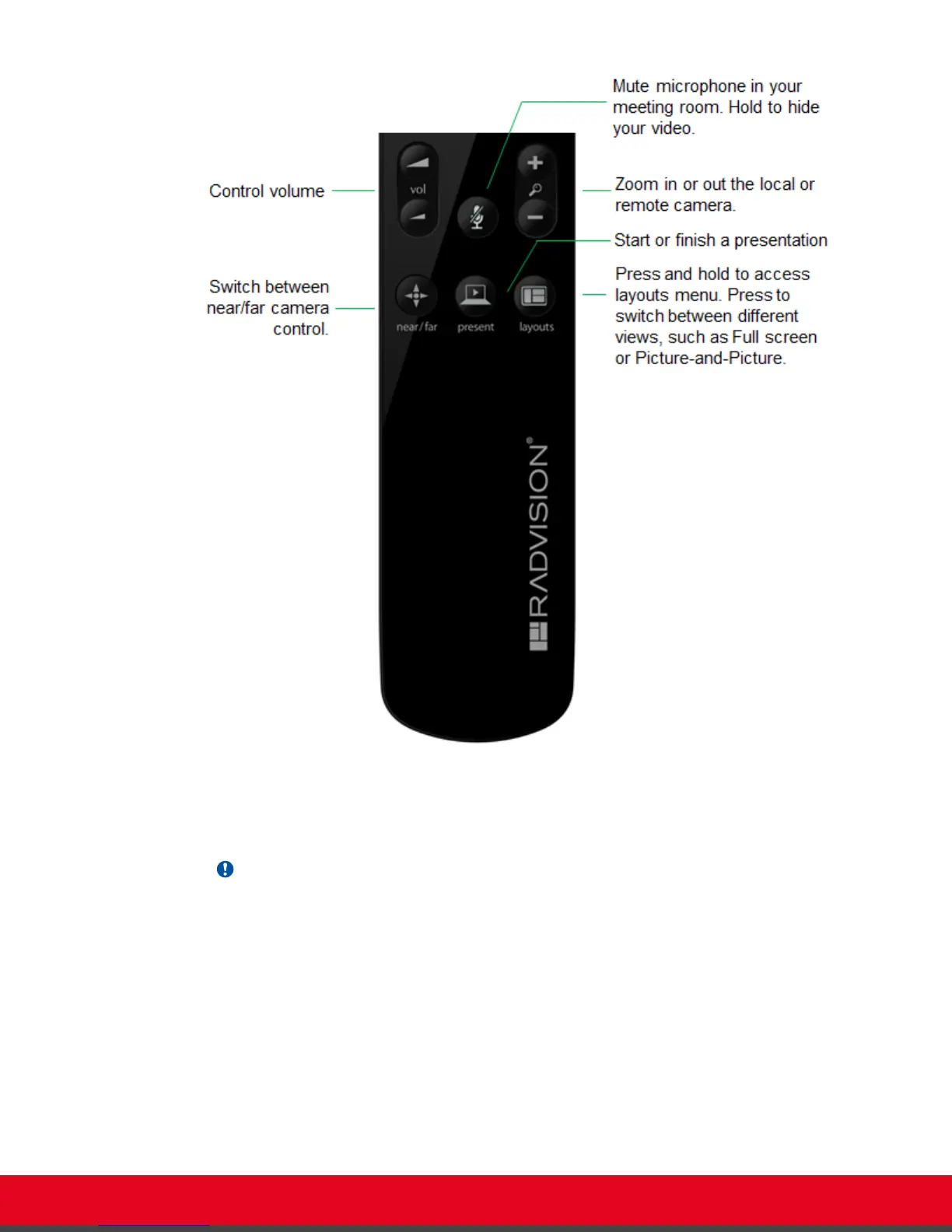
Figure 10: The new XT Remote Control Unit
Use the XT Remote Control Unit to navigate through system menus, as follows:
•
Scroll through menus and options using the arrow keys and pressing the ok/menu key.
Important:
Use the ok/menu key to select an item or a specific option, such as when choosing the interface
language. If there are less than 5 options in a list, press ok/menu repeatedly to scroll through
the options.
•
Use the XT Remote Control Unit keypad to enter letters and digits.
The default input method is abc1: you must press the required character key on the XT Remote
Control Unit repeatedly before entering a digit. To enter text in the XT Series interface, scroll to the
input field and enter the required characters.
The current input method is displayed in the field you are in:
User Guide for Scopia XT5000 Series Version 3.2 Getting Started | 19



 To Next Page