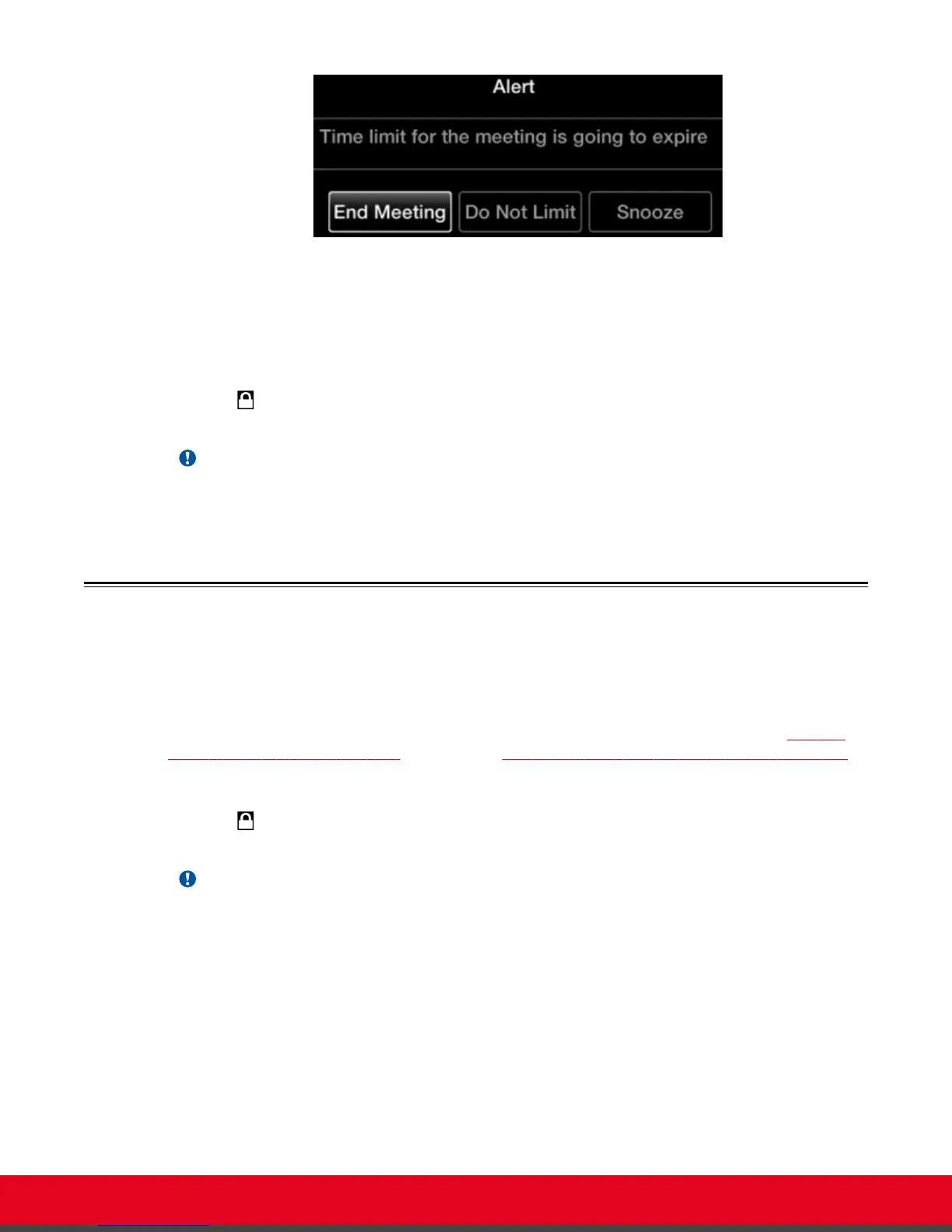
Figure 29: Meeting Duration Alert
•
End Meeting to immediately end the call
•
Do Not Limit to remove the time limit
•
Snooze to postpone the reminder and extend the meeting for another hour
If your system administrator enabled encryption in your system and your call is secured, an icon showing
a padlock appears on your display. For more information, see Administrator Guide for Scopia XT
Series.
Important:
Using encryption is subject to local regulation. In some countries it is restricted or limited for usage.
For more information, consult your local reseller.
Joining a Videoconference
About this task
To join a videoconference, dial the number of the XT Series hosting the videoconference, or the meeting
ID of the videoconference which was given by the meeting's host. For more information, see
Dialing a
Number Directly from the Endpoint on page 37 or Dialing a Number from the XT Series Web Interface
on page 39.
If your system administrator enabled encryption in your system and your call is secured, an icon showing
a padlock appears on your display. For more information, see Administrator Guide for Scopia XT
Series.
Important:
Using encryption is subject to local regulation. In some countries it is restricted or limited for usage.
For more information, consult your local reseller.
User Guide for Scopia XT5000 Series Version 3.2 Starting a Videoconference | 44



 To Next Page