Field Name Description
Type If necessary, select the protocol to use when calling this
personal endpoint or meeting room:
•
H.323: Select for H.323 endpoints, such as other XT
Series endpoints, or when joining a videoconference
hosted by a Scopia Elite MCU.
•
SIP: Select for SIP endpoints, such as when calling
Microsoft Lync clients.
•
ISDN: If enabled, select to call ISDN endpoints.
Call Type Select whether the call is Audio-Video or Audio-Only.
Rate Select the default call rate to be used when calling this
contact. Otherwise, the maximum available bandwidth is
used.
5. From the web interface only, select Save.
Searching for a Contact in the Phone Book
About this task
You can search by first or last name, or you can display all contacts. You can do this procedure from the
endpoint itself or from the XT Series web interface.
Procedure
1. Access the Contact list as follows:
•
From the endpoint's main menu, select Contacts.
•
From the XT Series web interface, select Make your call > Basic Options >
Contacts.
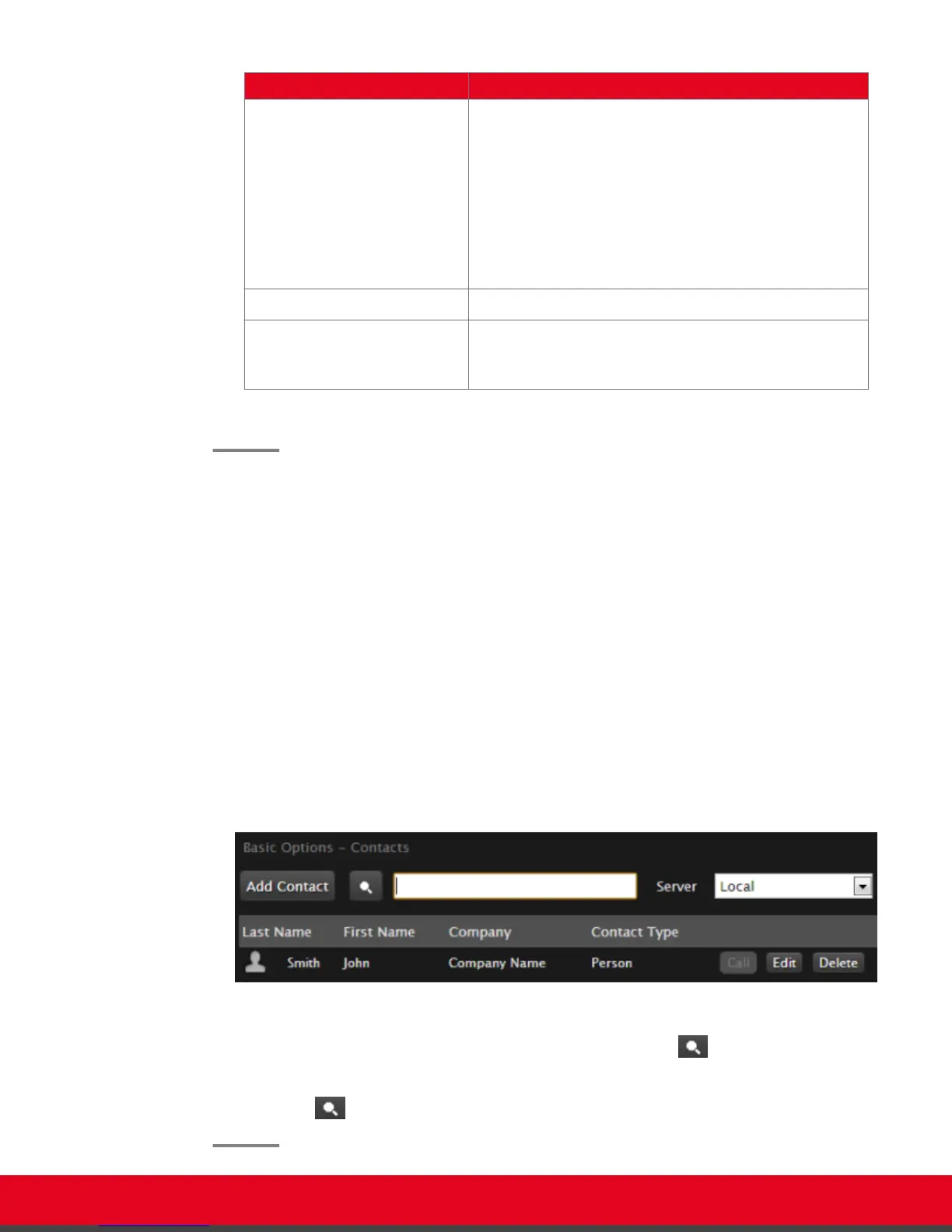
Figure 23: Searching for a contact from the web interface
2.
Enter the name or surname of the contact you want to find in the Search field, or scroll
through the list to find a contact.
3.
Select the Search icon.
User Guide for Scopia XT5000 Series Version 3.2 Starting a Videoconference | 36



 To Next Page