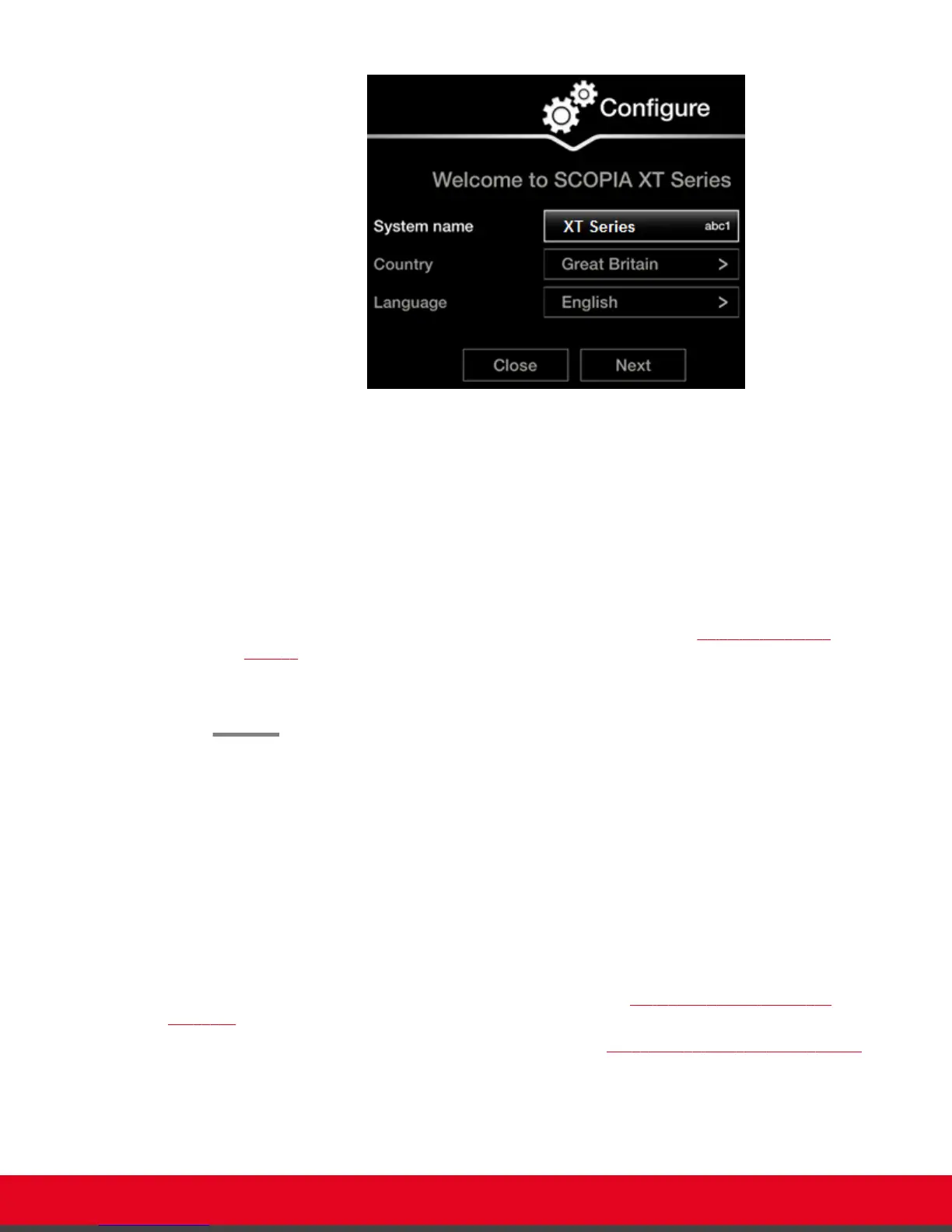
Figure 14: Setting Country and Language
2. Select the required country from the Country list. If performing this task from the endpoint
interface, use the arrow keys and press ok/menu.
The system menu and the Language field automatically change to the language used in the
selected country.
3. If you want to change the language of the system menus, select Language.
If performing this task from the endpoint interface, press ok/menu to display the list of
languages. Scroll to the preferred language and press ok/menu.
4. To adjust the image on your monitor, select Next and continue with Adjusting the Image
Position on page 25.
If performing the quick setup from the web interface, access the quick setup from the
endpoint to adjust the image. This can be done at any time.
Adjusting the Image Position
About this task
If your monitor does not center the image correctly, perform this procedure. This can be done from the
endpoint itself only.
Before you begin
This procedure is performed as part of the Quick Setup Wizard, after Setting the System Name and
Language on page 24.
Access the quick setup wizard from the endpoint, as described in Accessing the Quick Setup Procedure
on page 22.
User Guide for Scopia XT5000 Series Version 3.2 Getting Started | 25



 To Next Page