Procedure
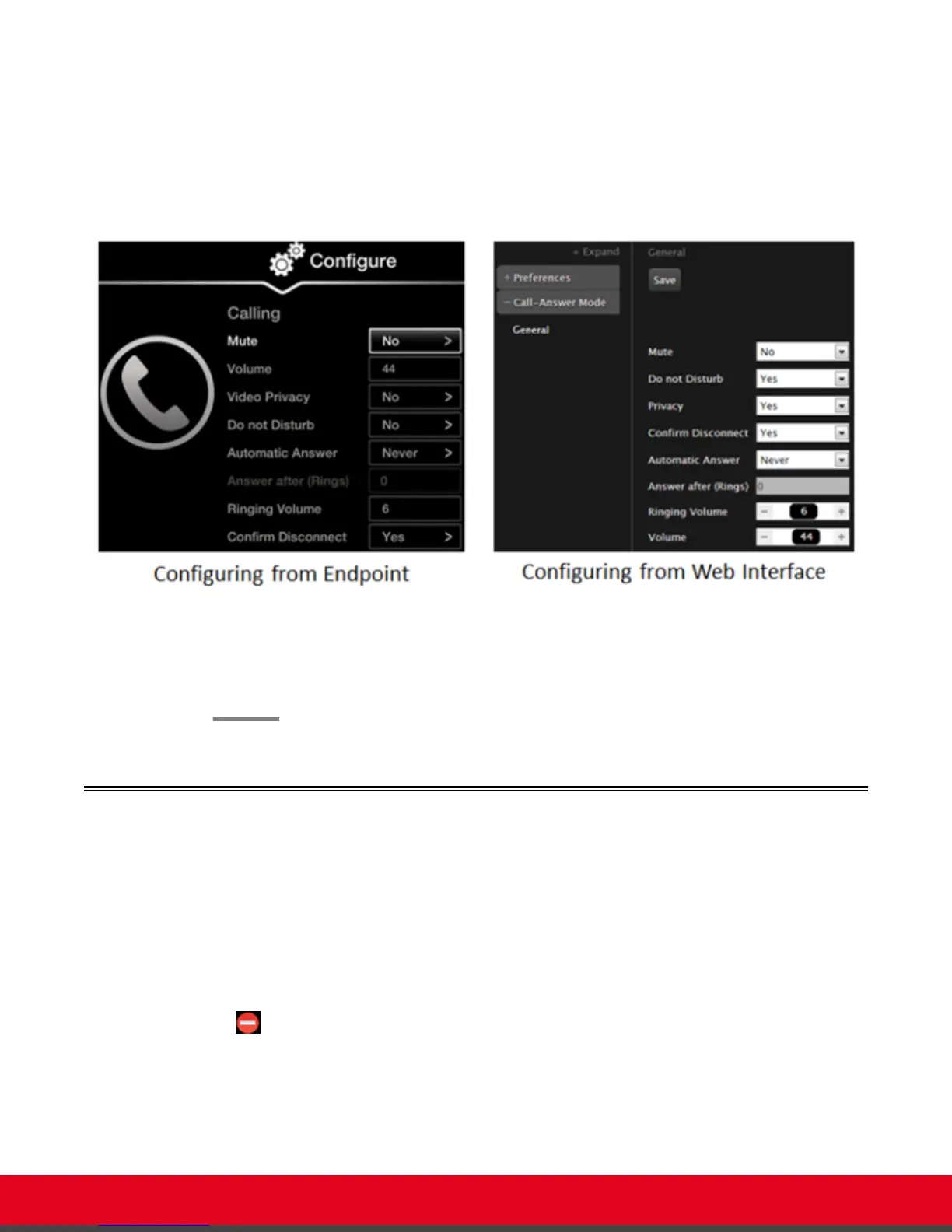
1. Access the call settings, as follows:
•
From the XT Series web interface, select Basic Settings > Call-Answer Mode >
General.
•
From the endpoint's main menu, select Configure > Calling.
Figure 65: Calling preferences
2. Set Confirm Disconnect to Yes.
3. From the web interface only, select Save.
Enabling Do Not Disturb to Block All Incoming Calls
About this task
If you do not want to answer incoming calls, you can configure the Scopia XT Series to block all
incoming calls by enabling Do Not Disturb (DND).
When the Do Not Disturb feature is enabled:
•
The system blocks notifications of incoming calls.
•
The icon appears in the system information area of the monitor display.
•
When a remote endpoint calls, the system informs it that you are unavailable and automatically
disconnects the calling endpoint.
User Guide for Scopia XT5000 Series Version 3.2 Customizing Your User Experience | 84



 To Next Page