Procedure
1. While in a videoconference:
•
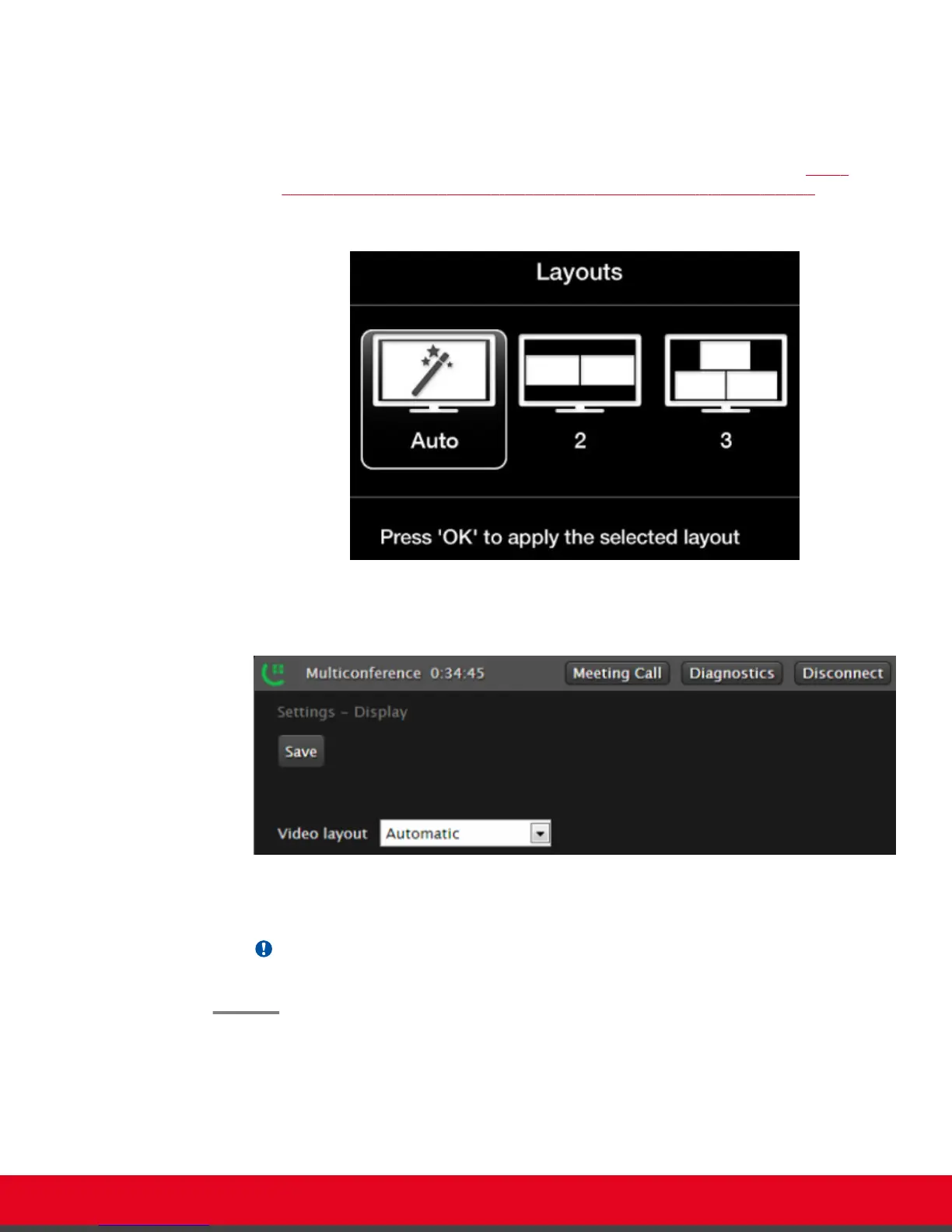
From the endpoint interface, press ok/menu on the XT Remote Control Unit to access
the videoconference menu, and select Meeting Options > Layouts (see also Figure
53: Examples of video layouts for hosted videoconferences with 2-9 participants on
page 74).
Figure 54: Changing the video layout from the endpoint
•
From the XT Series web interface, select Meeting Call > Settings > Display.
Figure 55: Changing the video layout from the web interface
2. Select the desired layout according to the number of participants.
Important:
Select Auto to restore the default layout.
User Guide for Scopia XT5000 Series Version 3.2 Hosting Videoconferences with the Built-in MCU | 75



 To Next Page