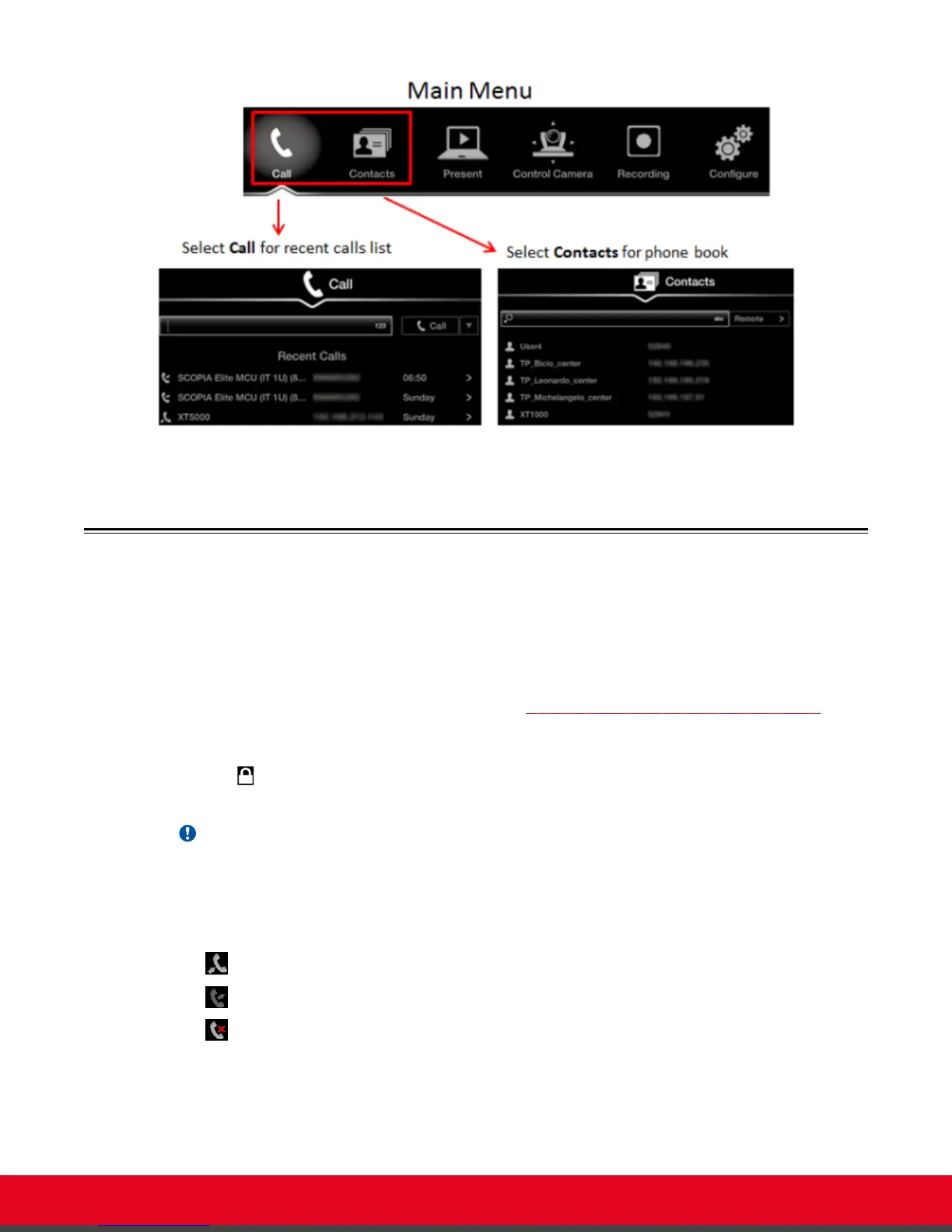
Figure 25: Dialing a number from the endpoint
Dialing a Number from the XT Series Web Interface
About this task
This procedure describes how to dial a number remotely, from the XT Series web interface. This can be
useful, for example, when you are moderating a call remotely.
You can also do this from the endpoint interface (see Dialing a Number Directly from the Endpoint on
page 37).
If your system administrator enabled encryption in your system and your call is secured, an icon showing
a padlock
appears on your display. For more information, see Administrator Guide for Scopia XT
Series.
Important:
Using encryption is subject to local regulation. In some countries it is restricted or limited for usage.
For more information, consult your local reseller.
The system stores a list of recent calls, and displays these icons appear next to a contact number or
name:
•
— Received call
•
— Dialed call
•
— Missed call
User Guide for Scopia XT5000 Series Version 3.2 Starting a Videoconference | 39



 To Next Page