Moderating a Videoconference Hosted by Another Scopia
XT Series
About this task
When you use the Scopia XT Series as an endpoint, you can moderate videoconferences hosted by an
external MCU or another endpoint with a built-in MCU. This functionality is only available if:
•
The hosting endpoint or MCU supports H.243, which enables remote videoconference
management.
•
You are not connecting to the videoconference via SIP.
You can do this procedure from the endpoint itself or from the XT Series web interface.
Alternatively, to host the videoconference on your XT Series, see Moderating a Hosted Videoconference
on page 75.
Important:
If the endpoint hosting the meeting does not support H.243, and your Scopia XT Series does not have
a built-in MCU, the Meeting option in the in-call menu is not available (see Figure 45: In-Call menu on
page 62).
Procedure
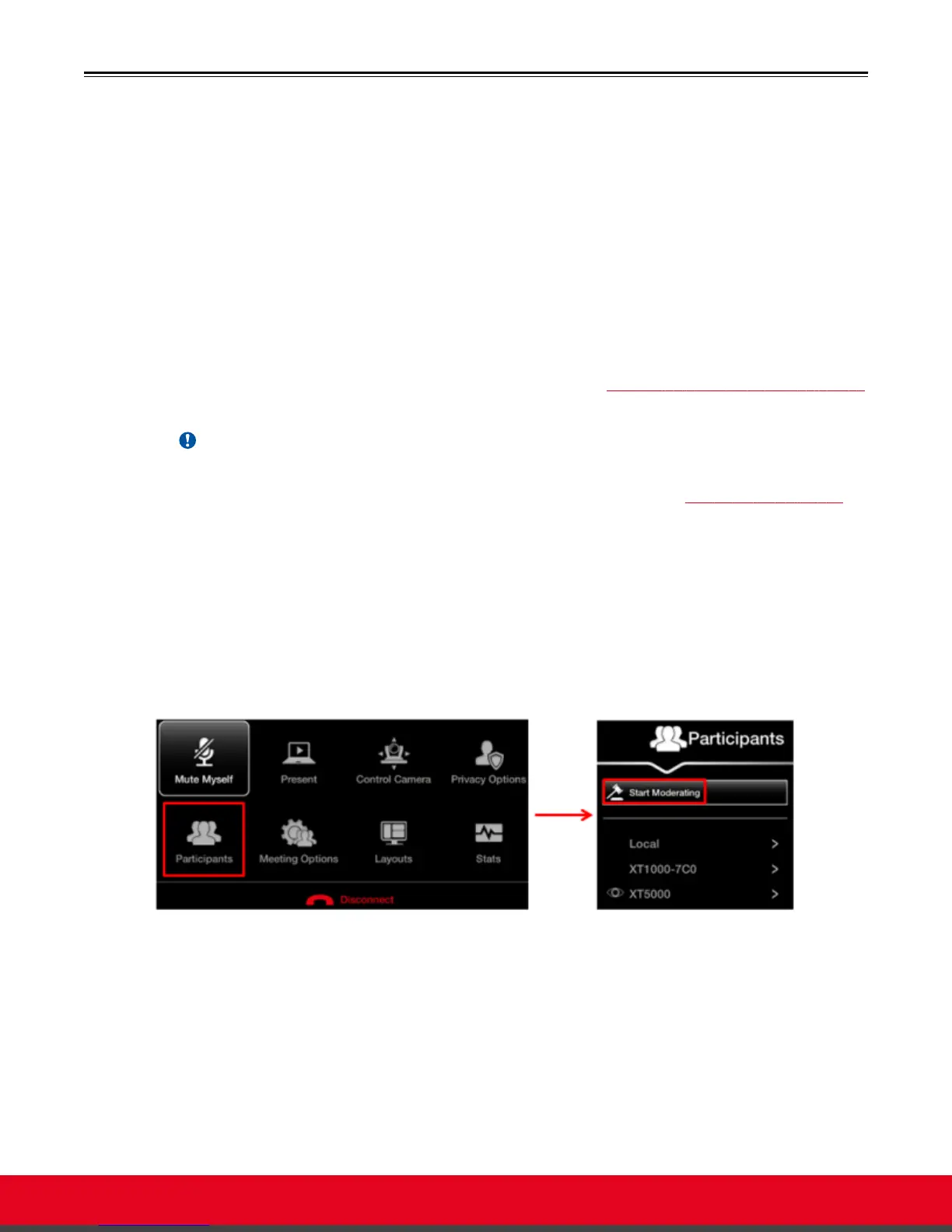
1. Access the active videoconference:
•
From the endpoint, press ok/menu on the XT Remote Control Unit and select
Participants.
•
From the XT Series web interface, select Make your call > Meeting Call.
Figure 59: Start moderating the videoconference from the endpoint interface
2. Select Start Moderating.
When approved by the meeting host, you become the meeting moderator and can manage
the meeting and its participants.
3. Select an endpoint to manage from the participant list.
4. Moderate this endpoint in the videoconference by choosing one of the following actions:
•
Select Make Lecturer to assign the participant as the lecturer.
User Guide for Scopia XT5000 Series Version 3.2 Hosting Videoconferences with the Built-in MCU | 78



 To Next Page