Selecting your Video Layout with One Monitor
About this task
A video layout is the arrangement of participant images as they appear on the monitor in a
videoconference. If the meeting includes a presentation, a layout can also refer to the arrangement of
the presentation image together with the meeting participants.
You see the video layout and hear the audio on the monitor, even when a computer is connected.
Important:
If you connect another monitor to the free HD socket and the monitor is configured to Auto by the
Administrator, the additional monitor is automatically used to show local video or a presentation (local
or remote). See the Installation Guide for Scopia XT Series for information.
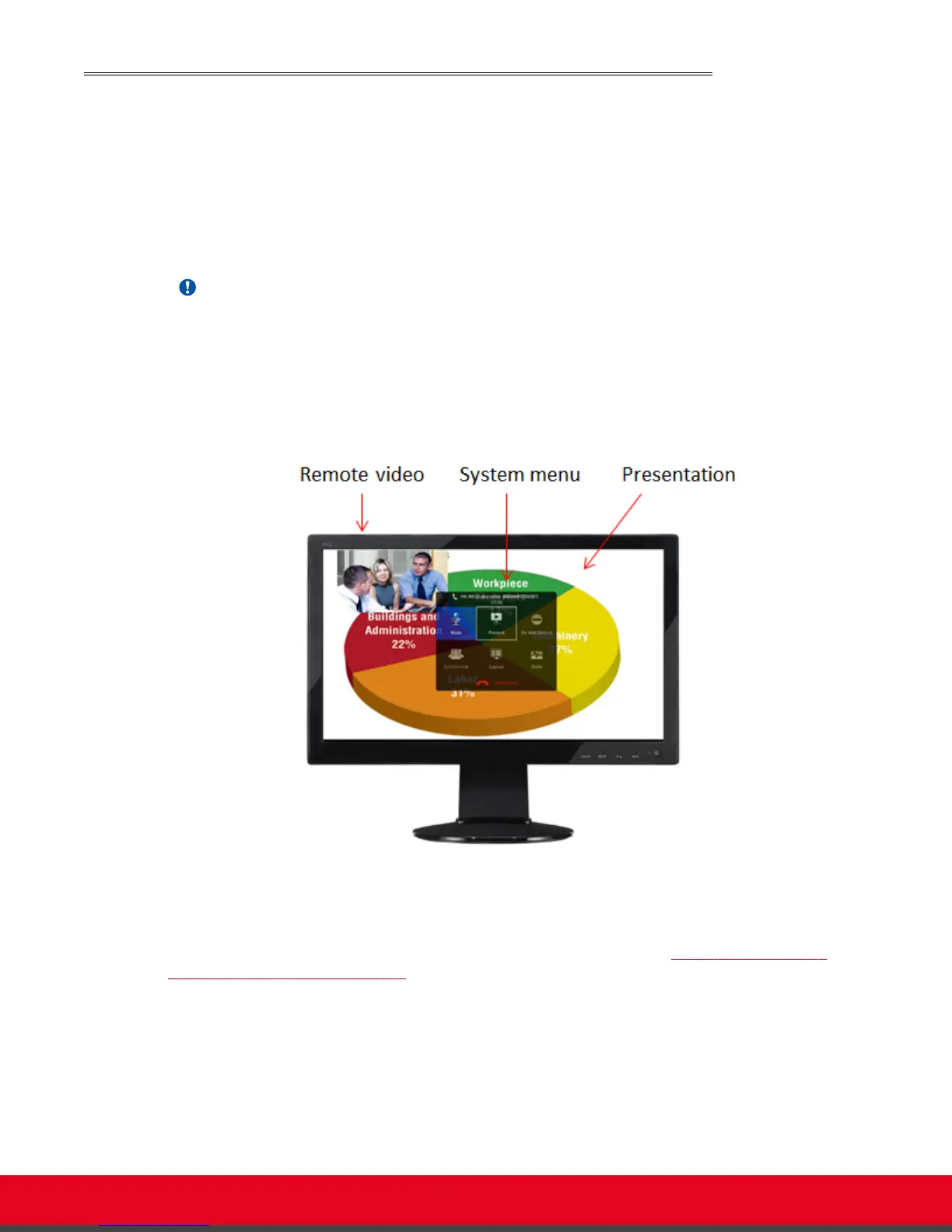
In a call, the monitor can split the screen to show both the participants' video (local and remote) and
presentation (local or remote) in different windows, with the system menus displayed transparently:
Figure 41: Available video and content (example)
When you are not in a call, the monitor automatically displays the system menus and the video taken by
the local camera
You can arrange the monitor layout and content in the following views (see Figure 42: Showing the
monitor in Pip, PaP, and PoP views on page 58):
•
PiP
The PiP (Picture In Picture) view shows a video image in the main screen, with an additional
smaller image overlapping in the corner. Typically, a remote presentation is displayed in the main
part of the screen, and the remote video is in the small image. If the remote endpoint does not
show any content, the display shows the remote video in the main part of the screen, and the local
presentation in the small image.
•
PaP
User Guide for Scopia XT5000 Series Version 3.2 During Your Videoconference | 57



 To Next Page