Hardware Installation
PixelStor 5000 User Manual
Rev. 1, May 2013
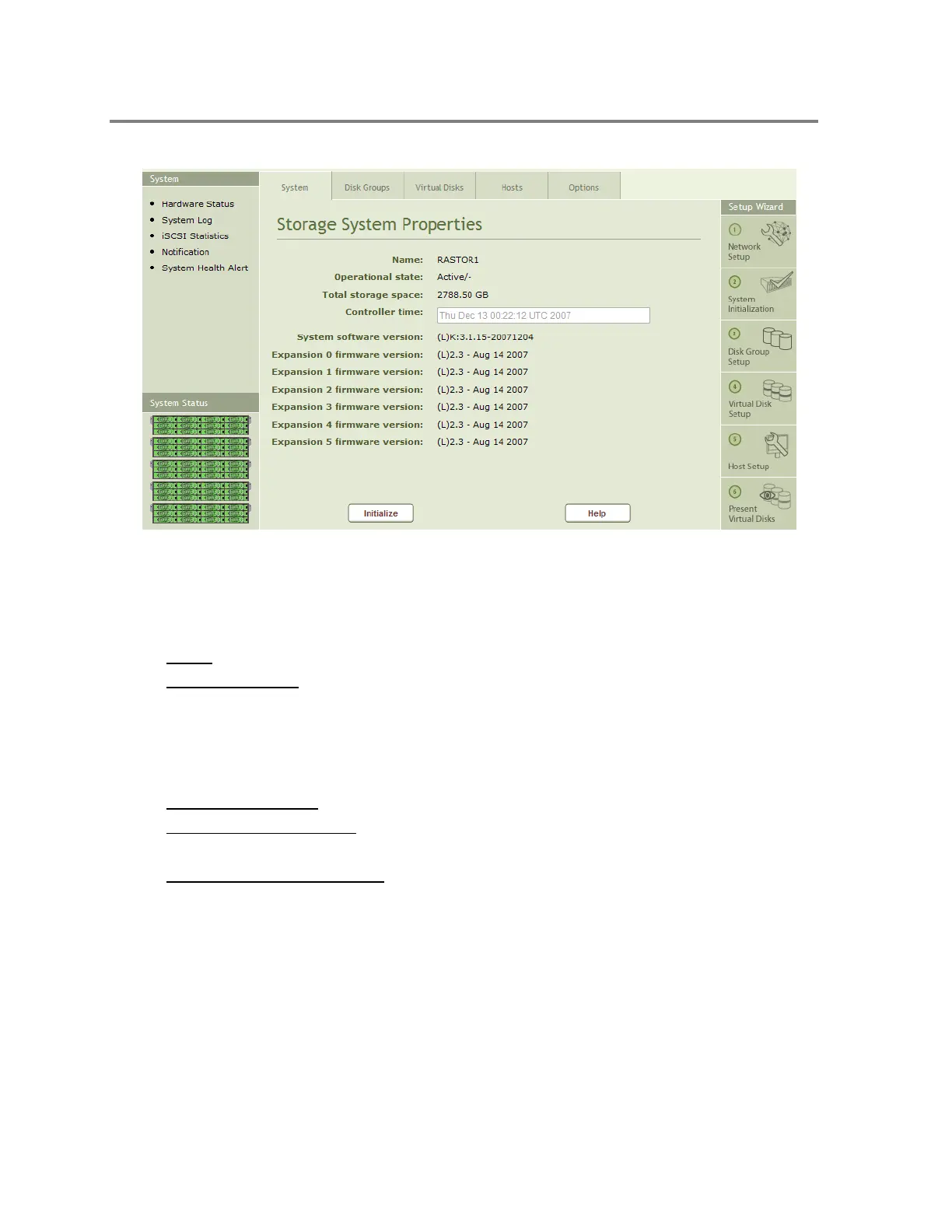
Figure 5-1 Storage System Properties
The fields in the Storage System Properties page are:
Name - The hostname of the system
Operational State - Describes the operational state of each controller in the system
o Active/Active – Both controllers active running normally.
o Active/Takeover – One Controller in takeover state. Its IP addresses and disk
groups have been taken over by the other controller.
o Active/- - Single controller active
Total Storage Space - Displays the total capacity of the system in Gigabytes
System Software Version - Describes the software version of the local (L) and remote (R)
controllers (if two controllers installed)
Expansion Firmware Version - Describes the F/W version of each enclosure installed in
the system.
5.1.2 Hardware Status Page
The hardware status page provides a visual representation of the system status. Moving the
mouse over individual components provides additional details about the component. For
example moving the mouse over a disk drive will display the manufacturer, model, size and
firmware revisions as shown in



 To Next Page