Hardware Installation
PixelStor 5000 User Manual
Rev. 1, May 2013
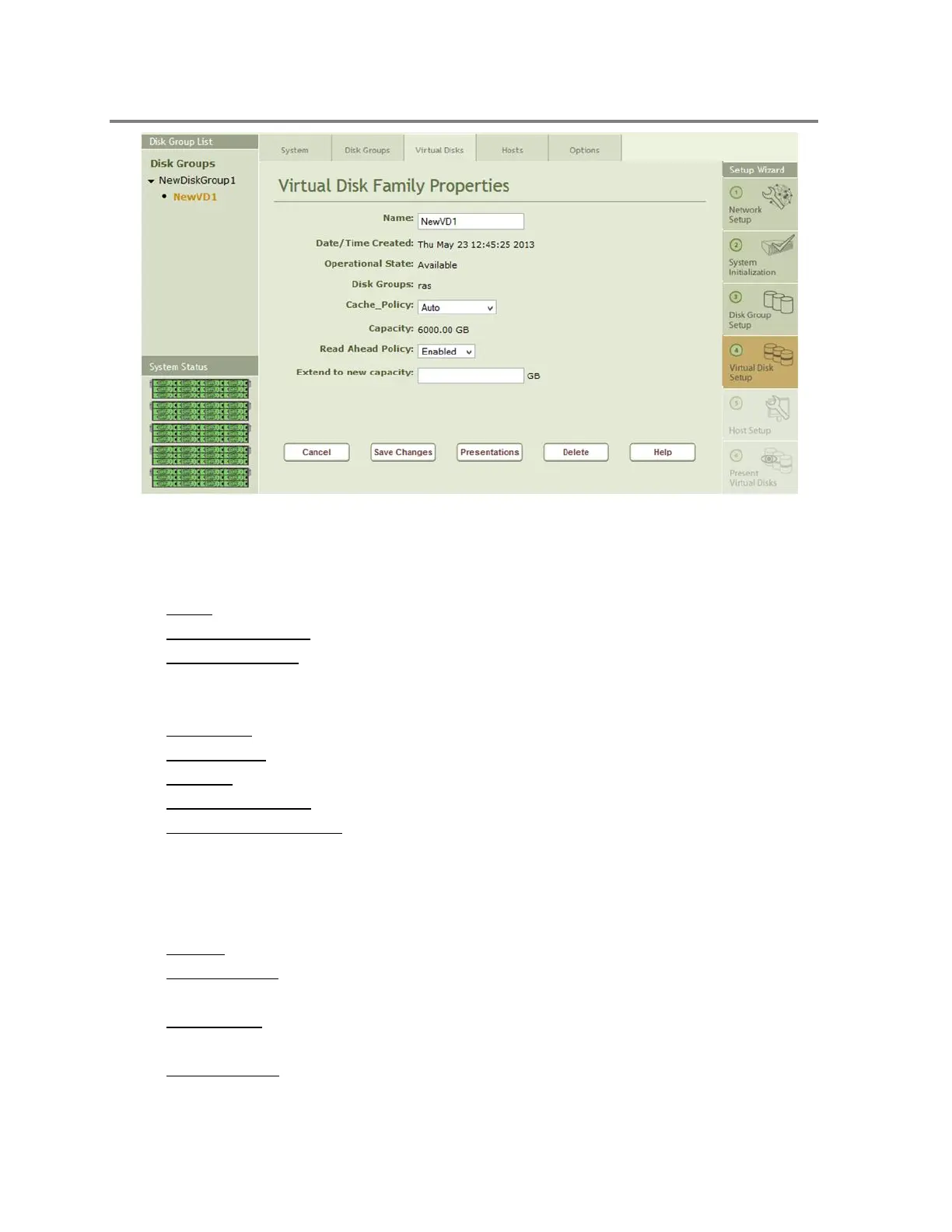
Figure 4-28 Virtual Disk Properties
The Virtual Disk Properties page shown in Figure 4-28 displays:
Name - The name of the VD
Date/Time Created - Displays the date and time the Virtual Disk was created
Operational State
o Active when available
o Inactive when the Disk Group is deactivated or doesn’t have an owner
Disk Group - The name of the Disk Group in which the Virtual Disk resides
Cache Policy - Auto, Write Through or Write Back.
Capacity - The size of the Virtual Disk in GB
Read Ahead Policy - Enabled or Disabled
Extend to new capacity - For expanding the capacity of the VD. You need to press the
“Save Changes button” to take effect.
Buttons
Cancel - Returns you to the Storage System Properties Page
Save Changes - Works with Name, Cache Policy, Read Ahead policy and Extend
Capacity field to make changes effective
Presentation - Used to open the Presentation window where you specify the host or
hosts to connect to the LUN in SAN environments.
Take Snapshot - Opens the Snapshot window where you can take point in time read
only snapshots (if option is installed).



 To Next Page