Hardware Installation
PixelStor 5000 User Manual
Rev. 1, May 2013
Delete - Remove the Virtual Disk from the system.
Help - Displays the help page
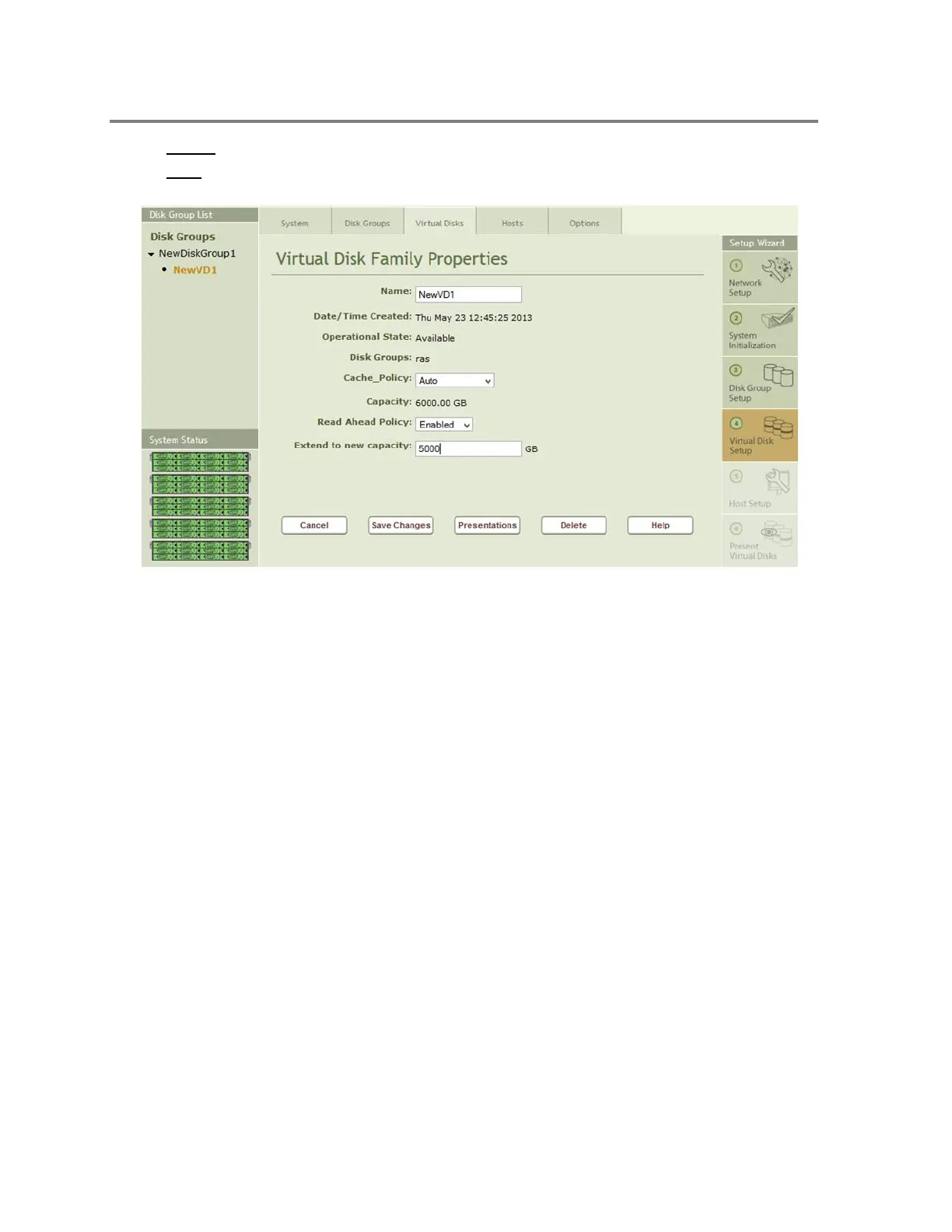
Figure 4-29 Extending VD Capacity
Once you have created a Virtual Disk you can change several operational characteristics by
entering a new value in a field on the Virtual Disk properties page and then clicking on the Save
Changes Button. Figure 4-29 shows how to expand the capacity for the Virtual disk. The
additional space must be available in the Disk Group to allow the Virtual Disk to expand.
4.2.7 Step 5 – Host Setup
Clicking on Step 5 in the Setup Wizards opens the Host Properties page that is used to describe
a Host to the Storage array as shown in Figure 4-29. On PixelStor 5000, there is no need to
create a Host definition because the VD is presented to all hosts by default. Only if presentation
is intentionally limited to one host will a host need to be defined.



 To Next Page