About This Manual
PixelStor 5000 User Manual
Rev. 1, May 2013
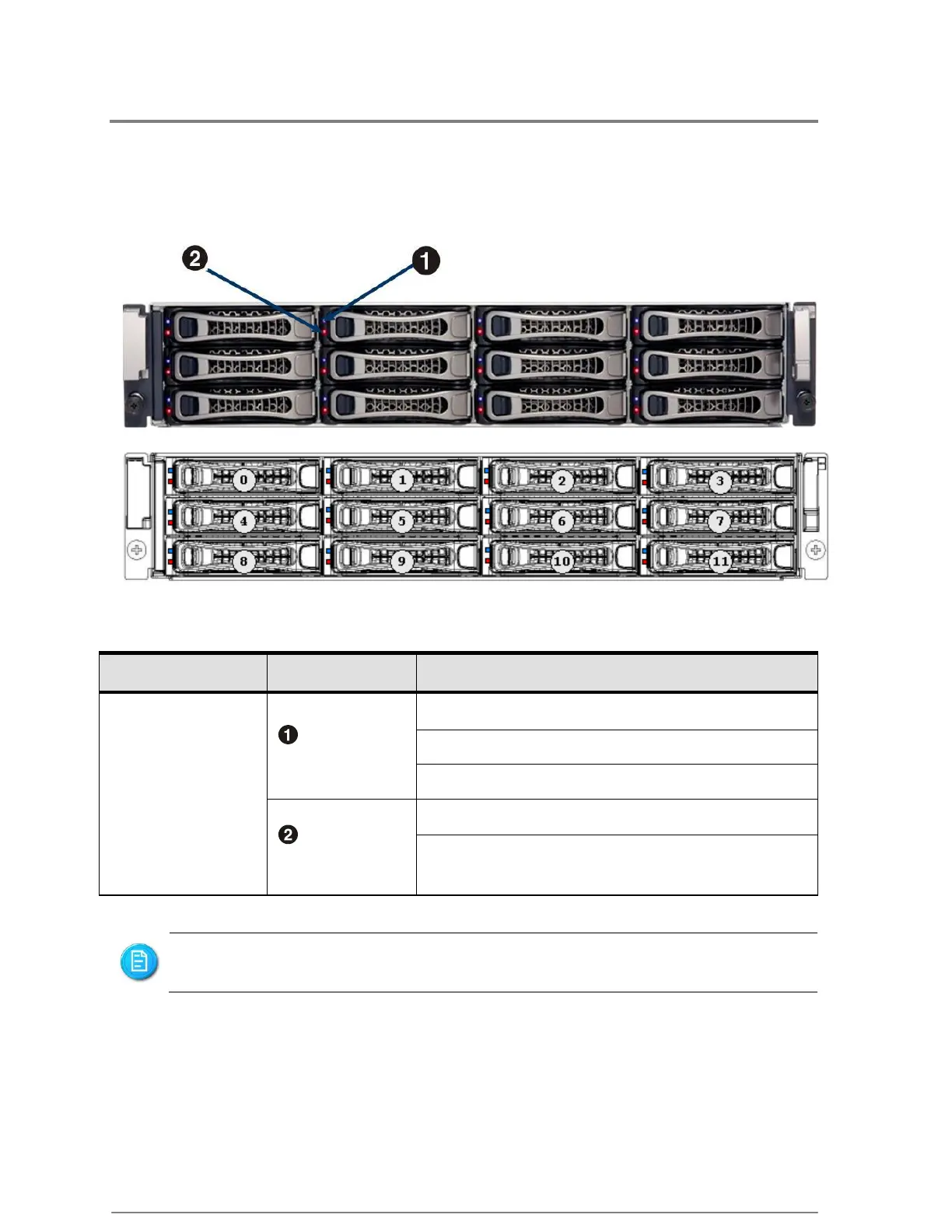
1.5.2 Module Locations - Front
The front of the PixelStor 5000 allows easy access to the 12 hot plug drive canisters. Each drive
canister has a status multi-color LED located to the right of the release handle (see figure 1-4).
Figure 1-3 Front View – Hot -plug Modules
Blinking: HDD data access
On or Blinking (individually): Drive Faulty
On or Blinking (all 12 together): System
Component failure
Hard disk drives are numbered 0 through 11 as the shown in figure above.



 To Next Page